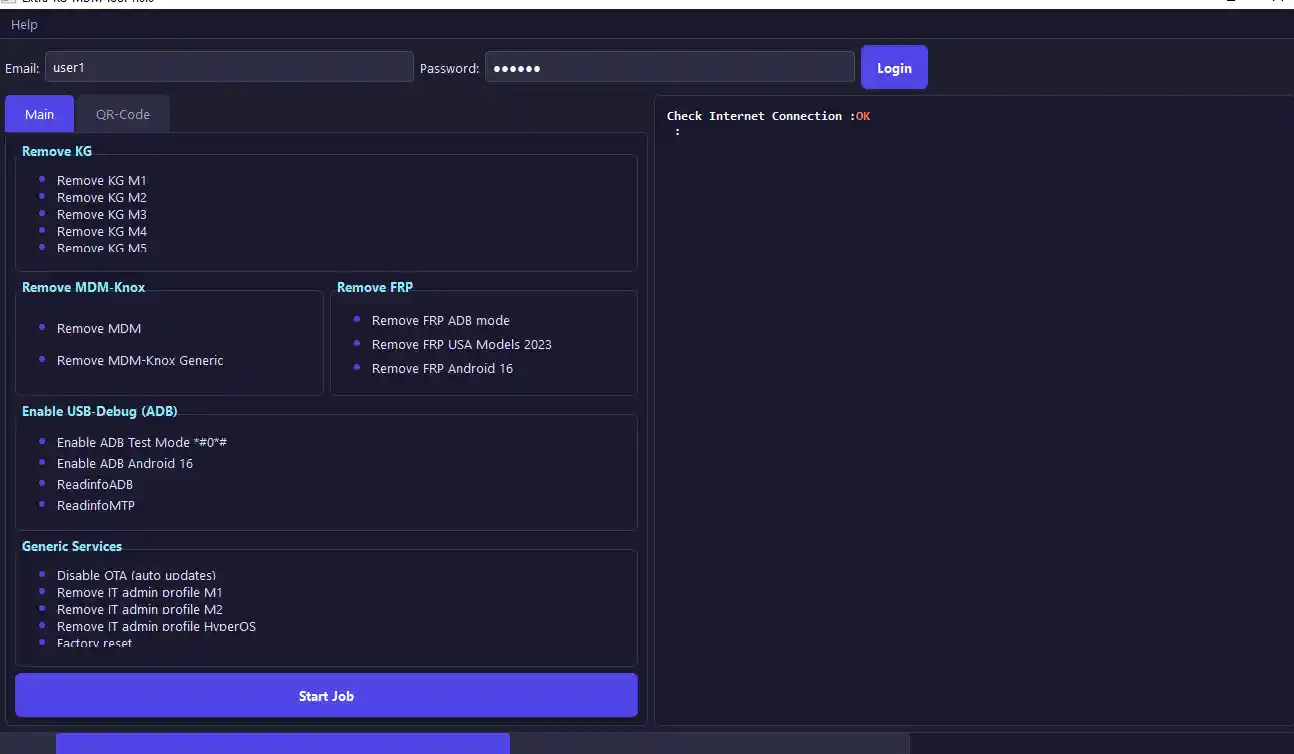
Extra-KG-MDM Tool v1.0 is a free Windows-based Android utility tool designed to remove KG locks, MDM locks, FRP locks, Knox MDM, and IT Admin profiles from Samsung and other Android devices. The tool comes with a built-in free login system, a dark-style interface, QR Code setup support, and Android 16 FRP compatibility — all without requiring a dongle or server credits. This is a straightforward free release shared for educational and testing purposes, and it has been personally checked on Windows 11 — every function tab opened correctly with no errors.
Extra-KG-MDM Tool v1.0 Features
Samsung Lock Removal
- ✅ Remove KG Lock M1, M2, M3, M4, and M5
- ✅ Remove Samsung MDM Lock
- ✅ Remove Knox MDM Generic
- ✅ Remove IT Admin Profile
FRP Bypass Options
- ✅ Remove FRP in ADB Mode
- ✅ Android 16 FRP Support
- ✅ QR Code Setup Method
- ✅ USA Models 2023 Support
Device Utility Functions
- ✅ Enable ADB Test Mode
- ✅ Read Device Information
- ✅ Read MTP Information
- ✅ Disable OTA Updates
- ✅ Factory Reset Option
- ✅ Simple and Clean Dark UI
- ✅ Free Login Included
What’s New in Extra-KG-MDM Tool v1.0
- ✅ New dark-style interface
- ✅ Added QR Code setup section
- ✅ Better support for Android 16
- ✅ Improved FRP bypass methods
- ✅ Added USA Model support
- ✅ Faster ADB detection
- ✅ More stable KG removal options
- ✅ Easy login system for all users
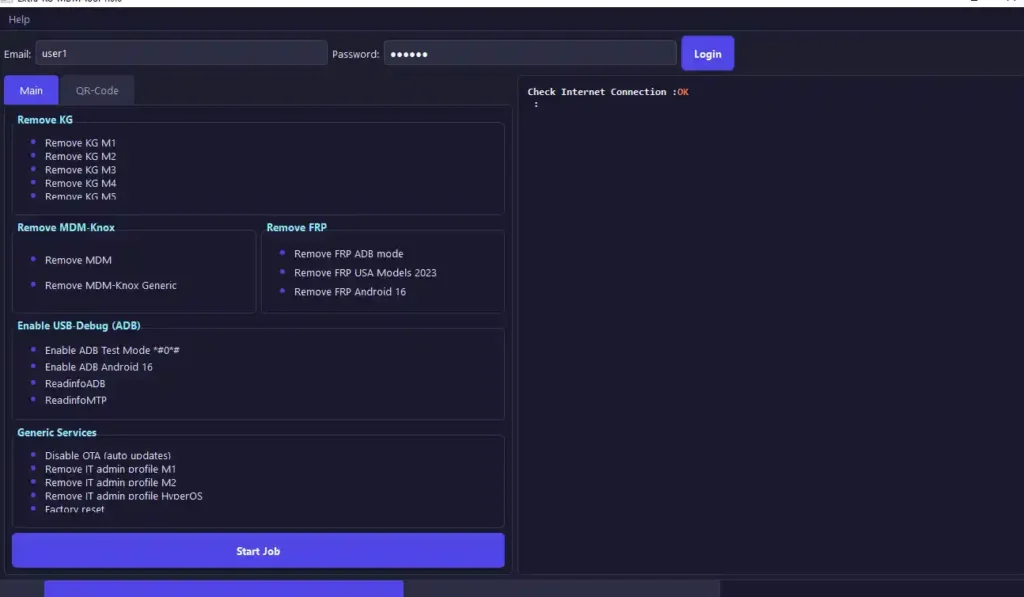
Screenshots
File Information
| Field | Details |
|---|---|
| Tool Name | Extra-KG-MDM Tool |
| Version | v1.0.0 (Latest) |
| Platform | Windows 10 / 11 |
| File Type | Free Tool |
| Category | Android FRP & Lock Removal Tool |
| License | Freeware |
| Username | user1 |
| Password | 123456 |
Download Extra-KG-MDM Tool v1.0
Login Credentials — Username: user1 | Password: 123456
⚠️ Important Notice: Extra-KG-MDM Tool is shared as a free release for educational and legal device servicing purposes only. All files are provided as-is without any warranties. Scan any downloaded file before use and download strictly at your own risk.
Requirements
- A Windows PC or Laptop (Windows 10 / 11)
- USB drivers installed for your target device
- Active USB cable (USB 2.0 or 3.0)
- Device battery at 50% or above before starting any operation
- Windows Defender temporarily disabled or extraction folder added as an exclusion
How To Install and Use Extra-KG-MDM Tool v1.0
Step 1 – Disable Antivirus or Add Exclusion Folder
- Open Windows Security → Virus & threat protection → Manage settings.
- Under Exclusions, click Add or remove exclusions.
- Add the folder where you plan to extract the tool as an exclusion.
- Extract the downloaded file into this excluded folder.
✅ Tip: Do not fully disable Windows Defender — adding just the extraction folder as an exclusion is safer and works just as well.
Step 2 – Extract and Run the Tool
- Extract the downloaded file using WinRAR or 7-Zip.
- Right-click the EXE file and select Run as Administrator.
- If Windows SmartScreen appears, click More info → Run anyway.
- Allow access if Windows Firewall prompts for network permission.
Step 3 – Log In
- When the login screen opens, enter the credentials:
- Username: user1
- Password: 123456
- Click Login to access the main tool interface.
Step 4 – Install USB Drivers
- Before connecting your device, make sure the correct USB drivers are already installed on your PC.
- For Samsung devices, install Samsung USB Drivers. For other Android brands, install the appropriate ADB drivers.
- Connect your device via USB and confirm it is detected by the tool.
Step 5 – Select Your Operation and Proceed
- Choose the function you need from the main interface — KG Lock removal, MDM removal, Knox removal, FRP bypass, IT Admin profile removal, or factory reset.
- Follow the on-screen instructions for the selected operation.
- For FRP bypass on newer Samsung models, use the QR Code Setup Method available in the interface for better results on Android 16 and USA model devices.
⚠️ Important: Always back up device data before running a factory reset or wipe operation — this cannot be undone.
FAQ
What is Extra-KG-MDM Tool v1.0?
Extra-KG-MDM Tool is a free Windows-based Android repair tool that removes KG locks (M1 through M5), MDM locks, Knox MDM, IT Admin profiles, and FRP locks from Samsung and other Android devices. It runs on Windows 10 and 11 and includes a free built-in login system with no dongle or server subscription required.
Is Extra-KG-MDM Tool completely free?
Yes. No credits, dongle, or paid activation are required. Just log in with the provided credentials — username: user1, password: 123456 — and the tool is ready to use.
Which KG lock versions does it support?
The tool supports KG Lock removal for M1, M2, M3, M4, and M5 variants on supported Samsung models.
Does it support Android 16?
Yes. This version includes dedicated Android 16 FRP support, along with a QR Code setup method that works better on newer Android 16 and USA model Samsung devices.
Why does Windows Defender flag the tool?
GSM repair tools that use ADB and low-level device access functions often trigger false positive detections in Windows Defender. This does not mean the file is malicious. Adding the extraction folder as a Windows Security exclusion prevents deletion without fully disabling your antivirus protection.
What USB mode should the device be in?
For FRP removal in ADB mode, the device needs to be connected in ADB or MTP mode. For operations requiring Download Mode or Diag Mode, follow the on-screen prompt for that specific function. Always install the correct USB drivers before connecting.
More Tools ⇒