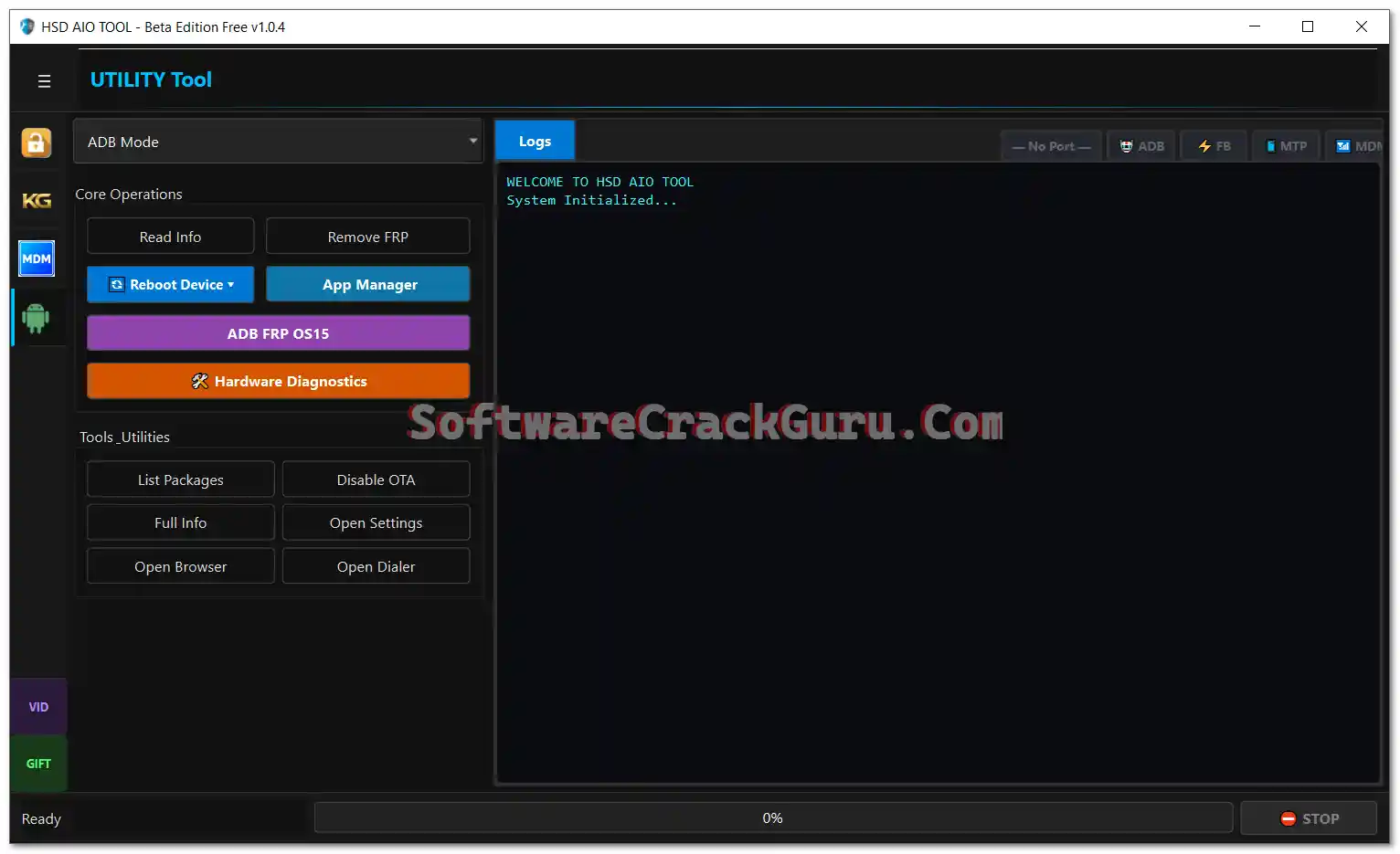
HSD AIO Tool Beta v1.0.4 is the latest update of the free multi-brand Android servicing platform supporting Samsung, Xiaomi, Redmi, POCO, Vivo, iQOO, Oppo, Realme, Motorola, Tecno, Infinix, Itel, and Nothing devices. The tool is organized into five dedicated modules — KG/Knox Guard Tool, MDM/IT Admin Tool, Utility Tool (MTP/ADB/Fastboot), and Xiaomi ADB Tool — each covering brand-specific operations from FRP reset and KG bypass to Android 16 FRP, OTA blocker, Xiaomi IMEI and Critical Data operations, screen mirror, and QR code tools. V1.0.4 expands OTA/Update Blocker to 8 brands and adds a dedicated Xiaomi ADB section with Critical Data read/write/generate. New users receive one month of free access using referral code SOFT11111.
HSD AIO Tool v1.0.4 Features
KG / Knox Guard Tool (Samsung)
- ✅ Read Samsung Info (ADB)
- ✅ Enable ADB (MTP Mode)
- ✅ Enable ADB (Old Method)
- ✅ Enable ADB (June 2023 Method)
- ✅ KG Lock Bypass – Android 13 Method 1 & Method 2
- ✅ Android All Patch with QR and Auto ADB
- ✅ Android 14 Universal KG Method
- ✅ Remove Knox
- ✅ Fix Relock
- ✅ Android 13 QR Code ADB Enable
- ✅ UMT ADB QR
MDM / IT Admin Tool
- ✅ Read Device Info
- ✅ Android 15 / 16 MDM Fix
- ✅ Android 13 / 14 MDM Fix
- ✅ Generate QR Code
- ✅ Enable Factory Reset
- ✅ Video Guide
- ✅ Screen Mirror
- ✅ OTA / Update Blocker – Samsung
- ✅ OTA / Update Blocker – Xiaomi
- ✅ OTA / Update Blocker – Oppo
- ✅ OTA / Update Blocker – Vivo
- ✅ OTA / Update Blocker – OnePlus
- ✅ OTA / Update Blocker – Motorola
- ✅ OTA / Update Blocker – Tecno / Infinix
- ✅ OTA / Update Blocker – Huawei
Utility Tool – MTP Mode
- ✅ Samsung MTP Read Info
- ✅ Universal MTP Read Info
- ✅ Open Browser (MTP)
- ✅ Enable ADB Old (MTP)
- ✅ Enable ADB New (MTP)
- ✅ Factory Reset (MTP)
- ✅ Android 16 FRP (MTP)
Utility Tool – ADB Mode
- ✅ Read Info (ADB)
- ✅ Remove FRP (ADB)
- ✅ Reboot Device
- ✅ App Manager
- ✅ ADB FRP OS15
- ✅ Hardware Diagnostics
- ✅ List Packages
- ✅ Disable OTA
- ✅ Full Device Info
- ✅ Open Settings / Browser / Dialer
Utility Tool – Fastboot Mode
- ✅ Read Info (Fastboot)
- ✅ Reboot Device (Fastboot)
- ✅ Reboot to EDL Mode
Xiaomi ADB Tool (New in v1.0.4)
- ✅ View Phone IDs and Hardware Information
- ✅ View CPU Information
- ✅ View Brand and Model Information
- ✅ View Bluetooth MAC Address
- ✅ View Wi-Fi MAC Address
- ✅ View ENG State
- ✅ View IMEI 1 and IMEI 2
- ✅ Read Critical Data
- ✅ Generate Critical Data
- ✅ Write Critical Data
- ✅ Reboot Xiaomi Device
Supported Brands
- ✅ Samsung
- ✅ Xiaomi / Redmi / POCO
- ✅ Vivo / iQOO
- ✅ Oppo / Realme
- ✅ Motorola
- ✅ Tecno / Infinix / Itel
- ✅ Nothing
Screenshots


Changelogs
v1.0.4 — September 5, 2026
[New] Xiaomi ADB Tool Section Added:
      View Phone IDs, CPU Info, Brand/Model, BT MAC, WiFi MAC, ENG State
      View IMEI 1 & 2
      Read Critical Data / Generate Critical Data / Write Critical Data
      Reboot Xiaomi Device
[New] OTA / Update Blocker Expanded to 8 Brands:
      Samsung, Xiaomi, Oppo, Vivo, OnePlus, Motorola, Tecno/Infinix, Huawei
[Enhancement] Utility Tool ADB: Added ADB FRP OS15, Hardware Diagnostics,
              List Packages, Full Device Info
[Enhancement] Utility Tool Fastboot: Reboot to EDL Mode added
[Known Issue] Some operations show loader server error (Beta limitation)

v1.0.2 — July 23, 2026
[Initial] KG / Knox Guard Tool Added
[Initial] MDM / IT Admin Tool Added
[Initial] Utility Tool (MTP / ADB / Fastboot) Added
[Initial] Referral system – 1 month free with SOFT11111
File Information
| Field | Details |
|---|---|
| Tool Name | HSD AIO Tool Beta Edition |
| Version | v1.0.4 (Latest – September 5, 2026) |
| Developer | HSD AIO Tool Team |
| Platform | Windows |
| Account System | Email + Name + Phone + Password |
| Free Trial | 1 Month Free (Referral Code: SOFT11111) |
| License | Free Trial / Credit-Based |
Download HSD AIO Tool v1.0.4
⚠️ Warning: This is a Beta release. Some operations may show a loader server error when the required loader is not available on the server. Download and use at your own risk. For educational and testing purposes only.
Requirements
- A Windows PC or Laptop (Windows 10 / 11 recommended)
- USB Debugging enabled on the Android device
- Samsung / ADB USB Drivers installed
- Active internet connection (required for account login and server operations)
- Allow adb.exe through Windows Defender Firewall when prompted
How To Install and Sign Up
- Download the RAR file from the MediaFire link above and extract it.
- Locate HSD_AIO_TOOL.exe and right-click → Run as Administrator.
- Follow the installer — enable the Desktop shortcut option when prompted.
- Complete the installation and click Finish.
- Before closing the installer, uncheck Launch HSD_AIO_TOOL.
- Open the HSD AIO Tool Desktop shortcut.
- On the HSD LOGIN screen, click SIGN UP.
- Enter your Name, Phone Number, Email, and Password.
- In the Referral Code field, enter SOFT11111 to get 1 month free access.
- Click CREATE ACCOUNT.
- On the referral pop-up, click CONTINUE TO LOGIN.
- Log in — the main interface opens with all modules available.
- If Windows Defender Firewall asks about adb.exe, click Allow Access.
⚠️ Important: Disable antivirus before running the installer. Allow adb.exe through firewall when prompted for ADB functions to work.
Referral Program
- 1 Free Month per Referral — each user who signs up with your code gives you 1 additional free month.
- 1 Free Year — refer 4 users and unlock a full year of unlimited free access.
Share your referral code after signing up to extend your free access.
FAQ
What is HSD AIO Tool?
HSD AIO Tool is a multi-brand Android servicing platform supporting Samsung, Xiaomi, Vivo, Oppo, Realme, Motorola, Tecno, Infinix, Itel, and Nothing. It covers Samsung KG/Knox bypass, MDM/IT Admin fix, FRP removal (Android 13–16), OTA blocker for 8 brands, Xiaomi Critical Data operations, ADB/MTP/Fastboot tools, and screen mirroring.
Is HSD AIO Tool free?
New users get 1 month of free access by registering with referral code SOFT11111. After the trial, a credit-based system applies. Extend free access through the referral program.
What is the referral code for 1 month free?
Use SOFT11111 in the Referral Code field during signup to receive 1 month of free full access instantly.
What is new in v1.0.4?
V1.0.4 adds a dedicated Xiaomi ADB Tool with IMEI viewing, Critical Data read/generate/write, and device info. It also expands OTA/Update Blocker from Samsung only to 8 brands (Samsung, Xiaomi, Oppo, Vivo, OnePlus, Motorola, Tecno/Infinix, Huawei) and adds ADB OS15 FRP, Hardware Diagnostics, and Reboot to EDL in Fastboot.
What does the loader server error mean?
This is a known Beta limitation — some advanced operations require loader files from the HSD server. If the server doesn’t have the loader for your specific device model yet, the operation shows a server error. Core ADB/MTP functions work without a server-side loader.
Which Samsung Android versions are supported for KG?
The KG Tool supports Samsung Android 13 (Method 1, Method 2, All Patch with QR/Auto ADB) and Android 14 (Universal method), plus Remove Knox and Fix Relock options.
More Tools ⇒