Android Utility Tool V200.01.0001 is the latest offline release of the popular Android repair and flashing tool developed by Mofadal Mohammed. This version works fully offline — no internet check or mandatory updates required. It supports MediaTek, Qualcomm, Unisoc (Spreadtrum), and Samsung devices and covers functions like firmware flashing, FRP reset, IMEI repair, bootloader operations, and security repair. The developer has removed risky functions and fixed known issues over time to keep users safe. This is not a final version — monthly updates are expected, so always check for the latest release.
Android Utility Tool Features
- ✅ Firmware Flashing – MediaTek, Qualcomm, Unisoc (PAC/CFG/Scatter)
- ✅ FRP Reset / Remove (ADB, META, Diag modes)
- ✅ IMEI Repair (Diag Mode – Both IMEI)
- ✅ Format Userdata / Safe Format / Factory Reset
- ✅ Bootloader Unlock / Relock
- ✅ Security Backup & Restore
- ✅ Samsung Force Brom (patched for safe use)
- ✅ SPD Brom / Spreadtrum Boot
- ✅ DM-Verity Fix
- ✅ Huawei ID Reset / Mi Account Reset
- ✅ Motorola UniSoC Boot Repair
- ✅ Infinix / iTel / Tecno ADB Functions
- ✅ Tablet Format Support
- ✅ Fully Offline – No Internet or Update Check Required
- ✅ No Dongle Required for Basic Functions (Smart Card for full features)
Changelogs
V200.01.0001 — 08 January 2026
[Update] Motorola UniSoC Boot Repair
         Fixed Motorola UniSoC boot repair for improved stability and reliability
[Fix]    Resolved multiple minor issues to enhance overall performance

V200.01.0001 — Offline Build Notes
[New]    Fully offline build – no internet check required
[New]    No mandatory lifetime updates
[Info]   No extra features added in this release
[Info]   No protection system in this build
[Fix]    Samsung Force Brom – issue forcefully closed (safe use only)
[Fix]    Tablet format abuse corrected
[Fix]    SPD Brom Force misuse fixed
[Info]   Many risky or outdated functions removed or fixed since 2021

V200.00.0000
[New]    Initial V200 series release
[New]    Redesigned interface and module layout

V192.FF.2244
[Enhancement] Improved MTK and Qualcomm stability
[Fix]    Various minor bug fixes

V192.00.2124
[Enhancement] Updated Spreadtrum (Unisoc) support
[Fix]    FRP reset improvements for newer Android versions

V190
[New]    Added new device support for Samsung and Infinix
[Enhancement] Improved META mode functions

V187 / V186 / V185
[Enhancement] Progressive improvements to flashing engine
[Fix]    Security repair stability improvements

V182 / V180
[New]    Extended Qualcomm diag support
[Enhancement] Improved IMEI write reliability

V177 / V175 / V170
[New]    Major feature expansions across MTK, SPD, Qualcomm
[Fix]    Patch applied for V170 (Mirror available)

V168 / V165 / V164 / V163
[Enhancement] Gradual improvements to format and FRP modules

V162 / V160 / V156 / V155
[Fix]    Bug fixes and device database updates

V154 / V152 / V150 / V148 / V146 / V145
[New]    Early stable releases with core flashing and FRP functions

V144 / V142 / V140 / V138 / V135 / V133
[New]    Initial public versions – foundational flash and repair support
⚠️ Important Alert – Do Not Use Factory Reset META Mode
Do not use Factory Reset META Mode on the following locked BootROM devices:
- Blu, Celero 5G, TCL, Revvl, Nokia HMD
- Tracfone and T-Mobile dedicated models
- Blackview models (no official firmware source)
On these devices, formatting via META mode may trigger dm-verify after format, showing the error: “Device corrupted and can’t be trusted” — and may permanently prevent the phone from booting. This alert was first posted in 2021 for OPPO devices and has been reconfirmed after new experiments.
⚠️ This tool is developed for educational and legal servicing purposes only. The software is provided “as-is” without any warranty. Use strictly at your own risk. The authors are not responsible for any damage caused through misuse. Do not use for illegal or unauthorized activities.
Screenshots
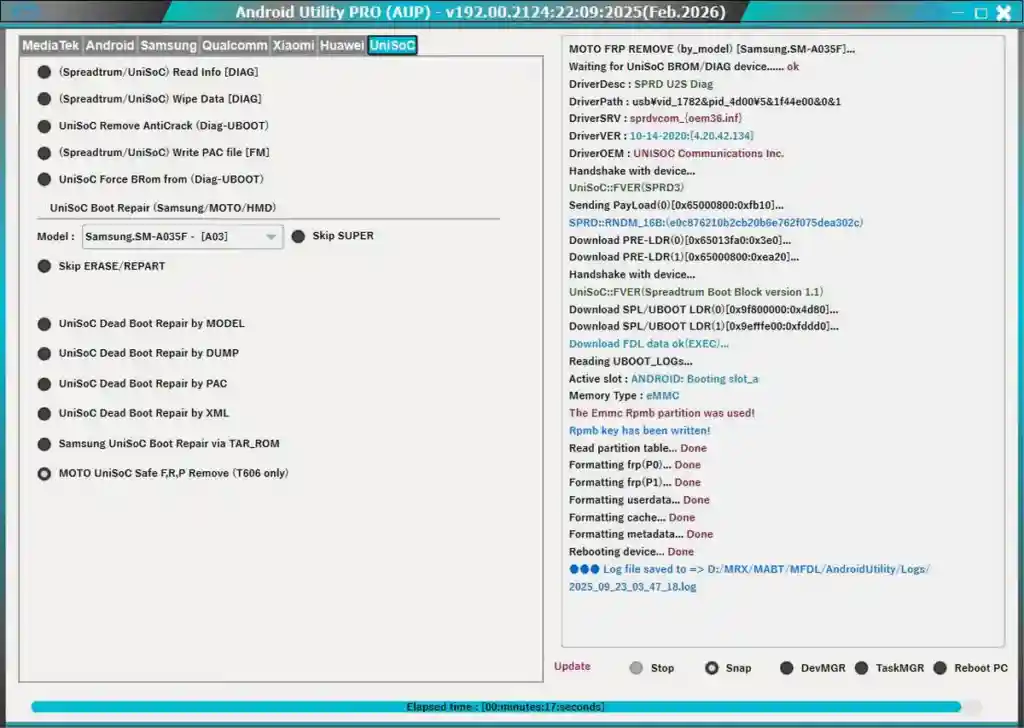
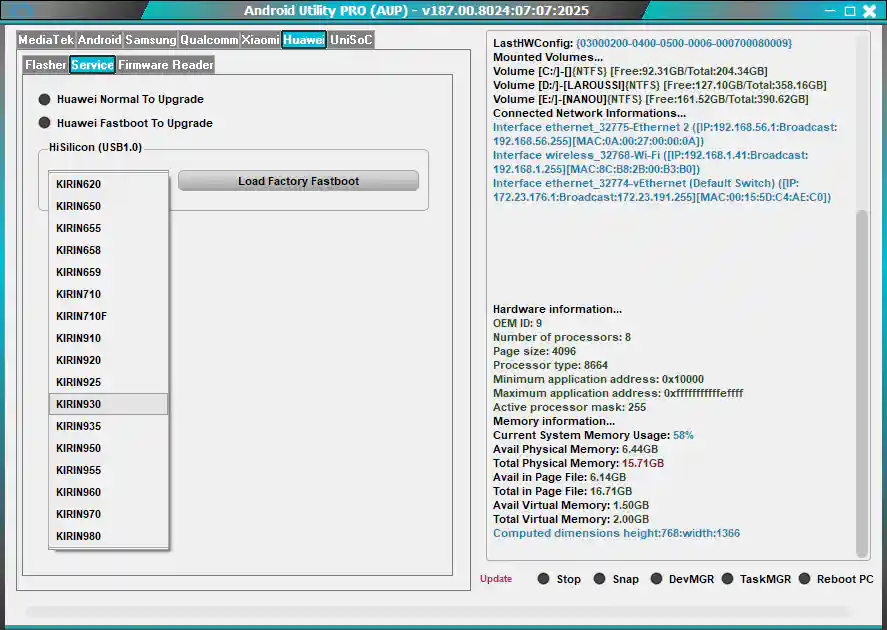
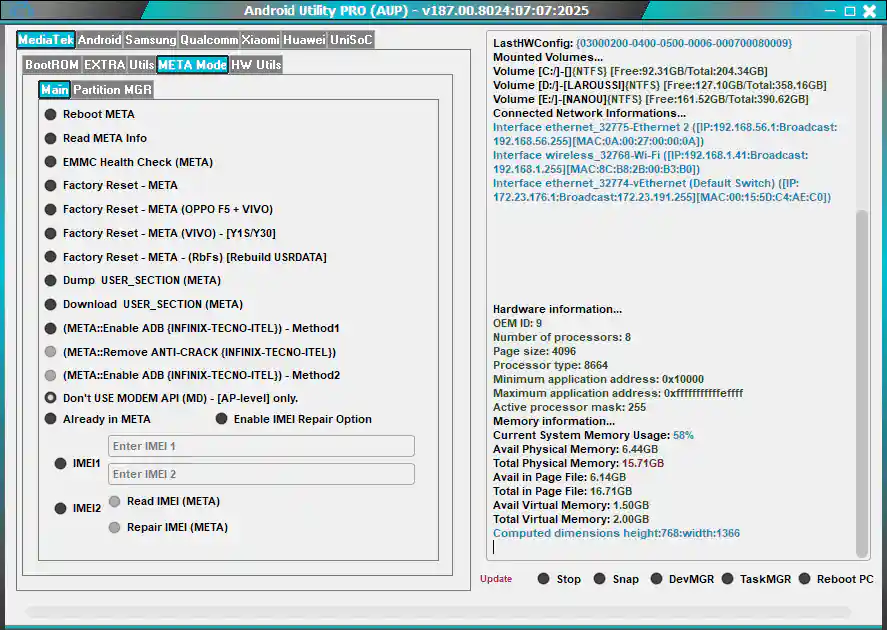
File Information
| Field | Details |
|---|---|
| File Name | Android Utility Tool V200.01.0001 (Offline) Rev 2 |
| File Size | 322 MB |
| Developer | Mofadal Mohammed |
| Source | |
| Free or Paid | Free |
| File Password | mfdl |
Download Android Utility Tool
Download Android Utility Tool V200.01.0001 (Offline) Rev 2 – Proton Drive
⚠️ Warning: Download and use at your own risk. Always back up your device’s security and IMEI data before performing any flash or repair operation.
Previous Versions
| Version | Download |
|---|---|
| V200.01.0001 (Offline) Rev 1 | Proton Drive |
| V200.00.0000 | MediaFire |
| V192.FF.2244 | JioAICloud |
| V192.00.2124 | JioAICloud |
| V190 | MediaFire |
| V187 | JioAICloud |
| V186 | JioAICloud |
| V185 | JioAICloud |
| V182 | JioAICloud |
| V180 | JioAICloud |
| V177 | JioAICloud |
| V175 | JioAICloud |
| V170 | JioAICloud / Mirror + Patch |
| V170 Original | JioCloud |
| V168 | JioCloud |
| V165 | JioCloud |
| V164 | JioCloud |
| V163 | JioCloud |
| V162 | WorkUpload |
| V160 | Box |
| V156 | MEGA |
| V155 | MEGA |
| V154 | Google Drive |
| V152 | Google Drive |
| V150 | Google Drive |
| V148 | Google Drive |
| V146 | Google Drive |
| V145 | MEGA |
| V144 | MEGA |
| V140 | MEGA |
| V138 | MEGA |
| V135 | MEGA / Fixed |
| V133 | Google Drive – No Error |
Requirements
- A Windows PC or Laptop
- Windows 10 or Windows 11 (64-bit recommended)
- WinRAR or 7-Zip to extract the file
- Proper USB drivers installed for your device brand
- Disable Antivirus or Windows Defender before running the tool
- Smart card / dongle (optional – for full feature access)
How To Install and Use Android Utility Tool
- Download the file from the link above and extract it using WinRAR or 7-Zip (password: mfdl).
- Extract all files to your Desktop or C: drive.
- Open the extracted folder and run AndroidUtility.exe.
- If you see a smart card error, it means no dongle is connected — only limited features will be available. You can still use basic functions freely.
- Connect your device via USB and select the required chip platform and function.
- Follow the on-screen instructions and wait for the operation to complete.
⚠️ Important: Always disable your antivirus before running the tool. Run as Administrator to avoid permission errors.
FAQ
What is Android Utility Tool?
Android Utility Tool is a free Windows-based Android repair software developed by Mofadal Mohammed. It supports MediaTek, Qualcomm, Unisoc, and Samsung devices with functions like firmware flashing, FRP reset, IMEI repair, format, bootloader operations, and more.
Is this version completely offline?
Yes, V200.01.0001 is a fully offline build. It requires no internet connection or mandatory updates to run.
Do I need a dongle to use it?
No dongle is needed for basic functions. However, if you see a smart card error on launch, it means some advanced features may be restricted without a dongle connected.
Why was the protection system removed?
The developer released this as a free offline build without a protection system. The original update/protection system was designed to keep users safe from risky operations — not to restrict access. Many users could previously bypass the simple date check anyway.
Is it safe to use Factory Reset META Mode?
No — do not use Factory Reset META Mode on locked BootROM devices like Blu, TCL, Celero 5G, Revvl, Nokia HMD, or Tracfone/T-Mobile dedicated models. Doing so can trigger dm-verify errors and permanently brick the device.
Which chipsets are supported?
The tool supports MediaTek (BROM/META), Qualcomm (Diag/EDL), Unisoc/Spreadtrum (SPD Brom/PAC), and Samsung (Download Mode/Force Brom).
More Tools ⇒