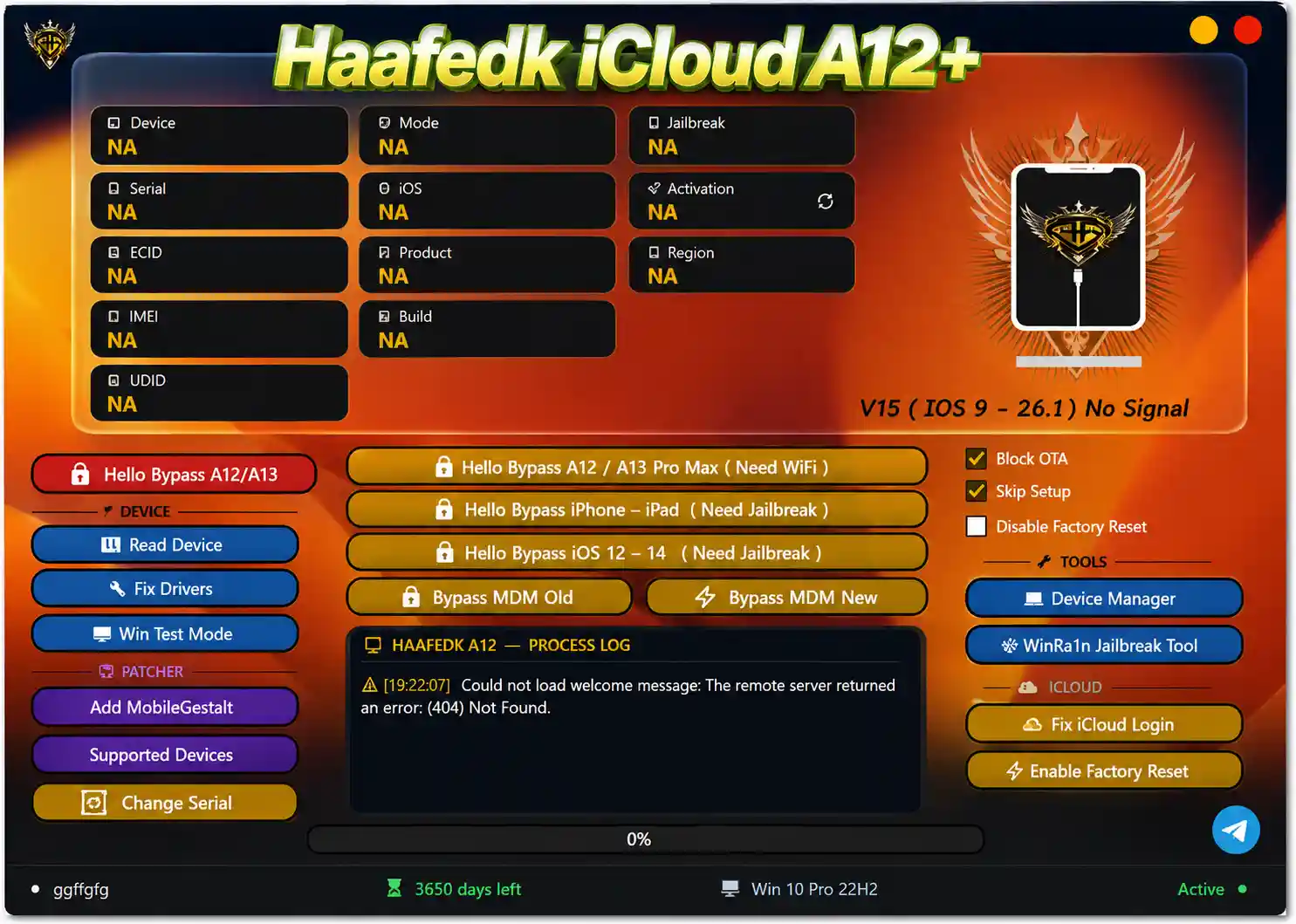
HaaFedk iCloud A12+ V15 is the latest update of the popular free iOS servicing tool developed by EmadHaafedk. Building on the strong V14 foundation, V15 adds iOS 16 RAMdisk support for A12 and A13 devices, Japanese and Chinese device support, automatic passcode file repair, and automatic correction for files tampered with by other tools. The tool covers Hello Screen bypass, MDM bypass, passcode backup/restore, device information reading, iCloud login fix, serial number change, OTA blocking, factory reset control, and the built-in WinRa1n jailbreak tool — all designed for iPhone XS, XS Max, XR, iPhone 11 series, iPhone SE 2nd Gen, and compatible iPad models.
HaaFedk iCloud A12+ Features
Device Information
- ✅ Read Device Info (Model, iOS Version, Build, Product Type)
- ✅ Display Serial Number / ECID / IMEI / UDID
- ✅ Show Device Mode / Jailbreak Status / Activation Status / Region
Hello Bypass
- ✅ Hello Bypass A12 / A13 Devices
- ✅ Hello Bypass 4S through iPhone 17 Pro Max (WiFi Required)
- ✅ Hello Bypass iPhone / iPad (Jailbreak Required)
- ✅ Hello Bypass iOS 12 through iOS 14 (Jailbreak Required)
MDM Bypass
- ✅ Bypass MDM Old Method
- ✅ Bypass MDM New Method
Passcode Tools
- ✅ SSH Passcode Backup
- ✅ SSH Passcode Activate / Restore
- ✅ Automatic Passcode File Repair (New in V15)
- ✅ Auto Fix Files Tampered by Other Tools (New in V15)
iOS RAMdisk Support
- ✅ iOS 15 RAMdisk Support
- ✅ iOS 16 RAMdisk Support for A12 / A13 (New in V15)
Patcher & Settings
- ✅ Add MobileGestalt Patch
- ✅ Change Serial Number
- ✅ Block OTA Updates
- ✅ Skip Setup
- ✅ Disable Factory Reset / Enable Factory Reset
Device Tools
- ✅ Fix Drivers
- ✅ Windows Test Mode Toggle
- ✅ Device Manager
iCloud Tools
- ✅ Fix iCloud Login (App Store Method)
- ✅ Enable Factory Reset
Jailbreak Tool
- ✅ WinRa1n Jailbreak Tool (Built-in)
What’s New in V15
V15 — August 27, 2026
[New] iOS 16 RAMdisk Support – A12 and A13 devices
[New] Japanese Device Support
[New] Chinese Device Support
[New] Automatic Passcode File Repair
[New] Auto Fix for Files Modified/Tampered by Other Tools
[New] Automatic Guide Adjustment
[Enhancement] General Performance Stability Improvements
[Fix] General fixes

V14 — 2026
[Fix] Device lock issue after bypass with passcode
[Fix] App Store not working after bypass
[New] Full iPad jailbreak bypass support
[New] iPad bypass with serial number change support
[New] Extract Activation Files feature
[New] Send Activation Files option
Supported Devices
iPhone (A12 Bionic)
- ✅ iPhone XS / XS Max
- ✅ iPhone XR
iPhone (A13 Bionic)
- ✅ iPhone 11 / 11 Pro / 11 Pro Max
- ✅ iPhone SE (2nd Generation)
iPad
- ✅ iPad mini 5 (A12)
- ✅ iPad Air 3 (A12)
- ✅ iPad 8th Generation (A12)
- ✅ iPad 9th Generation (A13)
Older Models (via Jailbreak / WinRa1n)
- ✅ iPhone 4S through iPhone X (Checkm8-compatible)
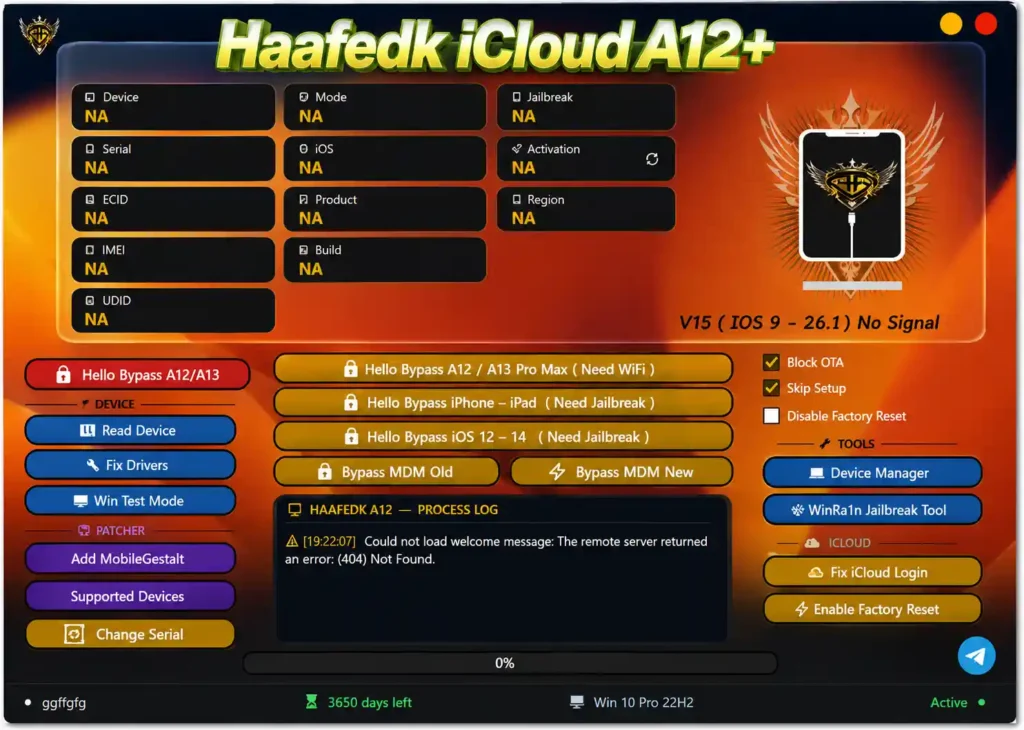
Screenshots
File Information
| Field | Details |
|---|---|
| Tool Name | HaaFedk iCloud A12+ Tool |
| Version | V15 (Latest – August 27, 2026) |
| Developer | EmadHaafedk (Egypt) |
| Platform | Windows |
| Activation | Serial Number (SN) Key |
| Install Path | C:\Haafedk-iCloud-a12 (default) |
| License | Free |
Download HaaFedk iCloud A12+ V15
⚠️ Warning: This tool is intended for authorized device repair and servicing only. Always ensure you have legal authorization before bypassing any lock on an Apple device. Download and use at your own risk. For educational and testing purposes only.
Requirements
- A Windows PC or Laptop
- iTunes or Apple Mobile Device Support installed (Apple USB drivers)
- USB cable to connect the iPhone or iPad
- Serial Number (SN) key for activation (available from developer community)
- Disable Antivirus or Windows Defender before installation (see steps below)
How To Install HaaFedk iCloud A12+ V15
- Download the setup archive from the MEGA link above.
- Extract all files to a folder on your PC.
- Locate and double-click HAAFEDK_A12_SETUP.exe to start installation.
- If Windows SmartScreen blocks it — click More info → Run anyway.
- The setup wizard opens — select the destination folder. Default path: C:\Haafedk-iCloud-a12
- Enable the Create Desktop Shortcut option if desired.
- Click Install and wait.
- If Windows Defender stops the process during installation:
- Open Windows Security → Virus & threat protection → Manage settings.
- Temporarily turn off Real-time protection and Cloud-delivered protection.
- Re-run the installer.
- After installation, open the install folder or use the desktop shortcut.
- Run Haafedk A12.exe as Administrator.
- When the login prompt appears, use your Serial Number (SN) key to activate — or click the cracked login button to bypass if using the free loader version.
FAQ
What is HaaFedk iCloud A12+?
HaaFedk iCloud A12+ is a free Windows iOS service tool by EmadHaafedk for bypassing iCloud Activation Lock, MDM lock, and Hello Screen on iPhone XS, XS Max, XR, iPhone 11 series, SE 2nd Gen, and compatible iPad models. It also supports older Checkm8 devices via the built-in WinRa1n jailbreak tool.
What is new in V15?
V15 adds iOS 16 RAMdisk support for A12 and A13 devices, Japanese and Chinese device support, automatic passcode file repair, and auto-correction for passcode files tampered with by other tools.
Is V15 free?
Yes. V15 has been automatically released and is available to everyone. Activation requires a free Serial Number (SN) key from the developer’s community (Telegram or Facebook group). The MEGA download is free.
What is the iOS 16 RAMdisk feature?
RAMdisk mode allows the tool to boot the device into a temporary operating environment in RAM rather than the device storage — enabling passcode bypass and data operations on iOS 16 A12/A13 devices without permanently modifying the device.
Does it support iPhone SE 2nd Gen?
Yes. iPhone SE 2nd Gen runs an A13 Bionic chip and is fully supported in both the Hello Bypass (A12/A13) and passcode sections.
What is the difference between Hello Bypass and MDM Bypass?
Hello Bypass removes the Activation Lock / Hello setup screen that appears when iCloud FMI is on. MDM Bypass removes the Mobile Device Management lock — a different type of lock applied by organizations. Both are separate functions in HaaFedk iCloud A12+.
More Tools ⇒