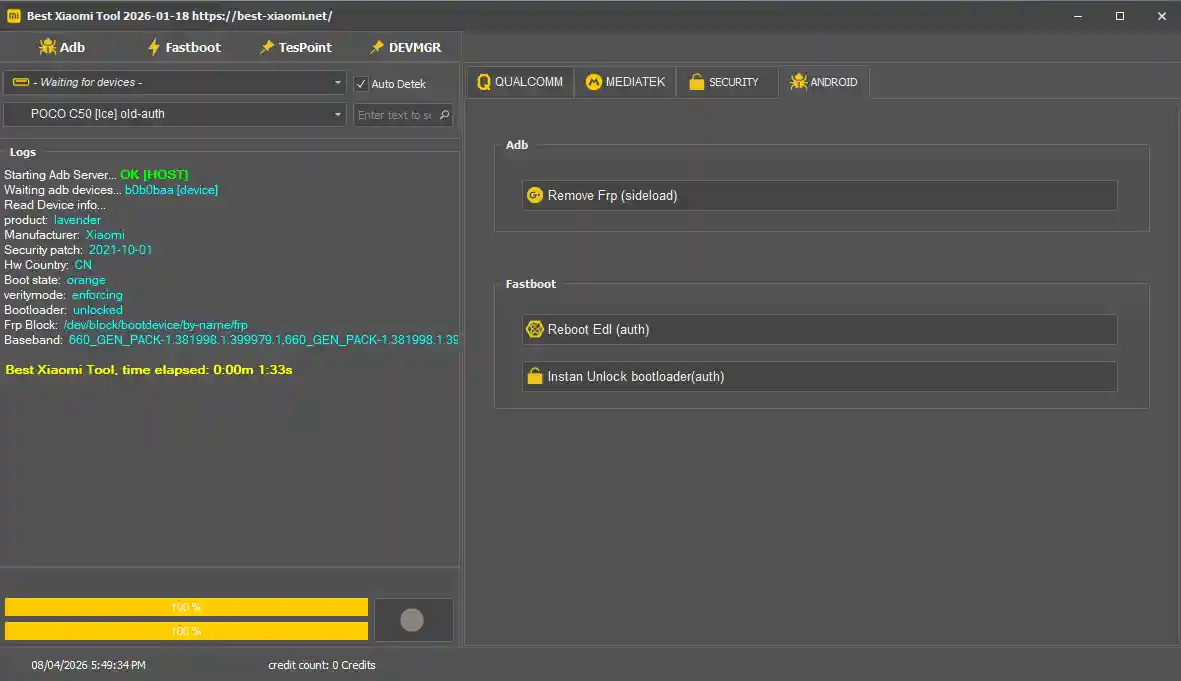
Best Xiaomi Tool 2026.01.18 is a dedicated Windows service tool designed specifically for Xiaomi, Redmi, and POCO devices. It covers Mi Account removal, FRP bypass, bootloader unlock/relock, firmware flashing via Fastboot and EDL, and general ADB/Fastboot device management — all from a single clean interface. The tool uses ADB, Fastboot, and EDL modes to access devices at different levels for different repair tasks. It is free to register and use for basic operations — some advanced features require credits purchased from the official website.
Best Xiaomi Tool Features
Mi Account Bypass
- ✅ Xiaomi / Mi Account Remove
- ✅ Locked Device Unlock via Mi Account Bypass
- ✅ Fastboot Method Support
FRP Lock Remove
- ✅ Google Account (FRP) Bypass
- ✅ One-Click FRP Remove
- ✅ Latest Android Version Support
Flashing Functions
- ✅ Fastboot Firmware Flashing
- ✅ EDL Firmware Flashing (Deep Level)
- ✅ Stock Firmware Installation
Bootloader Operations
- ✅ Bootloader Unlock
- ✅ Bootloader Relock
- ✅ Custom ROM Installation Support
ADB Mode
- ✅ FRP Remove (ADB)
- ✅ ADB Debugging Functions
- ✅ Device Info Reading
Fastboot Mode
- ✅ Bootloader Unlock / Flash
- ✅ Fastboot Device Management
EDL Mode (Qualcomm 9008)
- ✅ Deep Repair Operations
- ✅ Hard Brick Fix
- ✅ EDL Firmware Flash
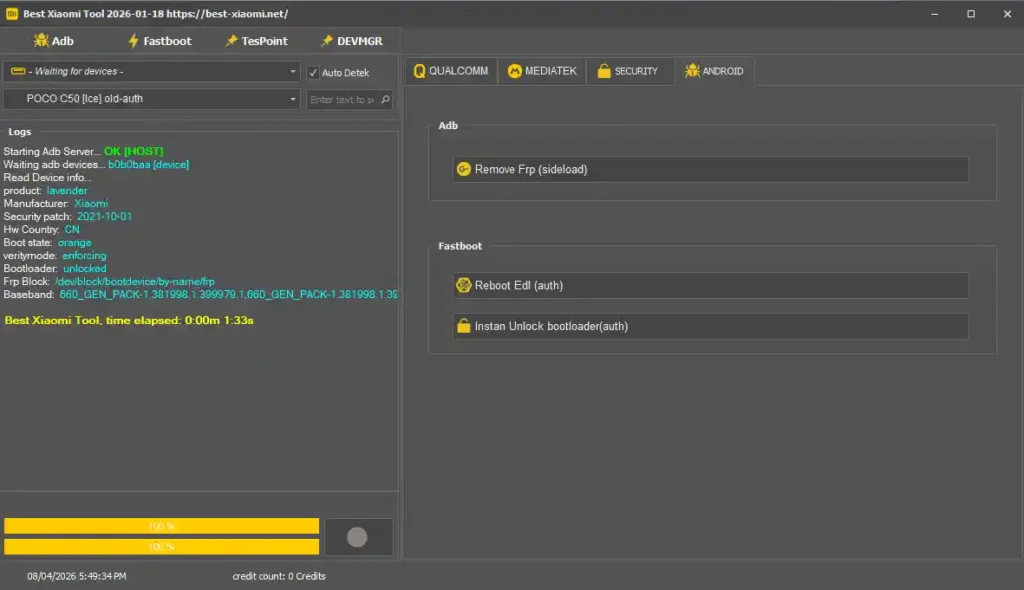
Screenshots
File Information
| Field | Details |
|---|---|
| Tool Name | Best Xiaomi Tool |
| Version | 2026.01.18 (Latest – April 2026) |
| Developer | Best Xiaomi Tool Team |
| Supported Devices | Xiaomi / Redmi / POCO |
| Platform | Windows |
| Registration | Free (best-xiaomi.net) |
| License | Free (Basic) / Credit-Based (Advanced) |
Download Best Xiaomi Tool 2026.01.18
⚠️ Warning: Download and use at your own risk. Always back up your device data before performing any Mi Account bypass, FRP remove, or flashing operation. For educational and testing purposes only.
Requirements
- A Windows PC or Laptop
- Windows 7 / 10 / 11 (32-bit or 64-bit)
- Xiaomi / Qualcomm USB Drivers installed on your PC
- USB Debugging enabled on the device (for ADB functions)
- Fastboot Mode accessible (for Fastboot operations)
- Active internet connection (required for registration and login)
- Disable Antivirus or Windows Defender before running the tool
How To Install and Register
- Download the setup EXE from any link above.
- Disable your antivirus before running the installer.
- Run Best-Xiaomi_Setup.exe as Administrator (right-click → Run as Admin).
- Complete the installation following the on-screen steps.
- Open your browser and go to: best-xiaomi. net/api/user/ to register a free account.
- Return to the tool and log in using your registered username and password.
- Connect your Xiaomi / Redmi / POCO device via USB cable.
- Select the required mode — ADB, Fastboot, or EDL.
- Choose the required function — Unlock, Flash, or FRP Remove — and press Start.
⚠️ Important: Registration at best-xiaomi.net is required before the tool can be used. Basic operations are free — advanced credits can be purchased from the official website if needed.
FAQ
What is Best Xiaomi Tool?
Best Xiaomi Tool is a dedicated Windows service tool for Xiaomi, Redmi, and POCO devices covering Mi Account bypass, FRP removal, bootloader unlock/relock, Fastboot and EDL firmware flashing, and ADB device management.
Is the tool free to use?
Registration is free at best-xiaomi.net. Basic operations are available without payment. Some advanced repair functions may require credits purchased from the official website.
Which connection modes does it support?
The tool operates through ADB Mode (for FRP bypass and debugging), Fastboot Mode (for bootloader unlock and flash), and EDL Mode / Qualcomm 9008 (for deep repair and hard brick recovery).
Where do I register for the tool?
Register for free at https://best-xiaomi.net/api/user/ — create your username and password, then log in through the tool’s login screen.
Does it support POCO and Redmi devices?
Yes. Despite being named “Best Xiaomi Tool,” it is designed to work with all Xiaomi sub-brands including Redmi, POCO, and standard Xiaomi devices.
Do I need USB Debugging enabled?
Yes — for ADB-based operations, USB Debugging must be enabled in Developer Options on the Xiaomi device before connecting. EDL and Fastboot operations do not require USB Debugging but need the device in the correct boot mode.
More Tools ⇒