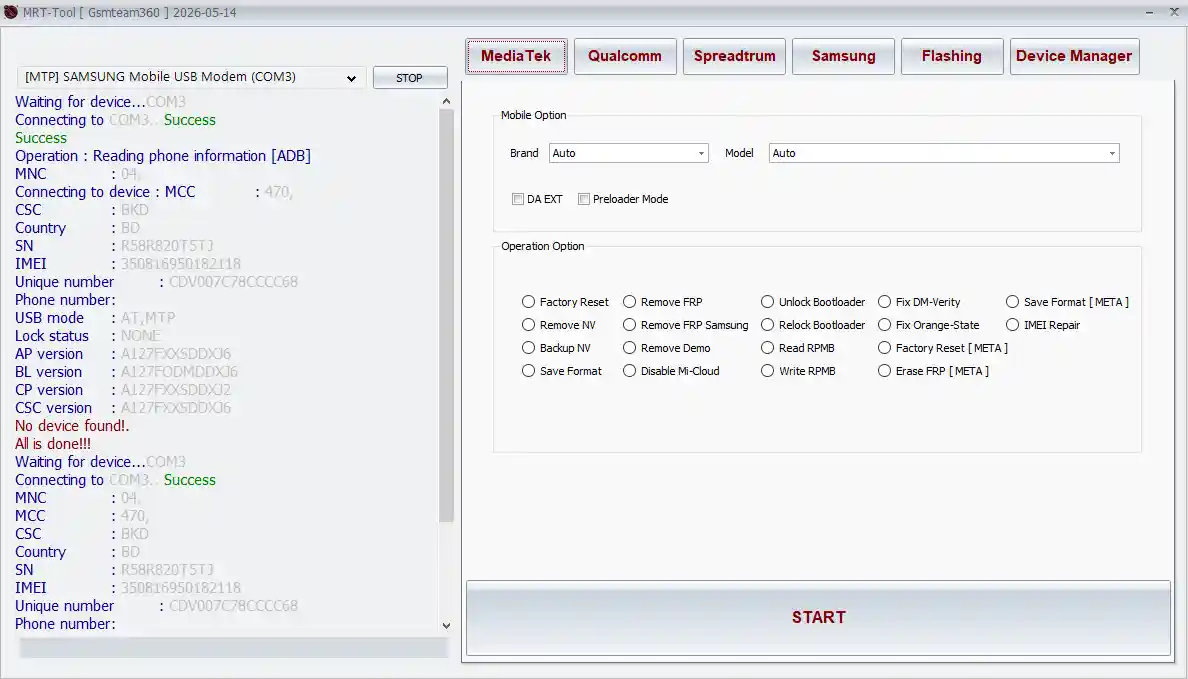
MRT Tool V6.1 is a well-known professional Android repair and unlocking tool covering Samsung, Xiaomi, Huawei, MediaTek, Qualcomm, and Unisoc/SPD devices. It supports FRP removal, KG/Knox removal, Samsung account bypass, firmware flashing via Odin, Qualcomm EDL operations, MTK BROM/Preloader functions, Unisoc PAC flash, IMEI repair, and a complete ADB/MTP toolkit — all in one organized Windows interface. The latest V6.1 update adds new Qualcomm loaders for 26 Xiaomi and Redmi models enabling Factory Reset, FRP Erase, Mi Account bypass, and firmware flash without authentication. The tool is officially paid, but a 1-year free activation is available through the shared loader.
MRT Tool V6.1 Features
ADB / MTP Mode
- ✅ Read Info (ADB & MTP)
- ✅ Remove FRP (ADB)
- ✅ Remove FRP New (ADB)
- ✅ Remove Knox (ADB)
- ✅ Remove Samsung Account (ADB)
- ✅ Enable Debug (MTP)
- ✅ Reboot to Download Mode (ADB & MTP)
- ✅ Reboot to Recovery Mode (ADB)
Samsung – Download Mode
- ✅ Flash AP / BL / CP / CSC / Home
- ✅ Auto Reboot / NAND Erase / MD5 Check
- ✅ Download Mode Unlock
- ✅ Factory Reset / Fix SoftBrick
- ✅ Remove FRP (MediaTek Samsung Models)
Qualcomm Module
- ✅ Factory Reset / Reset EFS / Reset FRP
- ✅ Unlock Bootloader
- ✅ Disable Mi Cloud / Unlock Mi Cloud (TAM)
- ✅ QCN Read / Write
- ✅ Enable Diag / Enable Diag No Root / Enable Diag Root / Enable Diag New
- ✅ New Loaders for 26+ Xiaomi Qualcomm Models (V6.1)
MediaTek Module
- ✅ Factory Reset / Remove NV / Backup NV / Safe Format
- ✅ Remove FRP / Remove FRP Samsung
- ✅ Disable Mi Cloud / Unlock Bootloader / Relock Bootloader
- ✅ Read RPMB / Write RPMB
- ✅ Fix DM-Verity / Fix Orange-State
- ✅ Factory Reset META / Erase FRP META / Safe Format META
- ✅ IMEI Repair
MediaTek – Preloader Mode
- ✅ OPPO / Realme Preloader Exploit
- ✅ Infinix / Tecno / iTel Preloader
- ✅ Vivo V1 Generic / Vivo V2 (up to Nov 2023 Security)
- ✅ Samsung A037F / A045F / A042F / A226B
- ✅ Xiaomi Custom DA
Unisoc / SPD Module
- ✅ Read GPT / Factory Reset + FRP / Remove FRP
- ✅ PAC Flash
- ✅ Repartition / FDL Load / AutoExploit / Auto Reboot
Changelogs
V6.1
[New] Xiaomi Qualcomm – New Loaders Added
      (Functions: Factory Reset | Erase FRP | Mi Account | Flash)
      - Black Shark 1 (SKW-H0) / Black Shark 2 (SKW-H0)
      - Black Shark 2 Pro (DLT-H0)
      - Mi 11 Pro (Star) / Mi 11X (Alioth)
      - Mi A2 (Jasmine) / Mi A2 Lite (Daisy) / Mi A3 (Laurel Sprout)
      - POCO F2 Pro (Apollo / lmi)
      - POCO F3 (Alioth) / POCO F4 5G (Munch)
      - POCO X3 (Surya)
      - Redmi 10 (Fog) / Redmi 10C (Fog)
      - Redmi K20 Pro (raphael)
      - Redmi K30 Pro (lmi) / K30 Pro Zoom (apollo / lmi)
      - Redmi K30S (Apollo / Ultra)
      - Redmi K40 (Alioth) / K40S (Munch)
      - Redmi Note 11 (Spes / NFC Spes)
      - Redmi Note 12 4G (Tapas)
      - Redmi Note 13 (Sapphire)

V6.0
[New] Samsung Qualcomm – New Loaders:
      (Functions: Factory Reset | Erase FRP | Readback | Flash)
      - Galaxy A71 5G (SM-A716U BIT-B)
      - Note20 5G (SM-N981N BIT6)
      - Note20 Ultra 5G (SM-N986N BIT5)
      - S20 5G (SM-G981N BIT5)
      - S22 Ultra 5G (SM-S908E / SM-S908E/DS BIT-B)
      - S23+ (SM-S916B / SM-S916B/DS BIT7)
[New] Huawei Qualcomm – New Loaders:
      (Functions: Factory Reset | Erase FRP | Readback | Flash)
      - MatePad 11.5 (BTK-W09 / BTK-AL09)
[New] MediaTek – Preloader Auth for MT6765 (OPPO/Realme V3):
      Factory Reset, Erase FRP, Readback, Flash
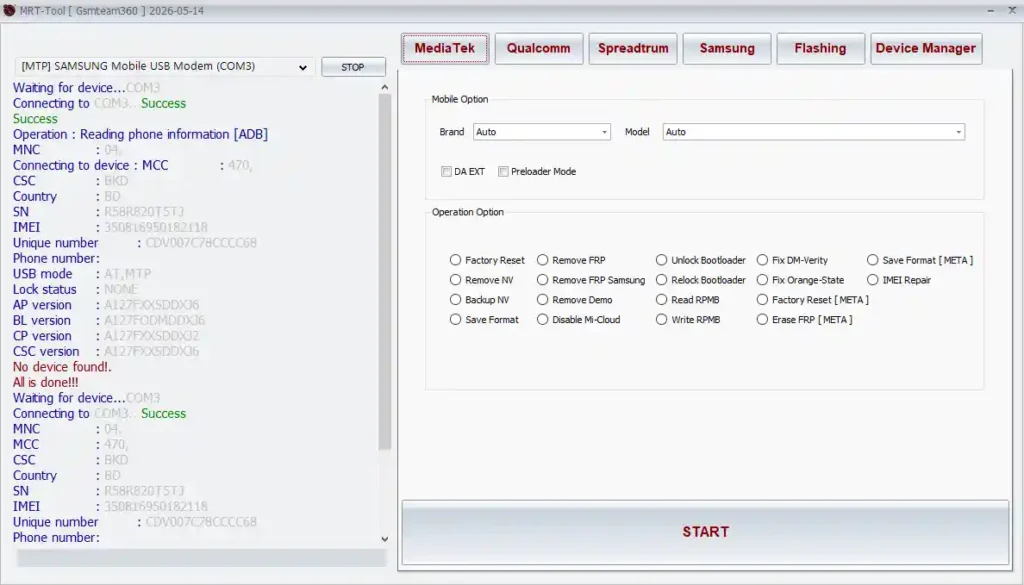
Screenshots

File Information
| Field | Details |
|---|---|
| Tool Name | MRT Tool (Mobile Repair Tool) |
| Version | V6.1 (Latest – 2026) |
| Platform | Windows |
| Supported Chipsets | Samsung, MTK, Qualcomm, Unisoc/SPD |
| License | Paid (1-Year Free Loader Available) |
Download MRT Tool V6.1
⚠️ Important: MRT Tool is an officially paid product. The version shared includes a 1-year free activation loader. Download and use at your own risk. Always back up your device data before performing any repair or flash operation. For educational and testing purposes only.
Requirements
- A Windows PC or Laptop
- Windows 7 / 10 / 11 (32-bit or 64-bit)
- Samsung / MTK / Qualcomm / SPD USB Drivers installed
- USB Debugging enabled (for ADB/MTP functions)
- Disable Antivirus or Windows Defender before running the tool
- Active internet connection (for server-based auth operations)
How To Install and Use MRT Tool V6.1
- Download the file from the link above and extract it to your PC.
- Disable your antivirus before running the installer.
- Run the setup file as Administrator and complete the installation.
- Run the 1-year free activation loader as Administrator and follow the activation steps.
- Launch MRT Tool from the Desktop shortcut.
- Connect your Android device via USB cable.
- Select the correct chipset module — Samsung, Qualcomm, MediaTek, or SPD.
- Choose the required function and press Start.
- Wait for the process to complete — do not disconnect during operation.
⚠️ Important: Disable antivirus before running both the installer and the loader. Run everything as Administrator.
FAQ
What is MRT Tool?
MRT Tool (Mobile Repair Tool) is a professional Windows Android repair and unlocking tool supporting Samsung, Xiaomi, Huawei, MediaTek, Qualcomm, and Unisoc/SPD devices. It covers FRP removal, KG/Knox bypass, Odin firmware flash, Qualcomm EDL operations, MTK BROM/Preloader functions, Unisoc PAC flash, IMEI repair, and ADB/MTP tools.
Is MRT Tool free?
MRT Tool is officially a paid tool. The version shared here includes a 1-year free activation loader — download, activate, and use for up to one year without purchasing an official license.
What is new in V6.1?
V6.1 adds new Qualcomm loaders for 26 Xiaomi and Redmi models (Black Shark 1/2/2 Pro, Mi 11 Pro/X, Mi A2/A2 Lite/A3, POCO F2 Pro/F3/F4 5G/X3, Redmi 10/10C, Redmi K-series, Redmi Note 11/12/13) — supporting Factory Reset, FRP Erase, Mi Account bypass, and firmware flash on these models.
What Samsung models were added in V6.0?
V6.0 added loaders for Galaxy A71 5G (SM-A716U BIT-B), Note20 5G (SM-N981N BIT6), Note20 Ultra 5G (SM-N986N BIT5), S20 5G (SM-G981N BIT5), S22 Ultra 5G (SM-S908E BIT-B), and S23+ (SM-S916B BIT7).
Does it support Unisoc/SPD devices?
Yes. The Unisoc (SPD) module covers Read GPT, Factory Reset + FRP, Remove FRP, PAC Flash, Repartition, FDL load, AutoExploit, and Auto Reboot.
Which MTK Preloader devices are supported?
MRT Tool V6.1 supports OPPO/Realme, Infinix/Tecno/iTel, Vivo (V1 Generic and V2 up to Nov 2023 security), Samsung A037F/A045F/A042F/A226B, and Xiaomi Custom DA through the Preloader mode in the MediaTek module.
More Tools ⇒