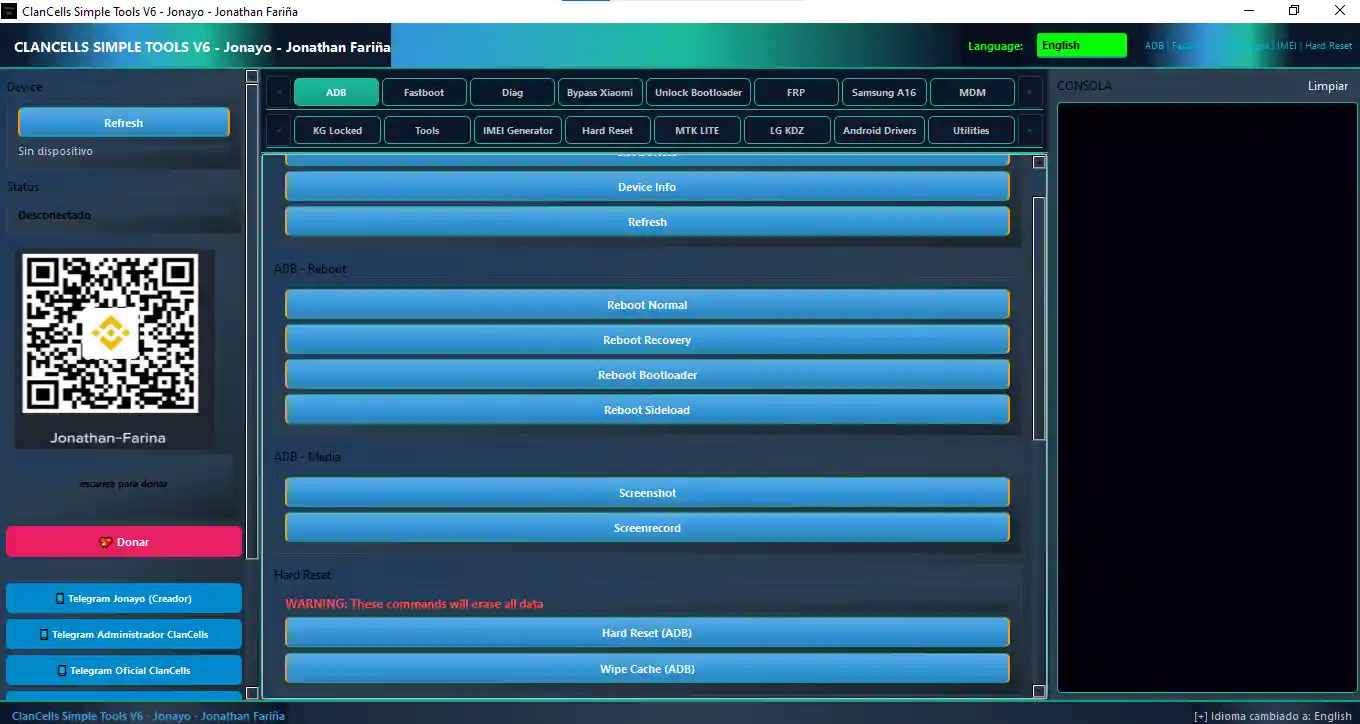
ClanCells Simple Tools V6 is a free and comprehensive Windows-based Android servicing utility designed for mobile technicians who need a reliable all-in-one solution without a paid subscription. It covers ADB, Fastboot, MTK Lite, LG KDZ flashing, FRP bypass, Mi Account bypass, Samsung KG/Knox removal, MDM removal, IMEI operations, Diag Mode tools, and a built-in IMEI Generator — all packed into a single clean interface. V6 brings faster command execution, more device support, new UI buttons, and improved stability. The tool supports Samsung, Xiaomi, Oppo, Vivo, Motorola, and other Android brands and is completely free — no account or activation required.
ClanCells Simple Tools V6 Features
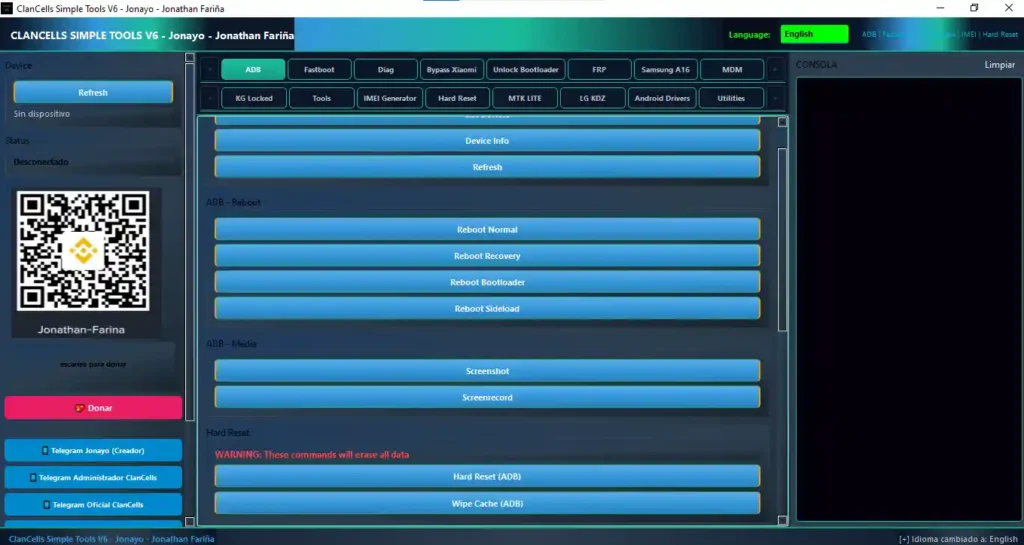
ADB Functions
- ✅ List Devices / Device Info / Refresh Device
- ✅ Reboot Normal / Recovery / Bootloader / Sideload
- ✅ Take Screenshot / Screen Record
- ✅ Hard Reset (ADB) / Wipe Cache (ADB)
- ✅ Enable Xiaomi HyperOS Diag Mode
- ✅ Disable Samsung Updates
- ✅ Remove SecLogAgent
- ✅ Disable CID Manager
Fastboot Functions
- ✅ List Devices / Device Info / Get Variables
- ✅ Reboot Device / Boot Recovery
- ✅ Hard Reset / Unlock Bootloader / Lock Bootloader
- ✅ Erase NVRAM / Erase NVDATA
- ✅ Get IMEI / Fix IMEI (Motorola)
- ✅ Fix System Destroyed / Exit Commserver
- ✅ Erase Boot / Erase Recovery / Erase Custom
- ✅ Wipe Cache Fastboot
Diag Functions
- ✅ Diag Longcheer
- ✅ Diag Xiaomi / Oppo
- ✅ Diag Root
- ✅ Open Diag Longcheer
- ✅ Diag Xiaomi / Oppo / Vivo (No Root)
- ✅ Diag Xiaomi / Oppo (With Root)
Xiaomi Functions
- ✅ Get Device Info
- ✅ Execute Mi Account Bypass
- ✅ Xiaomi Bootloader Unlock (Jonayo Method)
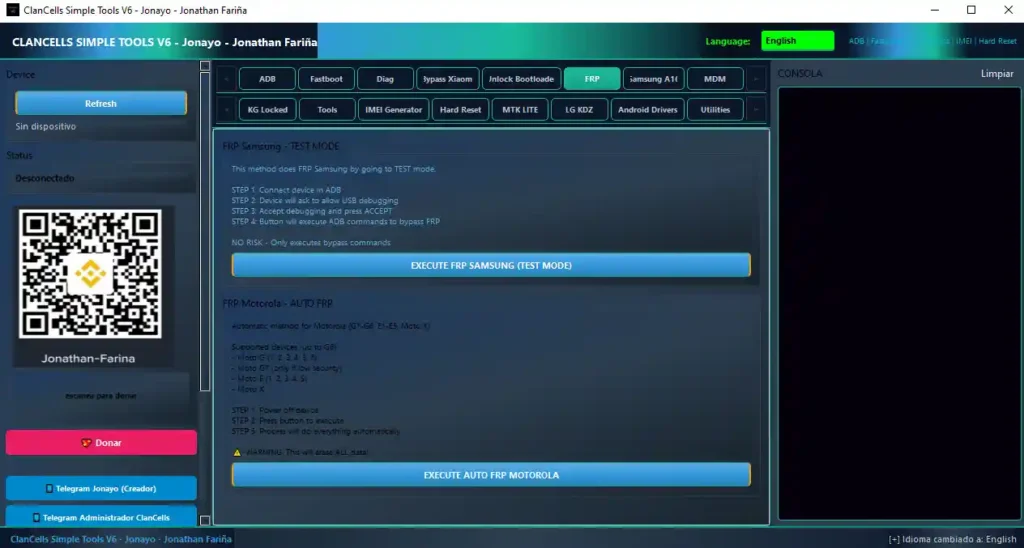
FRP Functions
- ✅ Samsung FRP Test Mode
- ✅ Motorola Auto FRP
- ✅ Samsung FRP Android 16 – MTP Method
- ✅ Samsung FRP Android 16 – CAMEAUTO Method
- ✅ Bypass FRP (General)
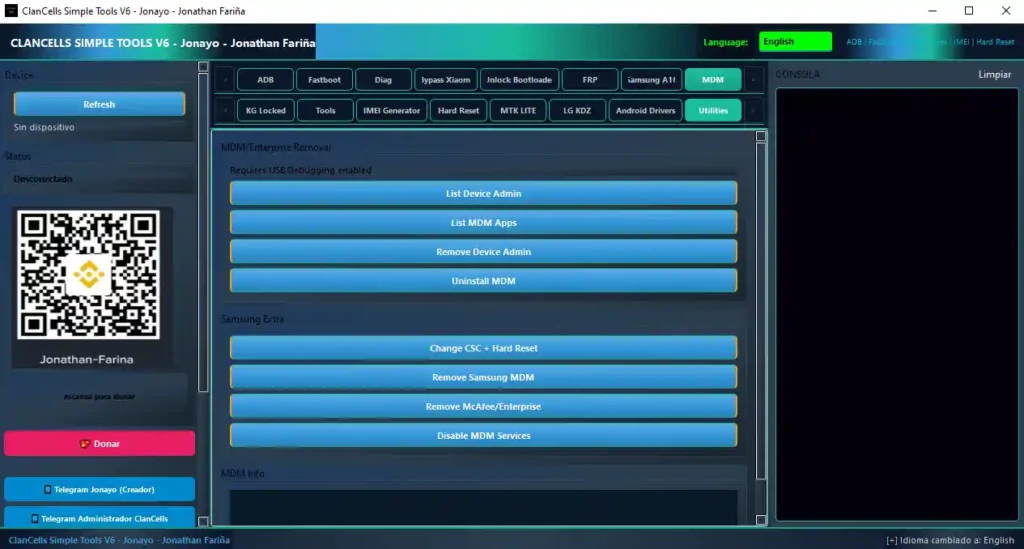
MDM / Enterprise Functions
- ✅ List Device Admin / List MDM Apps
- ✅ Remove Device Admin / Uninstall MDM
- ✅ Change CSC + Hard Reset
- ✅ Remove Samsung MDM
- ✅ Remove McAfee Enterprise
- ✅ Disable MDM Services
Samsung KG / Knox Functions
- ✅ Remove Knox Automatic
- ✅ Check KG Status
- ✅ Execute Jonayo KG Method
Tools Section
- ✅ Getprop All / Getprop Model / Getprop Android Version / Getprop Security Patch
- ✅ List Apps / List Packages
- ✅ Freeze App / Unfreeze App / Clear App Data
- ✅ IP Address / WiFi Info / Ping Test
- ✅ Fix Permissions / Fix SELinux / Wipe Dalvik
IMEI Generator
- ✅ IMEI Checksum Calculator
- ✅ Generate IMEI by Brand
- ✅ Generate Multiple IMEIs
- ✅ Validate IMEI
Hard Reset / Wipe
- ✅ Hard Reset (ADB) / Hard Reset (Fastboot)
- ✅ Wipe Cache (ADB) / Wipe Cache (Fastboot)
MTK Lite Functions
- ✅ Detect Device / Connect to Device / Stop Process
- ✅ Remove FRP / Wipe Data
- ✅ Hard Reset + Reboot / Exit BROM + Reboot
LG KDZ Flash
- ✅ Select KDZ Firmware
- ✅ Detect Device
- ✅ Flash KDZ Firmware
Android Drivers
- ✅ Install MediaTek Drivers
- ✅ Install Motorola Drivers
- ✅ Install Qualcomm Drivers
- ✅ Install Samsung Drivers
Utilities
- ✅ Install ADB & Fastboot
- ✅ Activate Windows
- ✅ Enable / Disable Windows Test Mode
- ✅ Install Runtimes / Install Windows Drivers
Screenshots
File Information
| Field | Details |
|---|---|
| File Name | ClanCells_v6_update_mtk.rar |
| Version | V6 (Latest – March 2026) |
| Platform | Windows 7 / 8 / 10 / 11 |
| License | Free – No Activation Required |
| Minimum RAM | 4 GB |
| Free Storage | 2 GB |
Download ClanCells Simple Tools V6
⚠️ Warning: Download and use at your own risk. Always back up your device data before performing any FRP bypass, factory reset, MDM, or Knox removal operation. For educational and testing purposes only.
Requirements
- A Windows PC or Laptop (Windows 7 / 8 / 10 / 11)
- Minimum 4 GB RAM / 2 GB free storage
- USB cable to connect your Android device
- USB Debugging enabled on the device (for ADB functions)
- ADB, Fastboot, and brand-specific USB Drivers installed
- Disable Antivirus or Windows Defender before running the tool
How To Install and Use ClanCells Simple Tools V6
- Download the RAR file from any link above and extract it using WinRAR or 7-Zip.
- Disable your antivirus before running the tool.
- Open the extracted folder and run the setup or EXE file as Administrator.
- Connect your Android device via USB cable.
- Enable USB Debugging (Settings → Developer Options → USB Debugging).
- Select the required mode — ADB, Fastboot, MTK Lite, Diag, or other tabs.
- Choose the required function and click the relevant button.
- Wait for the process to complete — do not disconnect during operation.
⚠️ Important: Install all required drivers first using the built-in Android Drivers section before connecting your device. This ensures proper detection across all supported brands.
FAQ
What is ClanCells Simple Tools V6?
ClanCells Simple Tools V6 is a free all-in-one Android servicing utility supporting Samsung, Xiaomi, Oppo, Vivo, Motorola, and other Android brands. It covers ADB, Fastboot, Diag Mode, FRP bypass, Mi Account bypass, Samsung KG/Knox removal, MDM removal, MTK Lite flash, LG KDZ flash, IMEI tools, and built-in driver installers — all without any account or activation.
Is ClanCells Simple Tools V6 completely free?
Yes. The tool is completely free — no account, credits, dongle, or activation code required. Just extract and run as Administrator.
What is new in V6?
V6 brings faster command execution, more device support, new UI buttons, and overall improved stability compared to previous versions. It also adds Samsung FRP Android 16 support via both MTP and CAMEAUTO methods.
Does it support Android 16 FRP?
Yes. Two Samsung FRP methods for Android 16 are included — the MTP Method and the CAMEAUTO Method — covering the latest Samsung security patches.
What is the Jonayo KG Method?
The Jonayo KG Method is an ADB-based Knox Guard removal technique included in the Samsung KG/Knox section alongside Remove Knox Automatic and Check KG Status — providing multiple approaches for different Samsung security configurations.
Does the MTK Lite section support full MediaTek flashing?
The MTK Lite section provides basic MediaTek operations — device detection, FRP removal, wipe data, hard reset, and BROM exit. For full scatter-file-based firmware flashing, a dedicated MTK flash tool like SP Flash Tool is recommended alongside ClanCells.
More Tools ⇒