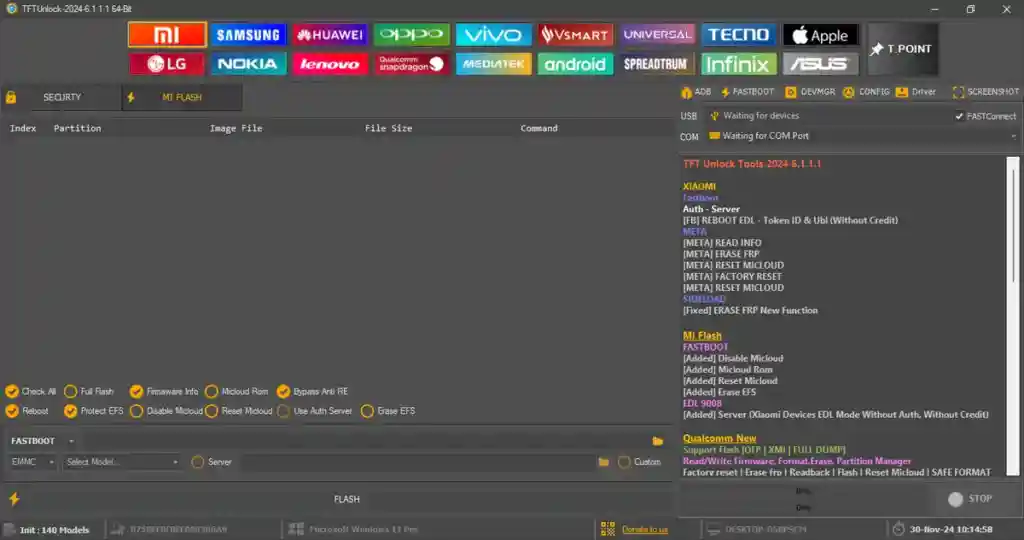
TFT Unlock Tool 6.2.1.1 Fixed Loader is a modified version of the popular TFT Unlock Tool, built to solve the common issues that technicians face when using the official release. The original TFT Unlock Tool is already free, but the official version comes with several annoying problems — forced VPN connection, auto-update errors, random closing, server errors, and login issues. This fixed loader version removes most of those restrictions and makes the tool much easier to use for everyday repair work.
The setup also comes with an updated MTK database already bundled inside, so you do not need to manually download or patch any extra files after installation. This version runs properly on Windows 10 and Windows 11 64-bit systems. Even if the official TFT server becomes unstable or goes offline in the future, this loader version can still continue working without running into the common errors that plague the standard build.
What Is TFT Unlock Tool Fixed Loader?
TFT Unlock Tool is a well-known free Android servicing application that supports a wide range of chipsets and brands. It covers MediaTek, Qualcomm, ADB, and Fastboot operations, making it useful for phone repair shops handling various Android models.
The problem with the official version is that many users run into issues that slow down their work — VPN requirements, unstable server connections, forced updates, and login failures. The 6.2.1.1 Fixed Loader version was put together specifically to address these pain points. The MTK database is already integrated into the setup package, the VPN and update-related blocks are removed, and the tool launches cleanly on Windows 10 and 11 without extra configuration.
One important detail to keep in mind: the tool temporarily modifies the system hosts file while it is running. When you close the loader, the hosts file automatically resets back to its default state, so there is no permanent change to your system.
Main Features
- ✅ FRP Remove
- ✅ Factory Reset
- ✅ Bootloader Unlock and Relock
- ✅ Samsung KG and Knox Disable
- ✅ MTK (MediaTek) Support
- ✅ Qualcomm Support
- ✅ ADB Functions
- ✅ Fastboot Functions
- ✅ MTP and Meta Mode Support
- ✅ Read Device Information
- ✅ Reset Passcode
- ✅ MiCloud Reset Functions
- ✅ Supported Brands: Samsung, Xiaomi, Vivo, Oppo, Huawei, Realme, Tecno, Infinix, and more
Important Notes Before Download
- Works only on Windows 10 and Windows 11 (64-bit)
- No need to install a separate MTK database — it is already included in the setup
- VPN requirement and forced auto-update issues are removed in this version
- Some 2025 and 2026 models may not be supported
- Always disable your antivirus before installation — loader files may trigger false detection
- Always back up your device’s data, IMEI, and security partitions before performing any flash or unlock operation
- Use at your own risk
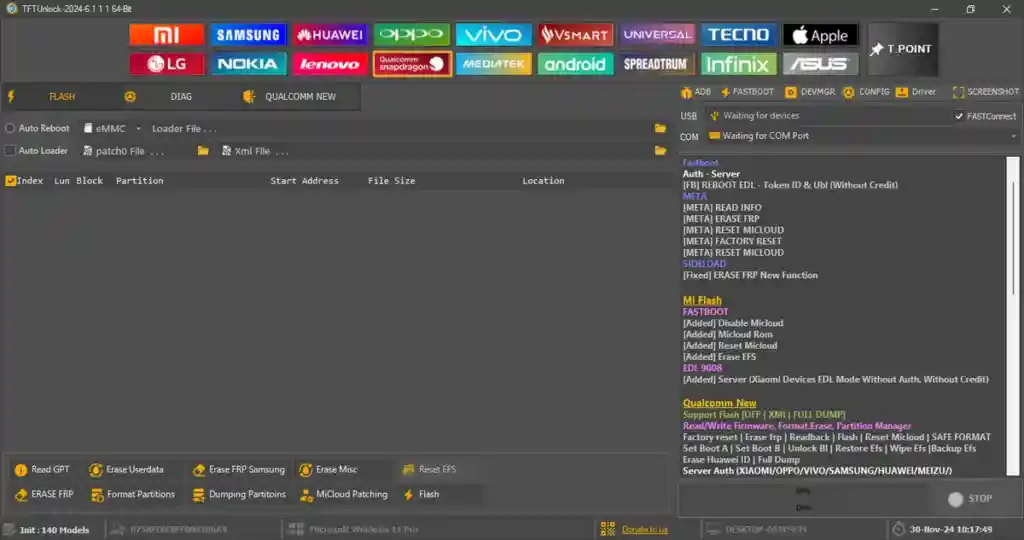
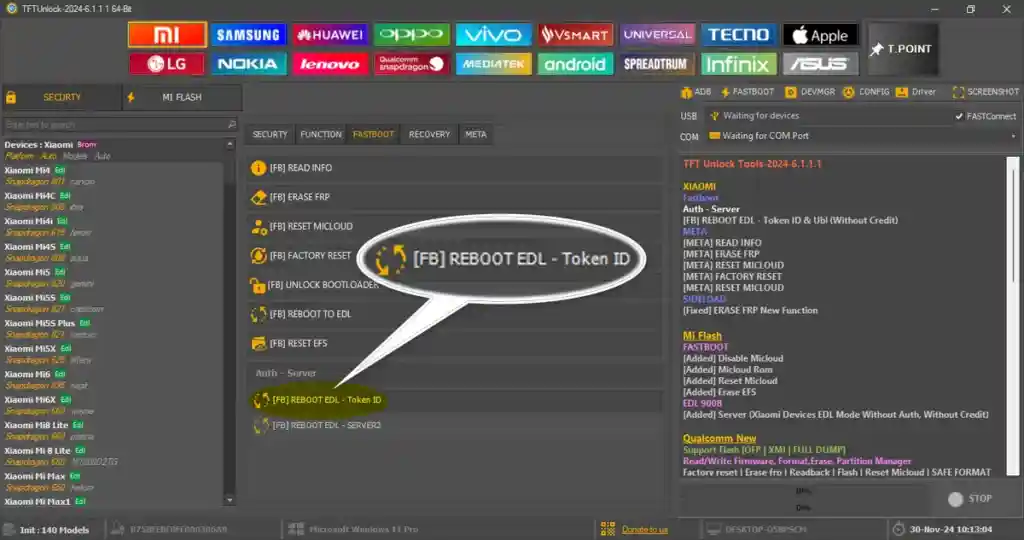
Screenshots
File Information
| Field | Details |
|---|---|
| File Name | TFT Unlock Tool 6.2.1.1 Fixed Loader |
| File Type | Free / Fixed Loader |
| Password | softwarecrackguru |
| Compatible OS | Windows 10 / Windows 11 (64-bit) |
Download TFT Unlock Tool 6.2.1.1 Fixed Loader
Download the latest fixed loader version of TFT Unlock Tool from the link below:
⚠️ Warning: This is a modified loader version. Download and use it at your own risk. Always back up your device’s security data and IMEI before performing any operation.
Requirements
- A Windows PC or Laptop
- Windows 10 or Windows 11 (64-bit recommended)
- WinRAR or 7-Zip to extract the downloaded file
- Correct USB drivers installed for your device brand
- Antivirus or Windows Defender disabled before running the tool
How To Install and Use TFT Unlock Tool 6.2.1.1
- Download the file from the link above and extract it using WinRAR or 7-Zip.
- Double-click the EXE installer file to launch the setup wizard.
- When the welcome screen appears, click Next.
- The installer will prompt you for a password. Enter softwarecrackguru and click Next.
- Choose your preferred installation folder or leave the default path, then click Next.
- Make sure the Create Desktop Icon option is checked, then click Next.
- Click Install and wait for the setup to complete.
- After installation finishes, click Finish — the program will launch automatically.
- A small starter window will appear and run some background checks. When it shows Ready to Start, click the blue START SERVER button.
- The login screen will open. In most cases, the username and key are already auto-filled — just click Login.
- Wait a few seconds while the tool loads the interface. Once it finishes, the tool is ready to use.
⚠️ Important: Always run the tool as Administrator to avoid permission errors. Disable your antivirus before launching to prevent false detection blocking the tool.
FAQ
What is TFT Unlock Tool 6.2.1.1 Fixed Loader?
It is a modified version of the original free TFT Unlock Tool. This fixed loader removes common issues like forced VPN connections, server errors, login failures, and auto-update problems. It also includes a pre-bundled MTK database so no extra files are needed after installation.
Is TFT Unlock Tool Fixed Loader completely free?
Yes, this version is free to download and use. No dongle or paid activation is required.
What chipsets does TFT Unlock Tool support?
The tool supports MediaTek (MTK) and Qualcomm chipsets, and also includes ADB and Fastboot functions for a wide range of Android devices.
Why does the tool temporarily change the hosts file?
The loader makes a temporary modification to the system hosts file while it is running. When you close the tool, the hosts file automatically reverts to its original state. No permanent changes are made to your system.
Why is my antivirus flagging the tool?
Loader-type tools are commonly flagged by antivirus software as false positives due to how they interact with system settings during runtime. Disable your antivirus before installation. It does not contain actual malware.
Will this tool work if the official TFT servers go offline?
Yes. One of the key advantages of this fixed loader is that it can continue to function even if the official TFT server becomes unstable or goes offline, avoiding the most common connectivity-related errors.
Does it support the latest 2026 phone models?
Some newer 2025 and 2026 models may not be fully supported. Always check compatibility with your specific device before using the tool.
More Tools ⇒