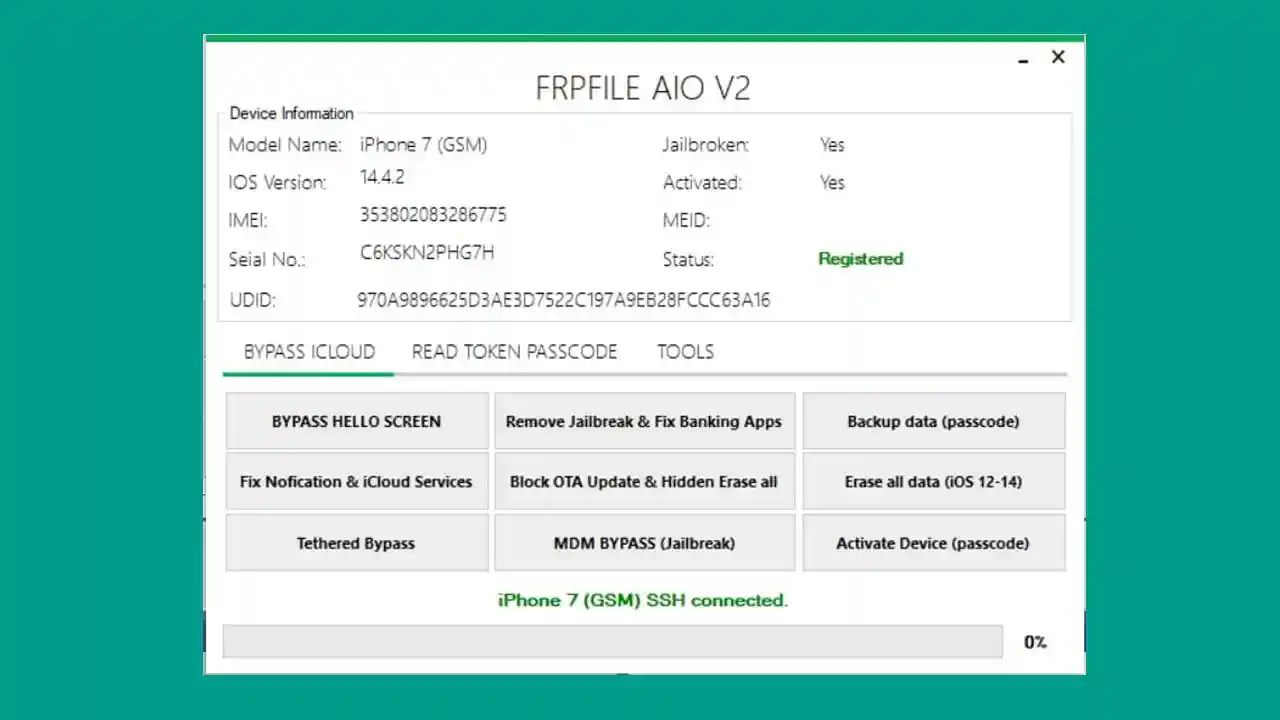
iFrpfile All In One Tool (AIO) v2.8.6 is a free iCloud bypass and activation lock removal tool that works on both Windows and Mac. It is designed to remove the iCloud Activation Lock, Find My iPhone lock, and FRP from iPhone and iPad devices directly via USB cable. The tool supports Untethered bypass for iOS 13 through iOS 14.8, and also includes passcode bypass, Hello Screen repair, baseband fix, and banking app support — making it one of the most complete free iCloud tools available. Before using the tool, users must jailbreak their device (iPhone 6 to X) using Checkra1n and register their Serial Number for free at frpfile.com.
AIO Tool v2.8.6 Features
- ✅ Fix Untethered Bypass iOS 14.8 (Albert server patched — bypass only, no notification, no iCloud services)
- ✅ Untethered iCloud Bypass Hello Screen Repair
- ✅ Reboot, patch battery drain, no baseband delete
- ✅ Disabled iPhones Untethered Bypass Passcode
- ✅ Fix complete iCloud login restart without FaceTime, PIN, SIM notification, iMessage, Siri
- ✅ Fix bug bypass passcode (fix error: Cannot find activation file, this device does not support!)
- ✅ Add Apple Finder for Passcode / Disabled and Lost Devices
- ✅ Add Bypass fix notification, iCloud services, FaceTime, iMessage (no Signal)
- ✅ Fix bypass passcode — all functions working
- ✅ Add function: convert backup file (bypass passcode) from another tool
- ✅ Fix Hidden iCloud Owner Changed Password — can log in to new account
- ✅ Fix Banking Apps for iPhone
- ✅ Fix restore baseband
- ✅ Fix Untethered bypass for no MEID — use method disable baseband (will drain battery); restore baseband to use SIM with PIN code
- ✅ Fix skip setup
- ✅ Bug fixes across all bypass modules
Supported Devices
- ✅ iPhone 6, 6S, 6S Plus, SE (1st Gen), 7, 7 Plus, 8, 8 Plus, X
- ✅ Compatible iPad models supported via Checkra1n jailbreak
- ✅ Supports iOS 12.3 through iOS 14.8
Requirements
- A Windows PC, Mac, or Hackintosh
- Checkra1n 0.9.2 – 0.12.4 (for jailbreak before bypass)
- Ra1nUSB or ModRa1n (for Windows jailbreak)
- Free Serial Number registration at frpfile.com/register-serialno
- USB cable to connect your iPhone or iPad
- Disable antivirus before running the tool
Changelogs
v2.8.6 — Release: 18/12/2022
[New] Fix restore baseband
[New] Fix Untethered bypass for no MEID devices
      (method: disable baseband — note: will drain battery)
      Use SIM with PIN code after restoring baseband
[New] Fix skip setup
[Fix] Bug bypass passcode fully resolved
[Fix] Banking apps fix for iPhone

v2.8.5
[New] Add Apple Finder for Passcode / Disabled and Lost Devices
[Fix] Bug fix bypass
[New] Add Bypass fix: notification, iCloud services, FaceTime, iMessage (no Signal)
[Fix] Bypass passcode — all functions working
[New] Add function: convert backup file (bypass passcode) from another tool
[Fix] Hidden iCloud Owner Changed Password — login to new account now works
[Fix] Banking apps for iPhone

v2.8.4
[Fix] Untethered bypass Hello Screen Repair
[Fix] Reboot, patch battery drain, no baseband delete
[New] Disabled iPhones Untethered Bypass Passcode support

v2.8.2
[Fix] Fix complete iCloud login restart
[Fix] FaceTime, PIN, SIM notification, iMessage, Siri fixed
[Fix] Bug bypass passcode — error "Cannot find activation file" resolved

v2.7.1
[Initial] Untethered iCloud Bypass iOS 13 & 14.x
[Initial] Hello Screen Repair
[Initial] Basic FRP removal via USB
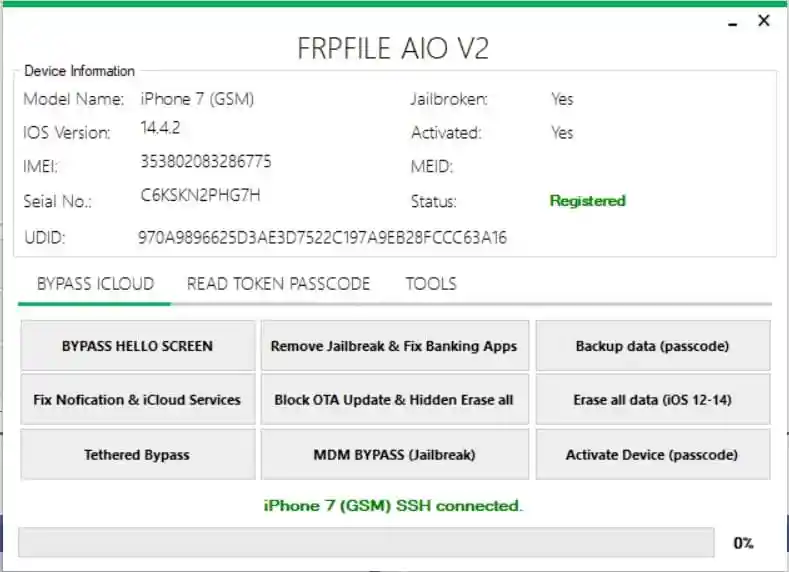
Screenshots
Download iFrpfile All In One Tool
File Password: frpfile
| File Name | Download |
|---|---|
| Register Your Own Serial No | frpfile.com/register-serialno |
| iFrpfile AIO Tool V2.7.1 | Google Drive – MEGA |
| iFrpfile AIO Tool V2.8.2 | Google Drive – MEGA |
| iFrpfile AIO Tool V2.8.4 | Google Drive – MEGA |
| iFrpfile AIO Tool V2.8.5 | Google Drive – MEGA |
| iFrpfile AIO Tool V2.8.6 (Latest) | MediaFire |
⚠️ Warning: Download and use at your own risk. Always back up your device data before performing any bypass or repair operation.
How To Use iFrpfile All In One Tool v2.8.6
- Download Checkra1x iOS File and use Baleno to make a bootable pendrive (Windows users: use Ra1nUSB or ModRa1n).
- Jailbreak your iPhone (6 to X) using Checkra1n 0.9.2 to 0.12.4 — try different versions if one does not work.
- Complete the initial setup on your computer.
- Download and install iFrpfile AIO Tool from the links below.
- Register your Serial Number for free at frpfile.com/register-serialno.
- Wait 15 minutes, then open the iKey tool once.
- Select GSM Bypass FULL Services and click Start Bypass — done!
⚠️ Note: If your device has no MEID, the disable baseband method will work but may cause battery drain. To fix this, click Restore Baseband and use SIM with a PIN code instead.
FAQ
What is iFrpfile All In One Tool?
iFrpfile AIO Tool is a free iCloud bypass and activation lock removal tool for iPhone and iPad. It supports Untethered bypass, passcode bypass, Hello Screen repair, baseband fix, and banking app support for iOS 12.3 through 14.8.
Is iFrpfile AIO Tool free?
Yes, the tool is completely free. You only need to register your device’s Serial Number once at frpfile.com to activate the bypass service at no cost.
Which iPhones are supported?
The tool supports iPhone 6 through iPhone X. Your device must first be jailbroken using Checkra1n (versions 0.9.2 to 0.12.4) before using the AIO tool.
Does it work on Windows?
Yes, the tool works on Windows, Mac, and Hackintosh. Windows users can jailbreak using Ra1nUSB or ModRa1n before running the bypass.
What is Untethered bypass?
Untethered bypass means the iCloud lock is removed without needing to reconnect to a computer on every reboot. However, note that Apple has patched the Albert server activation request, so some iCloud services like notifications, FaceTime, and iMessage may not be available after bypass.
Why must I register my Serial Number first?
The frpfile.com server needs your device’s Serial Number to generate the correct bypass activation file. Registration is completely free and takes only a few minutes.
More Tools ⇒