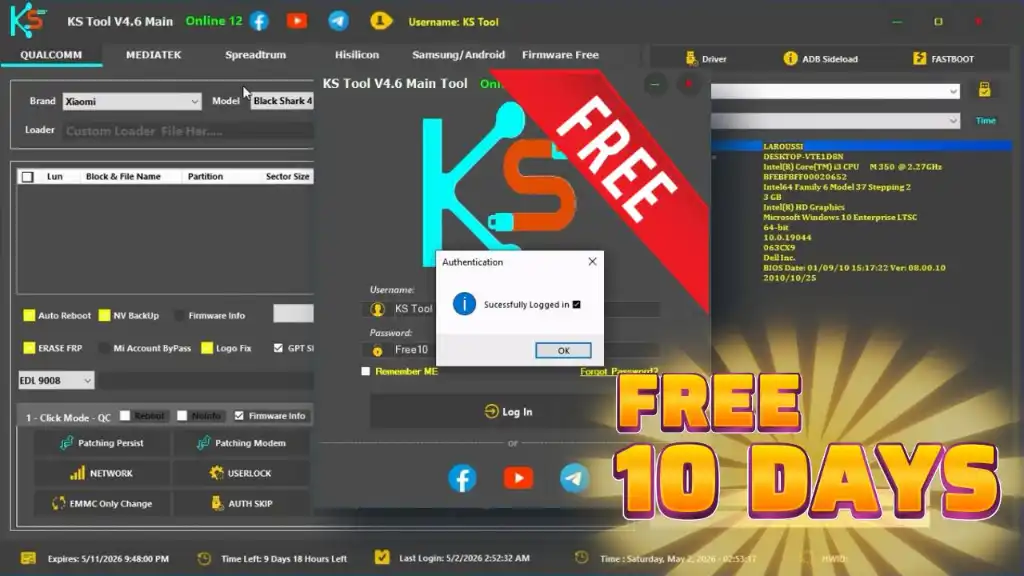
KS Tool 4.6 is a free Android mobile repair software for professional technicians and repair shops. It is completely free to use with login credentials provided below — no paid activation required. The tool supports Qualcomm, MediaTek, Fastboot, ADB, and Samsung operations from a single Windows application. With KS Tool you can remove FRP locks, flash firmware, repair IMEI, unlock bootloaders, perform factory resets, and much more. Version 4.6 adds new Bootloader Unlock (Temp), Auto Model Detection, and expanded brand support including Xiaomi, Samsung, Tecno, Infinix, Itel, and Gionee.
⚠️ Important Note: This tool must be used strictly offline. If your internet is connected, the tool will auto-update and may stop working. Always uninstall any previous version before installing this new one, and disconnect your PC from the internet before opening the tool.
KS Tool Features
- ✅ FRP Erase / Google Lock Removal
- ✅ Factory Reset / Format
- ✅ Screen Lock Removal
- ✅ Bootloader Unlock / Relock (Temp)
- ✅ Samsung & Android Bootloader Unlock (Temp)
- ✅ Mi Account Disable / Bypass
- ✅ Huawei ID Erase
- ✅ Firmware Flashing (Qualcomm rawprogram0.xml & MTK Scatter)
- ✅ Read / Write / Erase Partitions
- ✅ Backup / Restore / Erase NV (Network Data)
- ✅ IMEI Repair
- ✅ Auth Bypass (MTK)
- ✅ ADB & Fastboot Tools Built-in
- ✅ Auto Model Detection
- ✅ Driver Installer (One-Click)
- ✅ Firmware Downloader (Xiaomi, Oppo, Vivo, Huawei)
- ✅ Supports Android 15 & 16
- ✅ Supports 5G Devices
Supported Modules
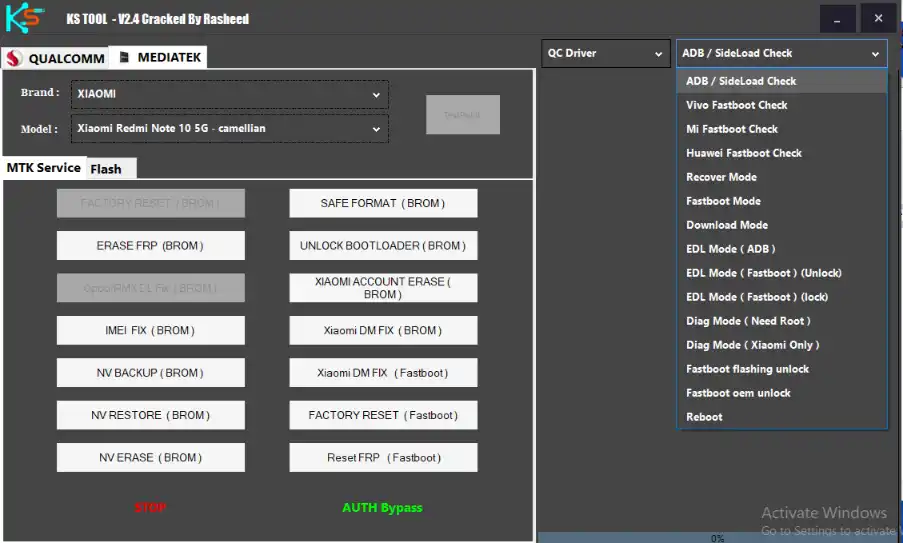
Qualcomm Module FRP Erase, Factory Reset, Screen Lock Removal, Mi Account Disable, Huawei ID Erase, Bootloader Unlock, Firmware Flash (rawprogram0.xml), Read/Write/Erase Partitions, NV Backup/Restore/Erase, Reboot to EDL from Fastboot
MediaTek (MTK) Module FRP Erase, Factory Reset, Screen Lock Removal, Mi Account Bypass, Bootloader Unlock/Relock, Scatter Firmware Flash, Read/Write/Erase Partitions, NV Backup/Restore/Erase, IMEI Repair, Auth Bypass, OPPO “Download Not Complete” Fix
Fastboot Module Read Device Info, Flash Firmware (flash_all.bat), Erase FRP, Factory Reset, Fix “System is Destroyed” Error, Fix DM-Verity, Reboot to EDL/Recovery
ADB & Sideload Module Read Device Info, Remove FRP, Factory Reset, Disable Mi Account (MIUI 13/14/HyperOS), Disable OTA Updates (Xiaomi, Vivo, Oppo), Enable Diag Mode
Samsung Module Read Info in MTP Mode, Enable ADB for FRP Removal, Open Browser in MTP Mode, Factory Reset (MTP Mode), Enter Download Mode (MTP Mode)
Supported Brands & Models
✅ Xiaomi / Redmi / POCO — Qualcomm & MediaTek — Full model list including Mi Series, Redmi Note 1–13, POCO F/X/M Series, Mi Max, Mi Mix, Mi Pad, Mi CIVI, and more.
✅ Vivo — Qualcomm & MTK — V Series, Y Series, S Series, U Series, X Series, Z Series, iQOO
✅ Oppo & Realme — Qualcomm & MTK — A Series, F Series, Reno Series, Find Series, R Series, K Series, Neo Series, Realme C/Note Series
✅ Huawei & Honor — Qualcomm & MTK — Nova Series, Y Series, Enjoy Series, P Series, Honor Series, MediaPad, MatePad
✅ Samsung — Qualcomm & MTK — Galaxy A13, A31, A01, A02s, A11, A20s, A52, A70, A71 5G, J4+, J6+, M01, M02s, A10s
✅ OnePlus — Qualcomm — OnePlus 1–6T, Nord CE 3, OnePlus X
✅ Meizu — Qualcomm & MTK — M3S, M5/M6 Series, Pro Series, Note 8/9, U Series, V8 Series
✅ Smartisan — Qualcomm — M1, M1L, Pro 2S, Pro 3, R1, R2, T1, T2, U1, U2 Pro, U3, U3 Pro
✅ Tecno — Pop 8, Spark Go 2023, Spark 8C, Spark 9 Pro, Spark 10C, Spark Go 1/2
✅ Infinix — Hot 10 Play, Hot 12, Hot 20, Smart 6, Smart 7, Smart 8
✅ Itel — A17, A23, A25, A27, A49, A60, A70, Vision 1/2/3/5
✅ Gionee — F10
Changelogs v4.6
KS Tool v4.6 – New Features & Improvements
[New] FRP Bootloader Unlock Temp Feature
[New] Samsung / Android Bootloader Unlock (TEMP)
[New] Auto Model Detection Support
[New] Manual Model Selection Available
[Improved] Device Detection and Tool Stability
[Added] Xiaomi Realme C/Narzo/Pad Mini Models (Unisoc T612/T616)
[Added] Tecno Pop 5/8, Spark Go, Spark 8C/9 Pro/10C
[Added] Infinix Hot 10 Play, Hot 12, Hot 20, Smart 6/7/8
[Added] Itel A17, A23, A25, A27, A49, A60, A70, Vision Series
[Added] Samsung Galaxy A13, A31 Series
[Added] Gionee F10
Screenshots
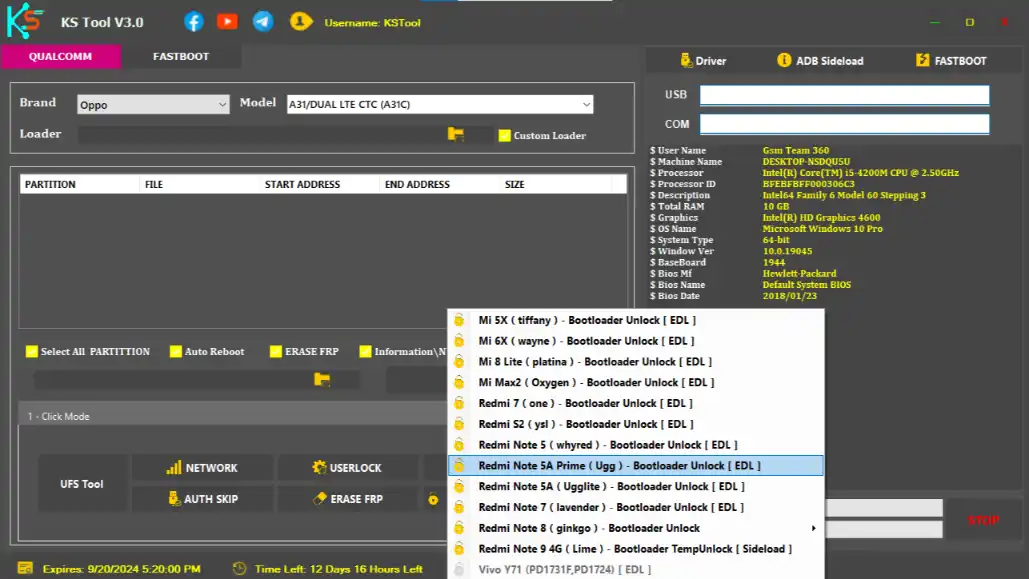
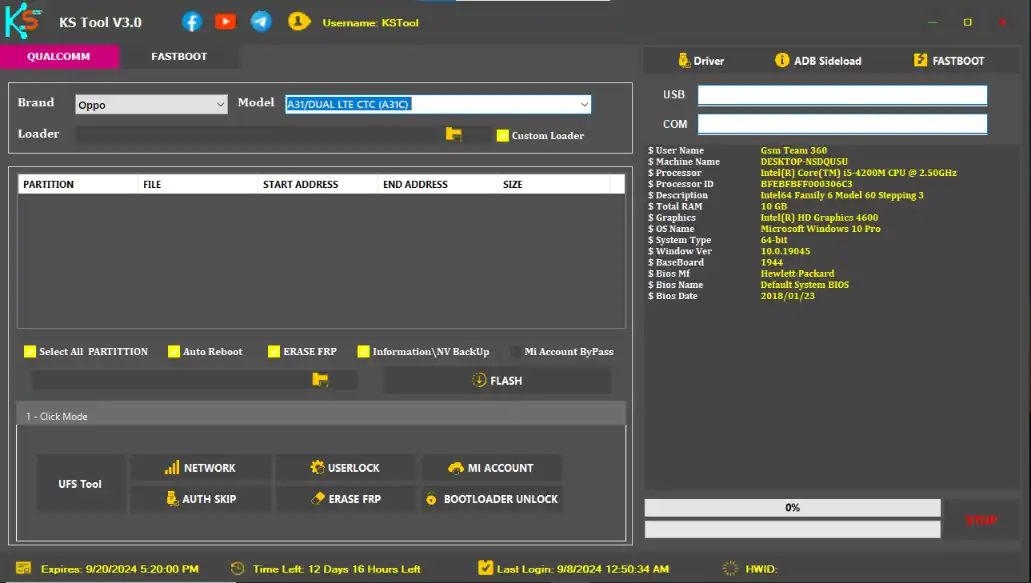
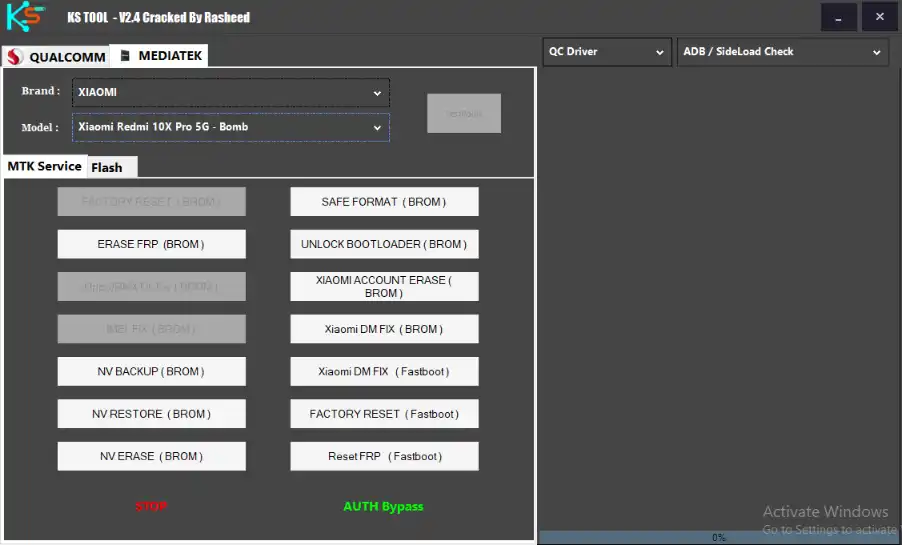
Download KS Tool 4.6
Download KS Tool v4.6 – Officially Original (MediaFire)
Previous Versions:
⚠️ Warning: Download and use at your own risk. Always back up your device data before performing any repair operations.
Login Details
| Item | Details |
|---|---|
| Login File | KS Tool Online 12.exe |
| Username | KS Tool |
| Password | Free10 |
| Zip Password | KSV123 |
| Active Period | 10 Days ✅ |
Requirements
- A Windows PC or Laptop
- Windows 10 or Windows 11 (64-bit recommended)
- Disable Antivirus or Windows Defender before running the tool
- Run the tool with administrator privileges
- Internet must be disconnected before opening the tool
- Proper USB drivers installed (built-in driver installer available)
How To Install and Use KS Tool 4.6
- Download the 7z / RAR file from the link above.
- Extract the file using the zip password: KSV123
- Open the extracted folder and right-click “KS Tool Online 12.exe” — select Run as Administrator.
- A small Microsoft Framework error pop-up may appear — this is normal. Click Continue and let the tool load.
- Disconnect your PC from the internet before the tool opens to prevent auto-update.
- Once the tool opens, enter the login credentials provided above.
- The tool will be active for 10 days — no paid activation needed.
- Connect your device via USB, select your chip platform, and choose the repair function you need.
⚠️ Important: Always run as administrator and keep the internet disconnected while using the tool. If the tool auto-updates, it may stop working.
FAQ
What is KS Tool?
KS Tool is a free Windows-based Android repair software that supports Qualcomm, MediaTek, Fastboot, ADB, and Samsung operations. It can remove FRP locks, flash firmware, repair IMEI, unlock bootloaders, and much more — all from one application.
Is KS Tool 4.6 free to use?
Yes, KS Tool 4.6 is completely free. Use the login credentials provided above to activate the tool for 10 days at no cost.
Why must the internet be disconnected?
If the internet is connected, the tool will try to auto-update and may break the current free working version. Always disconnect your internet before opening the tool.
Which chip platforms does KS Tool support?
The tool supports Qualcomm (EDL mode), MediaTek (BROM/Download mode), and general Android devices via ADB, Fastboot, and Samsung MTP mode.
Why does a Microsoft Framework error appear?
This is a normal pop-up that appears on the first launch. Simply click Continue and the tool will load correctly without any issues.
Does KS Tool support Android 15 and 16?
Yes, KS Tool 4.6 fully supports all new 5G devices and works with Android 15 and Android 16.
What should I do if the tool stops working after an update?
Uninstall the current version completely, download the latest version from the link above, and reinstall it while keeping your internet disconnected.
More Tools ⇒