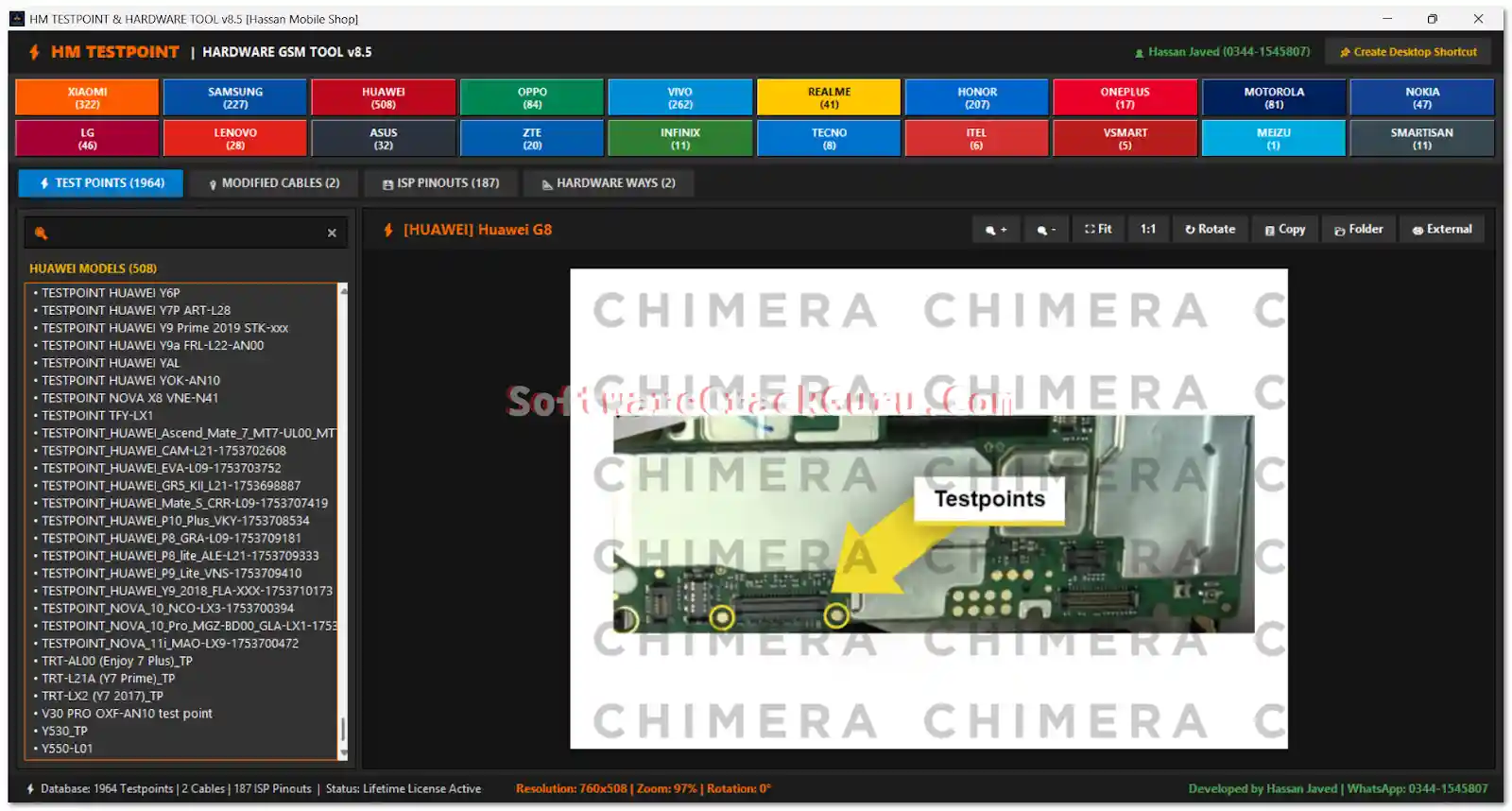
HM Testpoint & Hardware Tool v8.5 is a comprehensive offline Windows reference tool developed by Hassan Mobile Shop for chip-level and hardware repair technicians. It combines a large database of smartphone test points, ISP pinouts, EDL boot cable diagrams, modified boot cable schematics, and hardware circuit ways — covering 1,964+ test points and 187 direct ISP pinouts across 20 major brands. The tool supports advanced image viewing with zoom up to 500%, rotate, full-screen, clipboard copy, and keyboard shortcuts. Web-based HWID activation is required — generate your free key from the activation page instantly.
HM Testpoint & Hardware Tool Features
Database & Search
- ✅ 1,964+ Test Points from 20+ Supported Brands
- ✅ High-Definition EDL Test Point Images
- ✅ Direct eMMC and UFS ISP Pinouts (187 pinouts)
- ✅ Hardware Circuit Ways and Track Diagrams
- ✅ Modified Boot Cable Schematics
- ✅ Universal Search for Brands, Models, and Pinout Types
- ✅ Real-Time Search Filtering
Image Viewer
- ✅ Zoom In / Out – Up to 500%
- ✅ Auto-Fit Image to Screen
- ✅ Smooth Drag and Pan Support
- ✅ Rotate Board Diagrams 90°
- ✅ Full-Screen Mode
- ✅ Copy Diagram to Windows Clipboard
- ✅ Open Diagram Folder Directly
- ✅ Open in Default Windows Image Viewer
Navigation & Interface
- ✅ Keyboard Shortcuts for Fast Navigation
- ✅ Desktop Shortcut Integration
- ✅ Start Menu Shortcut Integration
- ✅ Dark-Themed Clean Interface
Activation
- ✅ HWID-Based Web Activation (Free – Instant Key)
- ✅ Creates Local license.key After Activation
Supported Brands & Model Count
| Brand | Models |
|---|---|
| Huawei | 348+ |
| Xiaomi | 322+ |
| Vivo | 263+ |
| OPPO | 228+ |
| Samsung | 227+ |
| Realme | 223+ |
| Honor | 197+ |
| Lenovo | 102+ |
| Infinix | 77+ |
| Nokia | 75+ |
| Tecno | 72+ |
| OnePlus | 71+ |
| ASUS | 52+ |
| Motorola | 47+ |
| Meizu | 37+ |
| ZTE | 39+ |
| LG | 28+ |
| itel | 30+ |
| Vsmart | 17+ |
| Smartisan | 9+ |
Total: 1,964+ test points across 20 brands
Hardware Database Coverage
Test Points & Pinouts
- ✅ EDL (Emergency Download) Test Points – High-resolution images
- ✅ Direct ISP Pinouts – 187 models (eMMC & UFS)
- ✅ CMD, CLK, DAT0, VCC, VCCQ and GND contact points
Boot Cables & Resistors
- ✅ Modified Boot Cable Diagrams
- ✅ Universal EDL Boot Cable Schematics
- ✅ Huawei Harmony Boot Cable Information
- ✅ Samsung 300K and EDL Cable Diagrams
- ✅ SPD/Unisoc Auto-Boot Cable Information
- ✅ 4.7kΩ and 47kΩ Resistor Diagrams (where supported)
Hardware Modules
- ✅ Universal TX/RX Hardware Lines
- ✅ MediaTek Supported Hardware Information
- ✅ Qualcomm Supported Hardware Information
- ✅ Unisoc Supported Hardware Information
- ✅ Samsung Exynos Related Pinout Information
- ✅ Network and RF Hardware Circuit Ways
- ✅ Charging and Sub-Board Track Diagrams
Keyboard Shortcuts
| Shortcut | Action |
|---|---|
| Ctrl + / Ctrl – / Ctrl = | Zoom In / Out |
| F | Fit Diagram to Screen |
| R | Rotate Diagram 90° |
| Ctrl + C | Copy Diagram to Clipboard |
| F11 | Enable / Disable Full-Screen |
| Esc | Exit Full-Screen |
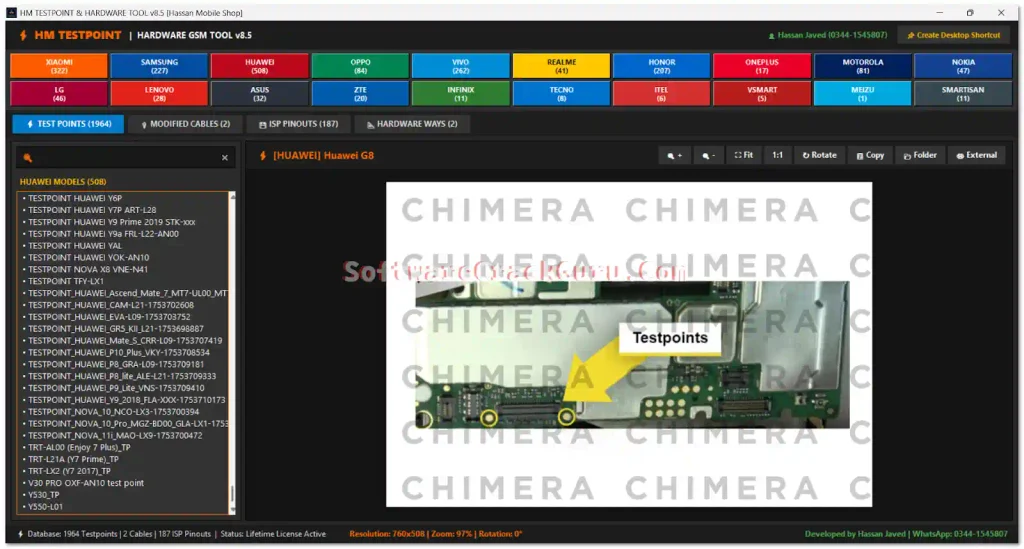
Screenshots
File Information
| Field | Details |
|---|---|
| Tool Name | HM Testpoint & Hardware Tool |
| Version | v8.5 (Latest – August 23, 2026) |
| Developer | Hassan Mobile Shop |
| Platform | Windows |
| Total Test Points | 1,964+ |
| ISP Pinouts | 187 |
| Activation | Free HWID-Based (Instant Key) |
| License | Free |
Download HM Testpoint & Hardware Tool v8.5
Download via Telegram (Channel)
⚠️ Warning: This tool is a hardware reference database only — it does not connect to or modify any device. For professional chip-level repair and educational use only. Download and use at your own risk.
Requirements
- A Windows PC or Laptop (Windows 7 / 10 / 11)
- Active internet connection (required for HWID activation on first launch)
- WinRAR or 7-Zip to extract the downloaded archive
How To Install and Activate HM Testpoint & Hardware Tool v8.5
- Download the tool package from the Telegram link above.
- Extract the downloaded archive using WinRAR or 7-Zip.
- Run HM_Testpoint.exe as Administrator (right-click → Run as Admin).
- The Device Registration & Activation window will appear and show your Hardware ID (HWID).
- Click Copy HWID to copy your machine ID.
- Open the activation page:
- Paste your HWID and click Generate to create your activation key.
- Copy the generated key.
- Return to the HM Testpoint registration window.
- Paste the key into the license field and click ACTIVATE SOFTWARE.
- After successful activation, the tool creates a local license.key file.
- The full database is now unlocked and ready to use.
✅ Activation is instant and free — the generated key is specific to your PC hardware (HWID). Keep the license.key file safe to avoid re-activation.
FAQ
What is HM Testpoint & Hardware Tool?
HM Testpoint & Hardware Tool v8.5 is a free offline Windows hardware reference database developed by Hassan Mobile Shop. It provides 1,964+ test points, 187 ISP pinouts, EDL diagrams, boot cable schematics, and circuit ways for 20 brands — helping chip-level repair technicians locate test points and reference hardware without disassembling or modifying any device.
Is the tool free?
Yes. The tool is free to download and activate. HWID-based activation generates a free key instantly from gsmyogesh.com — no payment required.
Does it connect to my phone?
No. HM Testpoint & Hardware Tool is a reference-only database tool — it does not connect to, communicate with, or modify any device. It is used alongside physical hardware repair work to locate test points and pinouts.
What is an ISP pinout?
ISP (In-System Programming) pinouts are direct access points on a smartphone’s eMMC or UFS storage chip that allow reading/writing data directly without going through the phone’s processor. Technicians use ISP pinouts when a phone is too damaged to boot and other methods fail.
What is an EDL test point?
An EDL (Emergency Download) test point is a specific contact point on a smartphone’s motherboard that, when shorted, forces the device into Qualcomm EDL (9008) mode — enabling deep recovery and firmware flashing even on completely bricked devices.
Does the activation key work on multiple PCs?
No. The activation key is generated specifically for your Hardware ID (HWID) and works only on the PC where it was generated. If you change your PC or reinstall Windows, you will need to generate a new key.
More Tools ⇒