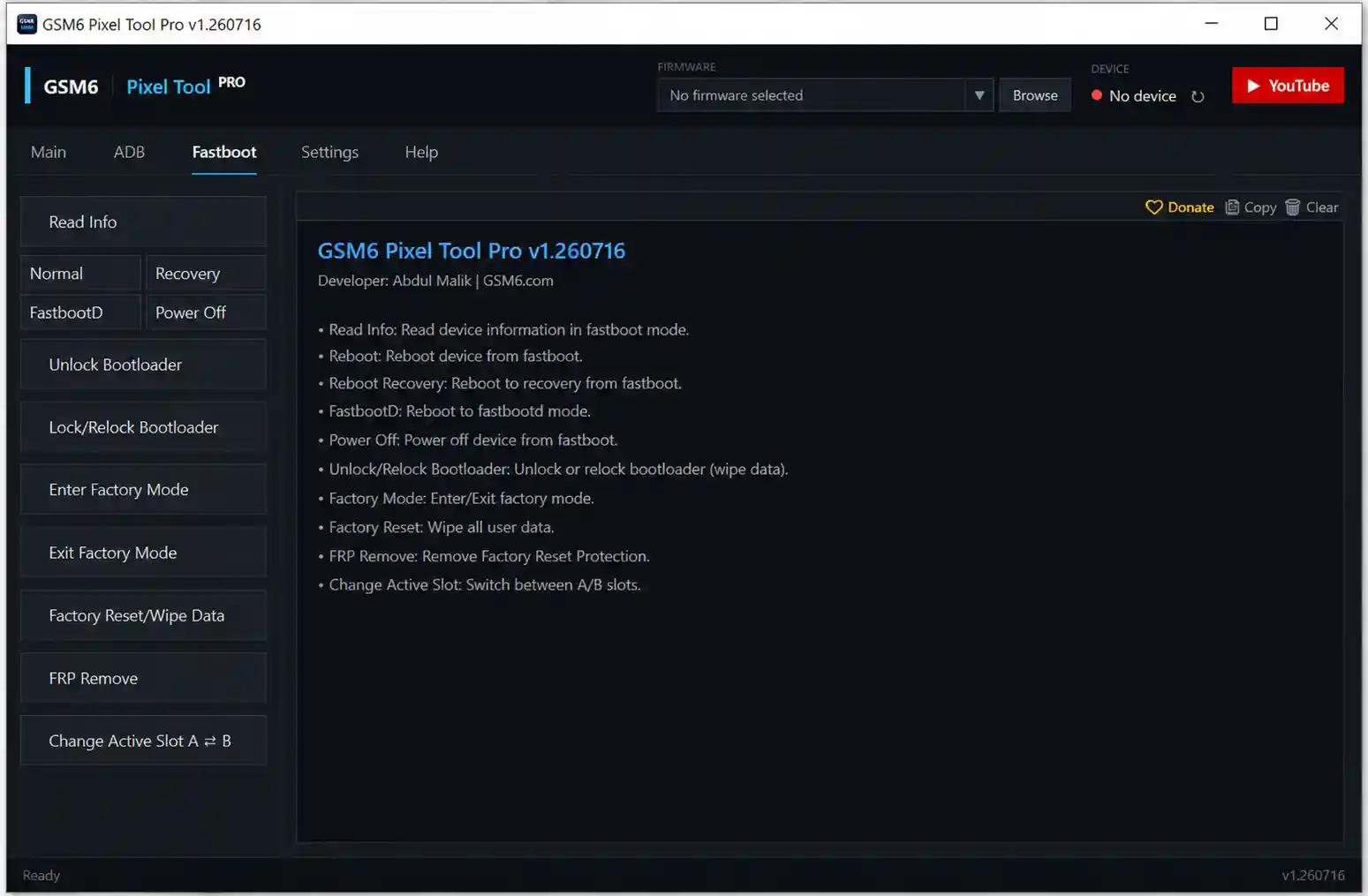
GSM6 Pixel Tool Pro v1.260716 is a free dedicated service tool for Google Pixel phones built by the GSM6 Team. It covers firmware flashing, rooting, FRP removal, partition backup/restore, bootloader unlock/relock, A/B slot switching, IMEI repair, QCN operations, WiFi fix, and a full set of ADB and Fastboot utilities — all organized into clearly labelled tabs inside a single Windows application. A Technician Mode can be unlocked from Settings to reveal two additional tabs — Tensor and Qualcomm — with advanced repair functions for chip-specific Pixel models. The tool is completely free and opens without any login or license key after installation. Tested on Windows 11 — installation completed in under one minute, all menus loaded correctly, and Technician Mode activated without issues.
GSM6 Pixel Tool Pro Features
Main Tab
- ✅ Read Device Information
- ✅ Flash Firmware (Official OTA)
- ✅ Custom Flash (Selected Files)
- ✅ ADB Sideload (OTA via Recovery)
- ✅ Root via Server
- ✅ Root (Direct)
- ✅ Unroot via Server
ADB Mode
- ✅ Read Info
- ✅ Reboot Normal / Bootloader / Recovery
- ✅ FRP Remove
- ✅ Backup Partition
- ✅ Restore Partition
- ✅ Install APK
- ✅ Install Magisk
Fastboot Mode
- ✅ Read Info
- ✅ Reboot Normal / Recovery / FastbootD
- ✅ Power Off
- ✅ Unlock Bootloader / Lock Bootloader
- ✅ Enter Factory Mode / Exit Factory Mode
- ✅ Factory Reset / Wipe Data
- ✅ FRP Remove (Fastboot)
- ✅ Change Active Slot A ⇌ B
Settings Tab
- ✅ Enable Technician Mode
- ✅ Automatically Check for Updates
- ✅ Reset to Default Settings
Help Tab
- ✅ Official Website / Forum / Facebook / Telegram / YouTube
- ✅ Email Support
- ✅ Download Drivers (Built-in Links)
- ✅ Privacy Policy / Terms of Service
Technician Mode – Tensor & Qualcomm Tabs
Enable Technician Mode from the Settings tab to unlock two additional advanced repair tabs:
Tensor Tab (Tensor-Based Pixel Devices)
- ✅ Read Config (ADB$)
- ✅ Get Compatible Firmware
- ✅ Fix IMEI 0 (Temporary)
- ✅ Fix CPID (All – Permanent)
- ✅ Disable Beta (Test)
Qualcomm Tab (Qualcomm-Based Pixel Devices)
- ✅ Enable Diag (Root)
- ✅ Fix WiFi
- ✅ Reset EFS
- ✅ Read QCN
- ✅ Write QCN
- ✅ Fix Corrupted IMEI
⚠️ Note: Technician Mode functions require a supported connected Google Pixel device to operate. Enabling the mode itself is instant and requires no additional login.
Screenshots


File Information
| Field | Details |
|---|---|
| Tool Name | GSM6 Pixel Tool Pro |
| Version | v1.260716 (Latest – July 24, 2026) |
| Developer | GSM6 Team |
| Supported Devices | Google Pixel Phones |
| Platform | Windows |
| License | Free – No Login Required |
| File Password | 12345 |
Download GSM6 Pixel Tool Pro v1.260716
File Password: 12345
⚠️ Warning: Download and use at your own risk. Always back up your device data before performing any flash, root, IMEI, or EFS operation. For educational and testing purposes only.
Requirements
- A Windows PC or Laptop (Windows 10 / 11 recommended)
- Google Pixel USB Driver installed on your PC
- USB Debugging enabled on the Pixel device (for ADB functions)
- Fastboot Mode accessible (for Fastboot functions)
- Active internet connection (for server-based Root/Unroot functions)
- Disable Antivirus or Windows Defender before running the installer
How To Install and Enable Technician Mode
Installation
- Download the file from any link above and extract it using password 12345.
- Right-click the installer EXE and select Run as Administrator.
- Click OK on the setup welcome screen.
- Select the installation folder (default location recommended) and click Next.
- If Windows asks to create the folder, click Yes.
- Leave the Start Menu folder default and click Next.
- Check Create a desktop shortcut and click Install.
- Wait for files to copy — installation completes in under 1 minute.
- Leave Launch GSM6 Pixel Tool Pro checked and click Finish.
- The tool opens automatically — no restart required, no login screen.
Enabling Technician Mode
- Open GSM6 Pixel Tool Pro from the Desktop shortcut.
- Click the Settings tab.
- Tick Enable Technician Mode.
- A warning message will appear — click Yes.
- Two new tabs appear immediately: Tensor and Qualcomm.
- These tabs contain advanced chip-specific repair functions for supported Pixel models.
✅ Technician Mode activates instantly — no server check, no extra password required.
FAQ
What is GSM6 Pixel Tool Pro?
GSM6 Pixel Tool Pro is a free dedicated Windows service tool for Google Pixel phones. It covers firmware flashing, rooting, FRP removal, ADB and Fastboot operations, bootloader unlock/relock, A/B slot switching, partition backup/restore, and advanced Technician Mode functions including IMEI repair, CPID fix, QCN read/write, EFS reset, and WiFi repair for Tensor and Qualcomm Pixel models.
Is the tool completely free?
Yes. GSM6 Pixel Tool Pro opens without any login screen, license key, or credits after installation. All visible functions are accessible without payment.
What is Technician Mode?
Technician Mode reveals two hidden tabs — Tensor and Qualcomm — which contain advanced repair functions not shown by default. Enable it from Settings → Enable Technician Mode → Yes. It activates instantly with no extra login or server check.
What is the difference between Tensor and Qualcomm tabs?
The Tensor tab covers advanced functions for Tensor chip-based Pixel devices (Pixel 6 and later), including IMEI 0 fix, CPID fix, and config reading. The Qualcomm tab covers Qualcomm chip-based Pixel devices (Pixel 5 and earlier) with Diag enable, WiFi fix, EFS reset, and QCN read/write.
Does the tool need internet to run?
Basic ADB and Fastboot functions work offline. Server-based Root and Unroot functions require an internet connection to communicate with the GSM6 server.
Which Pixel models are supported?
The tool is designed for all Google Pixel phones. The Tensor tab targets Pixel 6 and newer (Tensor chip). The Qualcomm tab targets Pixel 5 and older (Qualcomm chip). Exact model support for advanced functions depends on future updates from the GSM6 Team.
More Tools ⇒