BR Team A12-A13 Passcode Eraser v1.0 is a free offline Windows tool developed by BR Team for erasing data from passcode-locked iPhone and iPad devices running Apple A12 and A13 Bionic chips. The tool works through a hardware-assisted PWNED DFU method using an RP2350-USB-A board — once the device is placed in Pwned DFU mode via the RP2350 board, the tool performs a complete device erase and returns it to the Hello setup screen. The supported device list covers iPhone XS, XS Max, XR, iPhone 11, iPhone 11 Pro, iPhone 11 Pro Max, iPhone SE (2nd Gen), iPad mini 5, iPad Air 3, and iPad (8th Gen). The tool is 100% free, fully offline, and requires no account or activation.
BR Team A12-A13 Passcode Eraser Features
- ✅ Erase Data from Passcode-Locked A12 & A13 Apple Devices
- ✅ Returns Device to Hello Setup Screen After Erase
- ✅ Works via Hardware-Assisted PWNED DFU (RP2350 Board)
- ✅ Supports iPhone XS, XR, iPhone 11 Series, iPhone SE 2nd Gen, and Select iPad Models
- ✅ 100% Free – No Account or Activation Required
- ✅ Fully Offline – No Internet Connection Required
- ✅ Dedicated v1.0 Release Build by BR Team
- ✅ Windows 10 Compatible
Supported Devices
| Device | Chip |
|---|---|
| iPhone XS | A12 Bionic |
| iPhone XS Max | A12 Bionic |
| iPhone XR | A12 Bionic |
| iPhone 11 | A13 Bionic |
| iPhone 11 Pro | A13 Bionic |
| iPhone 11 Pro Max | A13 Bionic |
| iPhone SE (2nd Generation) | A13 Bionic |
| iPad mini 5 | A12 Bionic |
| iPad Air 3 | A12 Bionic |
| iPad (8th Generation) | A12 Bionic |
⚠️ Note: Only the 10 devices listed above are confirmed supported in v1.0. Devices not on this list are not confirmed compatible — do not attempt on unsupported models.
Hardware Required
| Hardware | Details |
|---|---|
| Required Board | RP2350-USB-A |
| Purpose | Boot the iDevice into PWNED DFU mode via hardware exploit |
| Why Required | Standard USB alone cannot enter PWNED DFU — the RP2350 board triggers the exploit |
The RP2350-USB-A board is specifically required by BR Team for this tool. Other RP2350-based boards may also work but are not officially confirmed. This is the same hardware used with USBLiter8 MagicCFG and similar A12/A13 tools.
Screenshots
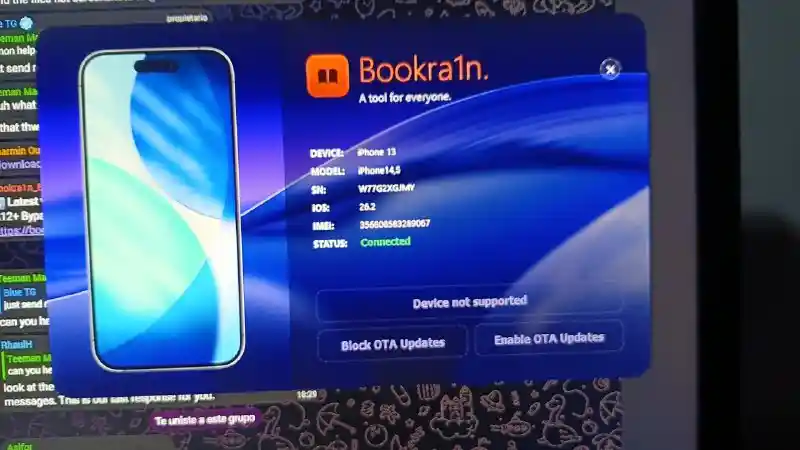
File Information
| Field | Details |
|---|---|
| Tool Name | BR Team A12-A13 Passcode Eraser |
| Version | v1.0 Release Build |
| Developer | BR Team |
| Platform | Windows 10 |
| Required Hardware | RP2350-USB-A |
| License | 100% Free – Offline |
| Activation | None Required |
Download BR Team A12-A13 Passcode Eraser v1.0
Download via bookra1n.com (Official)
⚠️ Warning: This tool performs a complete device erase — all personal data including photos, contacts, apps, and documents will be permanently deleted. Use only on devices you are authorized to service. Download and use at your own risk. For educational and testing purposes only.
Requirements
| Component | Requirement |
|---|---|
| OS | Windows 10 (specifically required — Windows 11 not confirmed) |
| Hardware Board | RP2350-USB-A (mandatory) |
| Apple Drivers | iTunes or Apple Mobile Device Support (for USB communication) |
| USB Cable | Good-quality cable routed through the RP2350-USB-A board |
| Device | Supported A12 or A13 iPhone / iPad (see list above) |
How To Use BR Team A12-A13 Passcode Eraser v1.0
- Purchase or obtain an RP2350-USB-A board — this hardware is mandatory for the tool to work.
- Download the zip file from the official link above and extract it.
- Flash the required firmware to the RP2350-USB-A board:
- Hold the Boot button on the RP2350 board while plugging it into your PC.
- A removable drive will appear — drag and drop the firmware file onto it.
- The board will flash and the LED will indicate it is ready.
- Put your supported iPhone or iPad into DFU Mode using the correct button combination for your model.
- Connect the device to your PC using a USB cable routed through the RP2350-USB-A board.
- If the exploit loads correctly, the device will enter PWNED DFU mode.
- Open BR Team A12-A13 Passcode Eraser on your Windows 10 PC.
- Follow the on-screen instructions to initiate the erase.
- Wait for the erase process to complete — the device will restart and show the Hello screen.
⚠️ Important: The erase is permanent and irreversible. All data on the device will be lost. Confirm you are authorized to perform this operation before proceeding.
FAQ
What is BR Team A12-A13 Passcode Eraser?
It is a free offline Windows tool by BR Team that erases data from passcode-locked Apple A12 and A13 chip devices — including iPhone XS, XS Max, XR, iPhone 11 series, iPhone SE 2nd Gen, iPad mini 5, iPad Air 3, and iPad 8th Gen — and returns them to the Hello setup screen.
Is the tool free?
Yes. The tool is 100% free with no account, activation, or payment required. It is also fully offline — no internet connection is needed during operation.
Why is the RP2350-USB-A board required?
Standard USB connections cannot place A12/A13 devices into PWNED DFU mode — this requires a hardware exploit triggered by the RP2350-USB-A board. The tool is designed specifically to work after PWNED DFU is achieved via this hardware.
Does it erase all data?
Yes. The tool performs a complete device erase — all personal data including photos, contacts, messages, apps, and accounts are permanently deleted. The device is returned to factory state at the Hello screen.
Does it work on Windows 11?
The tool is officially listed as requiring Windows 10 only. Windows 11 compatibility is not confirmed by BR Team for v1.0.
What other tools use the same RP2350-USB-A hardware?
The RP2350-USB-A board is also used by USBLiter8 MagicCFG (A12/A13 SysCFG read/write) and MobileSea Service Tool (A12/A13 erase) — all of which use the same hardware to trigger PWNED DFU on A12 and A13 devices.
More Tools ⇒
