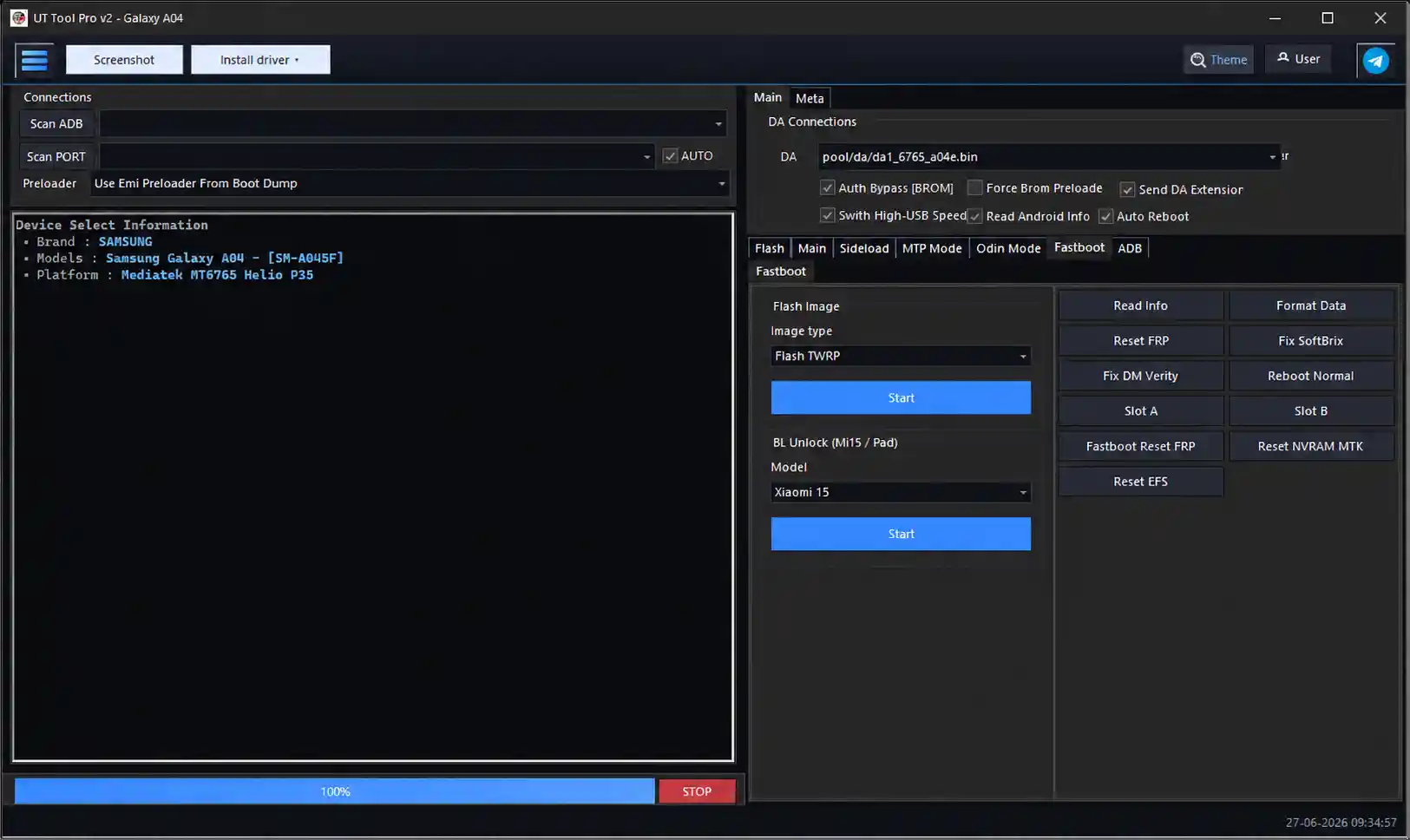
UT Tool v2.0 is a new multi-brand Android service software offering a clean model-based interface for mobile repair work. Unlike traditional tools that load all functions at once, UT Tool lets you select a brand first, then a device model — and only then shows the functions available for that specific device. This keeps the interface clean, organized, and fast to navigate. The tool supports ADB, Fastboot, FRP, Factory Reset, Screen Lock, MediaTek, Qualcomm, Samsung, Huawei, and Firmware functions across brands like Samsung, Huawei, Xiaomi, Tecno, Infinix, Asus, ZTE, OnePlus, and more. The interface design is similar to EGSM Tool and includes multiple theme options. New users receive a 10-day free trial login — request access via the official Facebook page.
UT Tool v2.0 Features
ADB Functions
- ✅ Read Device Information
- ✅ Device Detection
- ✅ Reboot Device / Reboot to Recovery / Reboot to Fastboot
- ✅ Screenshot Capture
- ✅ Install APK / Uninstall APK
- ✅ Open Browser / Open Dialer
- ✅ Enable ADB Mode / Disable ADB Mode
Fastboot Functions
- ✅ Read Device Information
- ✅ Reboot Device / Reboot to Recovery / Reboot to Fastboot
- ✅ Bootloader Unlock / Lock Support
- ✅ Fastboot Detection
FRP Functions
- ✅ Remove FRP Lock / Reset FRP
- ✅ FRP Bypass Support
- ✅ Google Account Lock Removal
- ✅ Samsung FRP Support
- ✅ Huawei FRP Support
- ✅ Qualcomm FRP Support
- ✅ MediaTek FRP Support
Factory Reset Functions
- ✅ Factory Reset / Master Reset
- ✅ Safe Format Data
- ✅ Wipe Cache / Erase User Data
- ✅ Reset Device Settings
Screen Lock Functions
- ✅ Remove Pattern / PIN / Password Lock
- ✅ Remove Privacy Password
- ✅ Lock Reset Support
MediaTek Functions
- ✅ Read Device Information
- ✅ Read / Write Firmware
- ✅ Read / Write Partition
- ✅ Backup / Restore Firmware
- ✅ Format Device / Factory Reset
- ✅ Preloader Mode Support
- ✅ Meta Mode Support
- ✅ Security Operations
Qualcomm Functions
- ✅ EDL Mode Support
- ✅ Read Device Information
- ✅ Read / Write Firmware
- ✅ Partition Manager
- ✅ Backup / Restore Firmware
- ✅ Factory Reset / Flash Operations
- ✅ Security Operations
Samsung Functions
- ✅ Samsung FRP Reset
- ✅ Samsung Factory Reset
- ✅ Samsung Download Mode Support
- ✅ Samsung ADB Operations
- ✅ Samsung Device Information
Huawei Functions
- ✅ Huawei FRP Reset
- ✅ Huawei Factory Reset
- ✅ Huawei Fastboot Support
- ✅ Huawei Device Information
- ✅ Huawei Security Operations
Firmware Functions
- ✅ Flash / Read / Backup / Restore Firmware
- ✅ Partition Backup / Restore
- ✅ Scatter File Support
- ✅ XML Firmware Support
Utility Functions
- ✅ Driver Installation
- ✅ Device Detection / Auto Device Recognition
- ✅ USB Port Detection / Log Viewer
- ✅ Model Selection / Operation History
- ✅ Live Process Logs
Security Functions
- ✅ Screen Lock Removal / FRP Removal
- ✅ User Data Reset / Security Backup
- ✅ Device Authentication Support / Protection Management
Supported Models
Asus
Zenfone 2 Go (ZB500KG), Zenfone 3 Deluxe (ZS570KL), Zenfone 3 Max (ZC553KL / ZC520TL), Zenfone 3s Max (ZC521TL), Zenfone 4 Max (ZB500TL / ZC554KL), Zenfone 4 Max Plus (ZC550TL), Zenfone 5 Lite (ZC600KL), Zenfone 5 (ZE620KL), Zenfone 6 (ZS630KL), Zenfone Go (ZB452KG / ZB450KL), Zenfone Lite L1 (ZA551KL), Zenfone Live L1 (ZA550KL), Zenfone Live (ZB501KL), Zenfone Max M1 (ZB555KL), Zenfone Max M2 (ZB632KL), Zenfone Max Plus M1 (ZB570TL), Zenfone Max Plus M2 (ZB634KL), Zenfone Max Pro M1 (ZB601KL / ZB602KL), Zenfone Max Pro M2 (ZB630KL), Zenfone Max Shot (ZB634KL), Zenfone Max (ZB556KL / ZC550KL), ROG Phone 2 (ZS660KL), ROG Phone 3 (ZS661KS)
Cubot
Max 3, KingKong 7, KingKong 6, KingKong 5, KingKong 5 Pro, KingKong Mini 2, X50, X30, X20 Pro, X19S, X19, C20, C30, P40, P30, Note 9, Note 20, Note 20 Pro, Note 7, J9, J8, Quest, Quest Lite, Pocket
Hisense
F23 Plus, F23, F24, F25, F27, F40, H12 Lite, H30, H30 Lite, H40, H40 Rock (HLTE226E), H50, H50 Zoom, KingKong 6, KingKong 8000, V3 (KS907), T5, T5 Plus, E33 (HLTE243E), E40 (HLTE229E), E40 Lite, E50 Lite (HLTE228E), E60 (HLTE236E_10), E60 Lite (HLTE235E), E32 Lite (HLTE106E), E50i (HLTE241E), U31, U40 Lite (HWCD100E), U50 (HLTE222E), U50 Lite (HWCD103E), U60 (HLTE235E), U60 Lite (HWCD108E), U3 (KS964), U3 2021, U70 Pro (HLTE109E), U965, U989, Infinity H30 Lite, Infinity H40, Infinity H40 Lite, L675 Pro, E71, U62
Huawei / Honor
Full support for Enjoy series, P-series (P10/P20/P30), Mate series (Mate 9/10/20), Nova series (Nova 2i/3i/3/5T/7 SE/8i/Y60), Honor 6A/6C/7A/7S/7X/8A/8S/8X/9A/9S/9X/10/20/30/50/60/90/200 Lite series, Honor X-series (X5/X6/X7/X8/X10/X20/X30/X40/X50), Honor Play series (7/7T/8A/8T/9A/10/20/30/40/50 Plus), Honor V40 5G, Honor Pad 7, Huawei GR5 2017, MediaPad M3 Lite, MediaPad T3, and many more regional variants
Infinix
Full support for Hot 2 through Hot 50 series, Smart 2 through Smart 10 series, Note 4 through Note 50 series, Zero 5 through Zero Flip series, S4/S5 series, Xpad (X1101), and GT 10 Pro / GT 20 Pro — all model codes included (X510 through X6962)
OnePlus
Nord (AC2001), Nord CE 2 5G, Nord 2 5G, Nord 2T, Nord 3 5G, Nord N10 5G, Nord N100, Nord N200 5G, Nord N20 SE, Nord N30 SE, Nord N300 5G, OnePlus 7 Pro, OnePlus 8, OnePlus 8 Pro, OnePlus 8T, OnePlus 9, OnePlus 9 Pro, OnePlus 10R, OnePlus Ace 2 V
Oppo / Realme
CPH2113, CPH2247, CPH2363, CPH2373, CPH2525, CPH2565, CPH2631, CPH2687, Reno 5 Lite (CPH2205), Realme RMX2101, RMX2195, RMX3231, RMX3261, RMX3263, RMX3265, RMX3269, RMX3501, RMX3511, RMX3516, RMX3581, RMX3624, RMX3760, RMX3762, RMX3871
Samsung
Full support including Galaxy A, J, S, Note, M, C, Tab, Z Flip, Z Fold, and XCover series — from Galaxy J1 (SM-J100F) through Galaxy Z Fold7 (SM-F9560). Includes EDL loader BIT support for hundreds of variants across SM-A, SM-F, SM-G, SM-M, SM-N, SM-S, SM-T, and SM-X model ranges. Full UDDR loader support included.
Tecno
Full support for Camon series (C5 through Camon 30), Pop series (Pop 2 through Pop 9), Pova series (Pova through Pova 7 Pro), Pouvoir series (1 through 3 Plus), Spark series (Spark through Spark 30), Phantom series (Phantom 6 through Phantom V Flip2), SA / IN / AX series, and Tecno 17 — all model codes included
Xiaomi / Redmi / POCO / Black Shark
Full support for Mi 4i through Mi 11, Mi Mix/Note/Play/Pad series, Civi series, Redmi A/Go/Note/K-series (K20 through K80 Pro), Redmi 10X through Redmi 15 series, POCO F2 through F4, POCO M4 through M7, POCO X2 through X7 Pro, POCO Pad, Black Shark 1 through 5 RS, and Xiaomi 11 through 15 Ultra — all codenames included
ZTE
Blade A510, A2, A2 Plus, A3 2019/2020, A3 Lite/Prime, A5 2019/2020/Pro, A5 Pro, A7 2019, A7S 2020, A7 Prime, A31, A31 Lite/Plus, A33 Plus, A51, A51 Lite, A52, A52 Lite, A53, A531, A610 Plus, V8 Lite/SE, V10, V10 Vita, V2020, V2020 5G, V2021, V40 Vita, Axon 11 4G, Axon 11 SE 5G, Axon 50 Lite, Blade 10 Prime, Blade 19, Blade 20, Blade 20 5G, Blade 20 Smart, L7, L7A, L8, L9, L110, L111, L130, L210, Q3, 530 SE, Optus X Start 2
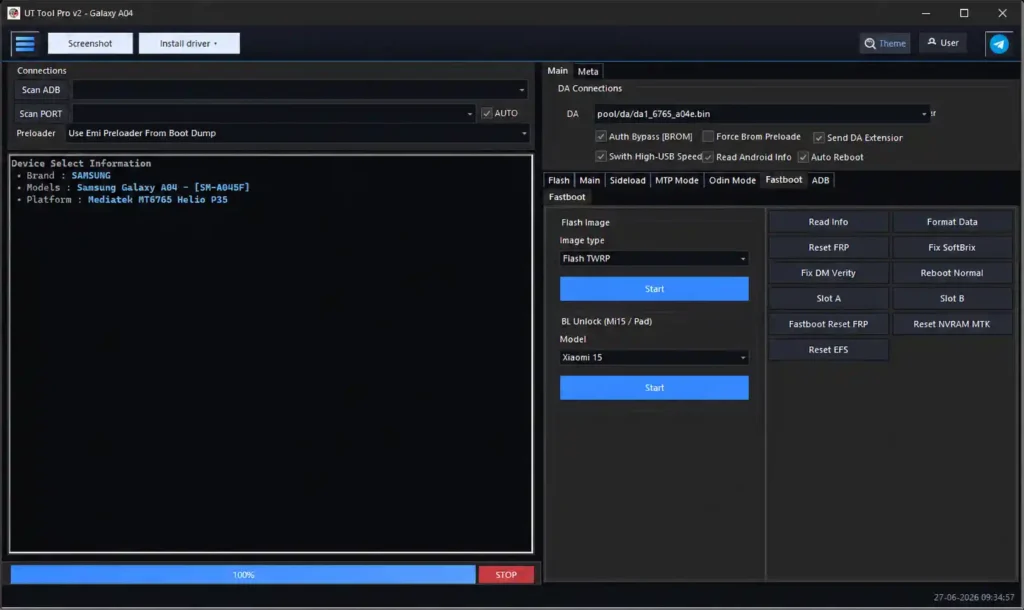
Screenshots
File Information
| Field | Details |
|---|---|
| File Name | UT_Tool_v2.0_Setup.zip |
| Version | v2.0 (Latest – June 2026) |
| Developer | UT Tool Team |
| Trial Period | 10 Days Free (request via Facebook page) |
| File Password | None Required |
| Supported OS | Windows 10 / 11 (64-bit) |
Download UT Tool v2.0
⚠️ Warning: Download and use at your own risk. Always back up your device data before performing any repair or flashing operation. For educational and testing purposes only.
Requirements
- A Windows PC or Laptop
- Windows 10 or Windows 11 (64-bit recommended)
- ADB and USB Drivers installed for your device brand
- Disable Antivirus or Windows Defender before running the tool
- Active internet connection for login and trial activation
- 10-day trial login — request access via the official UT Tool Facebook page
How To Install and Use UT Tool v2.0
- Download the file from any link above and extract it to your PC.
- Run the setup file as Administrator (right-click → Run as Admin).
- Accept the license agreement and proceed through the installation screens.
- Keep default settings and allow the installer to add drivers and create a Desktop shortcut.
- If prompted to close ADB or other running processes, allow the installer to close them.
- Once installation is complete, open UT Tool from the Desktop shortcut.
- Sign in using your trial login credentials (request via Facebook page).
- Select a brand from the left panel, then select your device model.
- The available functions for that model will appear — select the required operation and connect your device via USB.
⚠️ Important: Always disable antivirus before running the tool. Run as Administrator to avoid permission errors. Use a dedicated repair PC for best results.
FAQ
What is UT Tool v2.0?
UT Tool v2.0 is a multi-brand Android repair tool with a model-based interface covering Samsung, Huawei, Xiaomi, Tecno, Infinix, Asus, ZTE, OnePlus, and more. It supports ADB, Fastboot, FRP, factory reset, screen lock, MTK, Qualcomm, and firmware functions.
Is UT Tool free to use?
The tool offers a 10-day free trial login. To get trial credentials, send a message to the official UT Tool Facebook page. After the trial period, a paid subscription or credits are required.
How is UT Tool different from other multi-brand tools?
Unlike tools that show all functions at once, UT Tool uses a model-based layout — select brand first, then model, and only the relevant functions appear. This keeps the interface clean and avoids confusion during repair work.
What is the interface style based on?
The UT Tool interface is similar to EGSM Tool in layout and navigation. Users familiar with EGSM will find it easy to get started. It also includes multiple theme options including dark mode.
Does it need antivirus to be disabled?
Yes. Disable antivirus or Windows Defender before running the tool installer and loader. The tool may be flagged as a false positive due to ADB driver components and mobile repair features.
Which chipsets are supported?
UT Tool v2.0 supports MediaTek (BROM/Preloader/Meta), Qualcomm (EDL/Diag), Samsung (Download Mode), and Huawei (Fastboot/ADB) platforms across all supported brands and models.
More Tools ⇒