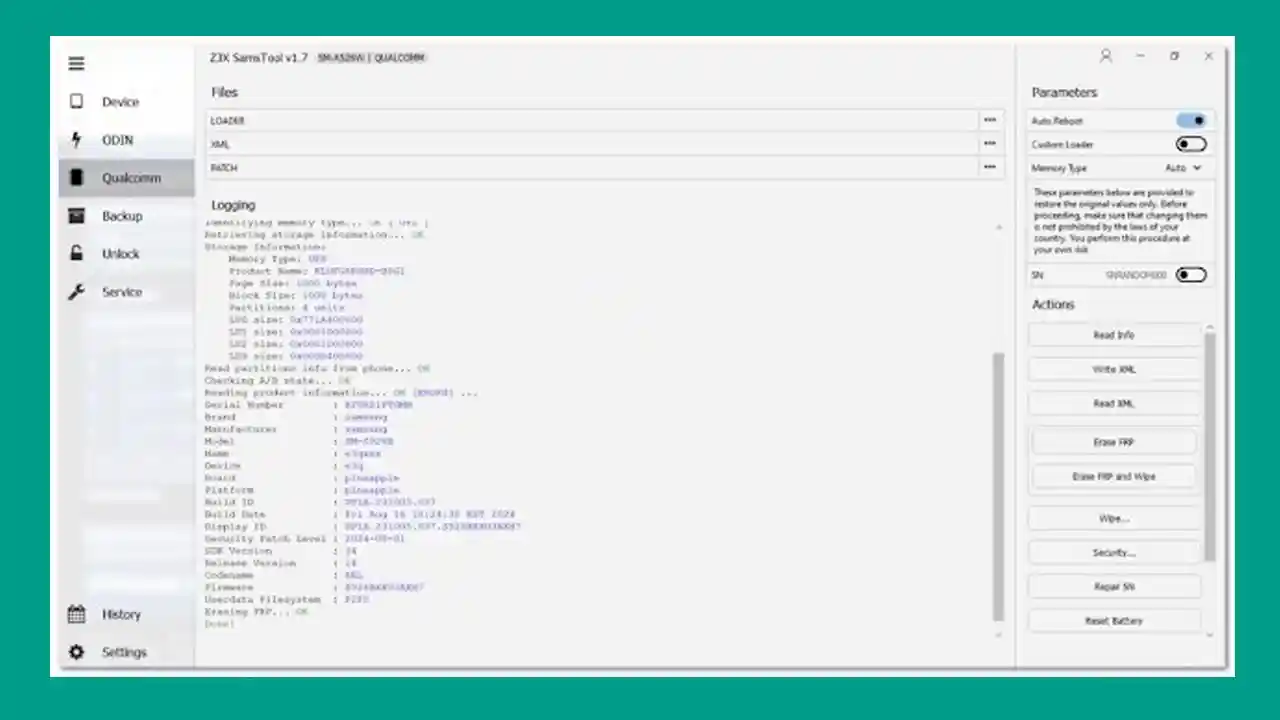
SamsTool Online v1.33 is the latest release of a powerful Samsung-exclusive service tool and the next-generation successor to the legendary Z3X Samsung Box. Built to be lightweight yet packed with exclusive features, it supports Samsung Exynos, Qualcomm, MediaTek, and Unisoc devices and covers FRP reset, IMEI repair, bootloader unlock/relock, CERT repair, network unlock, KG state management, partition management, firmware flashing, and much more. SamsTool Online is the second tool in the world — after Chimera — to offer one-time activation for unlocking almost any Samsung Exynos device in just a few clicks, with no monthly fees or tokens.
SamsTool Online Features
- ✅ Switch to EUB Mode
- ✅ Easy Partition Manager
- ✅ Reset FRP (Factory Reset Protection)
- ✅ Repair Boot
- ✅ Read Device Info
- ✅ Set KG State (Locked / Active / Prenormal / Checking / Completed)
- ✅ Change CSC (Country / Carrier Code)
- ✅ Remove Security Warnings
- ✅ Read Unlock Codes
- ✅ Unlock Network / Region Locks
- ✅ Relock to Carriers
- ✅ Unlock / Relock Bootloader
- ✅ Read / Write Device Backups
- ✅ Reset Battery Status
- ✅ Repair IMEI
- ✅ Repair Serial Number (SN)
- ✅ Update Firmware (Flash)
- ✅ Patch Certificate
- ✅ Read / Write Certificates (CERT Repair)
- ✅ AUTOROOT – Write Flash (Root) + Install Root APK via ADB
- ✅ Auto EUB Detection (No Manual Switching)
- ✅ ADB Mode FRP Reset
- ✅ Reboot to Download / Recovery / EDL
- ✅ Auto Port Detection
- ✅ Device Info Export (TXT / CSV)
- ✅ DFTSU for Patch CERT
- ✅ FRP Reset via Android 16
⚠️ The function list is updated daily. Many more advanced features are supported and added frequently.
Supported CPU Platforms
- ✅ Samsung Exynos (All Latest Generations including Exynos 9610, 9611, 9810, 9820, 9825, 1380, 1480, 2200)
- ✅ Samsung Qualcomm (Snapdragon-based Galaxy devices)
- ✅ Samsung MediaTek (MT6XXX series)
- ✅ Samsung Unisoc
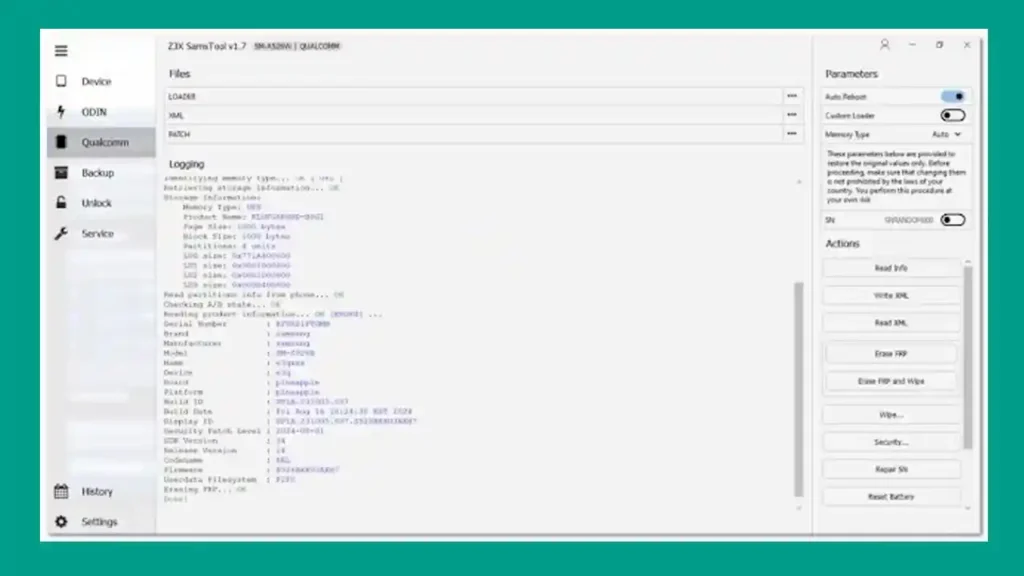
Screenshots
File Information
| Field | Details |
|---|---|
| File Name | SamsTool_Installer_1.33.exe |
| Version | v1.33 (Latest – May 29, 2026) |
| Developer | Z3X / SamsTool Team |
| Activation | One-Time Activation (Paid) |
| File Password | softwarecrackguru (if required) |
Download SamsTool Online v1.33
Download SamsTool Online v1.33 – MEGA (Latest)
⚠️ Warning: Download and use at your own risk. Always back up your device data before performing any repair or flashing operation.
Previous Versions
| Version | Download |
|---|---|
| SamsTool Online v1.32 | OneDrive |
| SamsTool Online v1.31 | Proton Drive |
| SamsTool Online v1.29 | Proton Drive |
| SamsTool Online v1.28 | MediaFire |
| SamsTool Online v1.27 | JioAICloud |
| SamsTool Online v1.24 | JioAICloud |
| SamsTool Online v1.23 | JioAICloud |
| SamsTool Online v1.22 | JioAICloud |
| SamsTool Online v1.21 | JioAICloud |
| SamsTool Online v1.20 | JioAICloud |
| SamsTool Online v1.19 | JioAICloud |
| SamsTool Online v1.18 | JioAICloud |
| SamsTool Online v1.17 | JioAICloud |
| SamsTool Online v1.16 | JioAICloud |
| SamsTool Online v1.14 | JioAICloud |
| SamsTool Online v1.13 | JioAICloud |
| SamsTool Online v1.12 | Proton Drive |
| SamsTool Online v1.11 | Proton Drive |
| SamsTool Online v1.10 | Proton Drive |
| SamsTool Online v1.9 | JioAICloud |
| SamsTool Online v1.8 | JioAICloud |
| SamsTool Online v1.7 | JioAICloud |
Requirements
- A Windows PC or Laptop
- Windows 10 or Windows 11 (64-bit recommended)
- Samsung USB Drivers installed on your PC
- Active internet connection (required for activation and online functions)
- Disable Antivirus or Windows Defender before running the tool
How To Install and Use SamsTool Online
- Download the installer from the link above.
- Run SamsTool_Installer_1.33.exe as Administrator (right-click → Run as Admin).
- Follow the on-screen installation instructions to complete setup.
- Launch SamsTool Online and complete activation using your purchased license.
- Connect your Samsung device via USB.
- Select the required function — FRP Reset, Boot Repair, IMEI Repair, Bootloader Unlock, etc.
- Follow the on-screen steps and wait for the operation to complete.
⚠️ Important: Always disable your antivirus before running the tool. Make sure Samsung USB Drivers are properly installed for stable device detection.
Changelogs
v1.33 — May 29, 2026
[New] Added Support for New BIT (EDL Loaders):
      SM-A236B BIT E, SM-A736B BIT B, SM-E236B BIT E,
      SM-M145F BIT B, SM-S918U BIT 7, SM-S928N BIT 5
[New] AUTOROOT Function Added:
      Step 1: Unlock Bootloader (Required)
      Step 2: Load Firmware and select required files
      Step 3: Click Write Flash (Root) to start rooting
      Step 4: Connect via ADB → Click Install Root APK (ADB)

v1.32
[New] Exynos 9810 EUB Model Support Added
[New] ODIN BL Auto-Selection during EUB/Repair operations
[Fix] General stability improvements and minor bug fixes

v1.31
[New] Manual MCC/MNC input support during Relock operation
[New] New BIT (EDL Loaders) added:
      SM-A235F BIT C, SM-A235M BIT D, SM-A2360 BIT C,
      SM-E145F BIT 9, SM-E236B BIT C, SM-F7000 BIT 8,
      SM-F711B BIT G, SM-F711N BIT C, SM-F711U BIT F,
      SM-F9160 BIT 8, SM-F926B BIT F, SM-F926N BIT B,
      SM-F926U BIT E, SM-G781U BIT N, SM-G781V BIT L,
      SM-G781W BIT L, SM-G990U2 BIT I, SM-M145F BIT 9,
      SM-M236B BIT C, SM-T636B BIT 9, SM-T638U BIT 9,
      SM-T727V BIT 6, SM-T735 BIT 9, SM-W9023 BIT 8,
      SM-X210R BIT 4, SM-X216C BIT 9, SM-X216N BIT 9,
      SM-X218U BIT 9
[Fix] General bug fixes and stability improvements

v1.29
[New] DFTSU support for Patch CERT
[Enhancement] Faster EUB connection speed
[Fix] Reset FRP issue on Android 16
[Fix] Minor bug fixes and stability improvements

v1.28
[New] FRP Reset support for Android 16
[New] EUB support for Exynos 9820 / 9825 chipsets
[New] Galaxy A17 4G (SM-A175F), Galaxy Tab A11 (SM-X130 / SM-X133 / SM-X135F)
[Enhancement] Enhanced stability with new EUB support

v1.27
[New] FRP erase/reset via patch commands (for models without read support)
[Fix] Resolved "Checking BL file" error
[Fix] Fixed Boot repair issue on Exynos 1480

v1.24
[New] Relock to Carriers support added:
      SM-A102U/U1, SM-A205U/U1, SM-A505U/U1, SM-A515U/U1,
      SM-A516U/U1, SM-G715U/U1, SM-T307U, SM-A266U/U1,
      SM-A366U/U1, SM-F741U/U1, SM-F766U/U1, SM-F956U/U1,
      SM-F966U/U1, SM-S921U/U1, SM-S926U/U1, SM-S928U/U1,
      SM-S931U/U1, SM-S936U/U1, SM-S937U/U1, SM-S938U/U1,
      SM-X218U
[New] New BIT (EDL Loaders):
      SM-A057M BIT B, SM-A2360 BIT B, SM-A236E BIT C,
      SM-C5560 BIT 4, SM-E145F BIT 8, SM-E236B BIT B,
      SM-G736U BIT C, SM-G780G BIT H, SM-G781B BIT I,
      SM-G885F BIT 5, SM-G990U2 BIT H, SM-G9910 BIT E,
      SM-M446K BIT 6, SM-P613 BIT 8, SM-P619 BIT A,
      SM-T738U BIT C, SM-T978U BIT 9, SM-X210 BIT 8
[Enhancement] Faster ADB speed
[Fix] Patch CERT Exynos issue resolved

v1.23
[New] Read Codes support: Galaxy A06 (SM-A065F/M), A14 (SM-A145P/R),
      Galaxy F05 (SM-E055F), Galaxy M05 (SM-M055F)
[New] Model support: Galaxy A16 (SM-A165F/M/N), M13 5G (SM-M136B),
      A16 5G (SM-A166P), F16 5G (SM-E166P), M16 5G (SM-M166P),
      Galaxy A07 (SM-A075F)
[New] New BIT: SM-A057G BIT 8, SM-A235M BIT C, SM-G990B BIT G,
      SM-G990U BIT J, SM-G991U BIT H, SM-G996U BIT H,
      SM-G998U BIT H, SM-M558B BIT 2, SM-S9060 BIT 9, SM-X906B BIT 9
[Fix] Patch CERT issue on Exynos devices resolved

v1.22 — October 5, 2025
[New] New BIT EDL Loaders:
      SM-A057F BIT A, SM-A235F BIT B, SM-A235N BIT A,
      SM-A236E BIT B, SM-A236U BIT B, SM-A236V BIT A,
      SM-G780G BIT G, SM-G781B BIT H, SM-G781N BIT C,
      SM-G781U BIT M, SM-G781V BIT K, SM-G990B2 BIT F,
      SM-M145F BIT 8, SM-M236L BIT B, SM-S928Q BIT 1
[Fix] Loader initialization issues on select models fixed
[Fix] Optimized BIT detection for smoother flashing

v1.21
[New] New EDL Loaders: SM-A057M BIT A, SM-F711B BIT F, SM-F711N BIT B,
      SM-F711U BIT E, SM-F926B BIT E, SM-F926U BIT D, SM-F7110 BIT E,
      SM-F9260 BIT D, SM-G990B2 BIT E, SM-G990U2 BIT G, SM-G9900 BIT F,
      SM-N981N BIT A, SM-N981U BIT E, SM-N986N BIT A, SM-N986U BIT E, SM-N9860 BIT E
[Fix] Minor issues resolved

v1.20
[New] Android 15 CERT Repair/Patch (World First):
      SM-A346* – CERT Repair/Patch
      SM-A055* – CERT Repair/Patch
      SM-A065* – CERT Repair/Patch
[Fix] Minor bug fixes

v1.19
[New] Repair BOOT support for all listed Exynos devices
[New] SM-A266M / SM-A266B (Galaxy A26 5G), SM-M566B (Galaxy M56 5G)
[Fix] SM-A022G Patch CERT issue resolved

v1.18
[New] New BIT EDL Loaders:
      SM-A015F BIT 5, SM-A236B/M BIT B, SM-G981U/V BIT D,
      SM-G986U/G988U BIT D, SM-G9980 BIT D, SM-N981U/N986U BIT D,
      SM-T733 BIT 9, SM-X216R BIT 1, SM-X818U BIT 6
[Fix] TAR files >8GB not opening properly – resolved

v1.17
[New] MediaTek device support: Galaxy M53 5G (SM-M536B/S), A34 5G (SM-A3460/B/E/M/N),
      A13 5G (SM-A136B/M), A22 5G (SM-A226B/BR), Galaxy Buddy (SM-A226L)
[Enhancement] Patch CERT/Repair for MT68XX series improved
[New] New BIT: SM-A725M BIT B, SM-F711U BIT D, SM-F7210 BIT 8,
      SM-F926B BIT D, SM-F926N BIT A, SM-F9360 BIT 8, SM-G736W BIT B,
      SM-G990B2 BIT D, SM-G990U BIT I, SM-G990U2 BIT F, SM-G991U BIT G,
      SM-G998U BIT G, SM-M236B BIT A, SM-N9810 BIT E, SM-W9024 BIT 7,
      SM-X216B BIT 8, SM-X218U BIT 7, SM-X916B/C/N BIT 5
[Fix] Reset FRP & Set KG now works on Exynos 7904

v1.16
[New] MTK: SM-E045F (Galaxy F04), SM-M045F (Galaxy M04),
      SM-A037F/G/M (Galaxy A03s)
[New] Qualcomm: Galaxy Z Fold5 – SM-F9460/F946B/N/Q/U/U1/W
[Fix] Minor bugs resolved

v1.14 — HOTFIX
[Fix] MTK Repair Freeze – stuck at "Initialization zTool…"
[Fix] A137F boot loading error resolved
[Fix] SHANNON Repair Errors (6x + 2x errors)
[Fix] QCOM Loader Detection v3 improved
[Fix] ODIN to EUB transition exceptions
[Fix] KG State Set EUB exception resolved
[Fix] ODIN device wait/detection delay

v1.13
[New] EDL Loaders: SM-A525F BIT C, SM-A525M BIT C, SM-E236B BIT A,
      SM-F926U BIT C, SM-G990B BIT E, SM-X210 BIT 7
[New] Exynos 9610/9611: Galaxy A50 (all SM-A505x variants), A50s,
      A51 (SM-A515F/U/W), F41 (SM-F415F), Xcover Pro (all SM-G715x),
      M21, M21 2021, M30s, M31, M31s, Tab S6 Lite (all SM-P610/615x)
[Fix] SM-G990E EUB timeout issue fixed

v1.12
[New] EDL Loaders: SM-F916U BIT 7, SM-G8750 BIT 5, SM-N9810 BIT C, SM-T540 BIT 4
[Fix] Minor stability improvements

v1.11
[New] MTK: Galaxy F05, M05, A14 (A145P/R), A13 (A137F), A22, A32, F22, M22, M32
[New] Qualcomm: Galaxy Z Fold3 5G (all SM-F926x), Galaxy F55 5G, M55 5G
[New] EDL Loaders: SM-A235M BIT B, SM-F926B BIT C, SM-G991U BIT F,
      SM-G996U BIT G, SM-G998U BIT F, SM-M556E BIT 4, SM-S906N BIT 7,
      SM-S908N BIT 7, SM-T867U BIT A, SM-X906C BIT 9
[Fix] CERT issue on select MTK phones, server-side errors resolved

v1.10
[New] MTK: SM-A065F/M (Galaxy A06)
[New] Exynos: Full Exynos 990 series support
[Fix] Patch CERT issue on Shannon-based devices (e.g., SM-A356E)
[Fix] EUB Factory Reset crash resolved
[Fix] Non-zero balance requirement removed for repair procedures

v1.9
[New] Exynos 1480: SM-A5560, SM-A556B/E/S, SM-E566B, SC-53E, SCG27 (Galaxy A55 5G)
[New] MTK: SM-A042F/M (Galaxy A04e), SM-A045F/M (Galaxy A04), SM-A055F/M (Galaxy A05)

v1.8
[New] Auto EUB Detection (no manual switching)
[New] ADB Mode FRP Reset (Beta)
[New] Advanced Backup Management Tools
[New] Reboot to Download / Recovery / EDL
[New] Auto Port Detection
[New] Device Info Export (TXT/CSV)
[Enhancement] Exynos 1380, Exynos 2200, MT6789 support
[Enhancement] Galaxy A14, A24, M14, F54 initial support
[Enhancement] Qualcomm SM6375 (Snapdragon 695) improved
[Fix] Partition Manager "read failed" errors fixed
[Fix] CERT Read/Write on newer Exynos models improved
[Fix] Boot Repair for Qualcomm variants optimized
[Fix] KG State handling on Android 13/14 fixed
[Fix] IMEI & SN repair success rate for MTK improved
FAQ
What is SamsTool Online?
SamsTool Online is a Samsung-exclusive service tool and the successor to Z3X Samsung Box. It supports Samsung Exynos, Qualcomm, MediaTek, and Unisoc devices with functions like FRP reset, IMEI repair, bootloader unlock/relock, CERT repair, network unlock, KG state management, firmware flashing, and more.
Is SamsTool Online free?
The tool requires a one-time paid activation. There is no monthly fee or token system — pay once and use it without recurring charges.
What makes SamsTool Online unique?
It is the second tool in the world — after Chimera — to offer one-time activation for unlocking almost any Samsung Exynos device. It also supports Android 16 FRP reset and includes world-first CERT Repair/Patch for Android 15 on SM-A346, SM-A055, and SM-A065 series.
Which Samsung chipsets are supported?
SamsTool Online supports Samsung Exynos (9610, 9611, 9810, 9820, 9825, 1380, 1480, 2200 and more), Samsung Qualcomm, Samsung MediaTek (MT6XXX), and Samsung Unisoc platforms.
What is the AUTOROOT function?
AUTOROOT is a new function added in v1.33 that allows you to root a Samsung device by flashing a patched boot image via the tool, then installing a root APK through ADB — all without needing a separate PC-based root tool.
What is EUB Mode?
EUB (Emergency Upload Bootloader) is a Samsung-specific mode used for deep repair operations like boot repair, CERT patch, and IMEI repair on Exynos devices. SamsTool Online supports Auto EUB Detection, so manual mode switching is not required in most cases.
More Tools ⇒