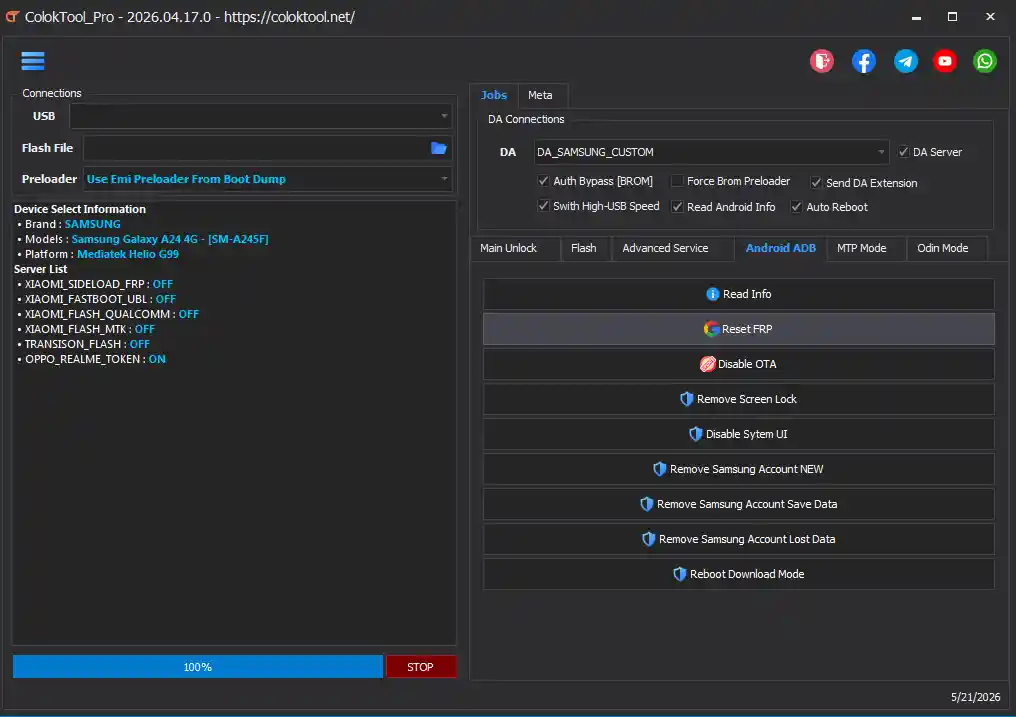
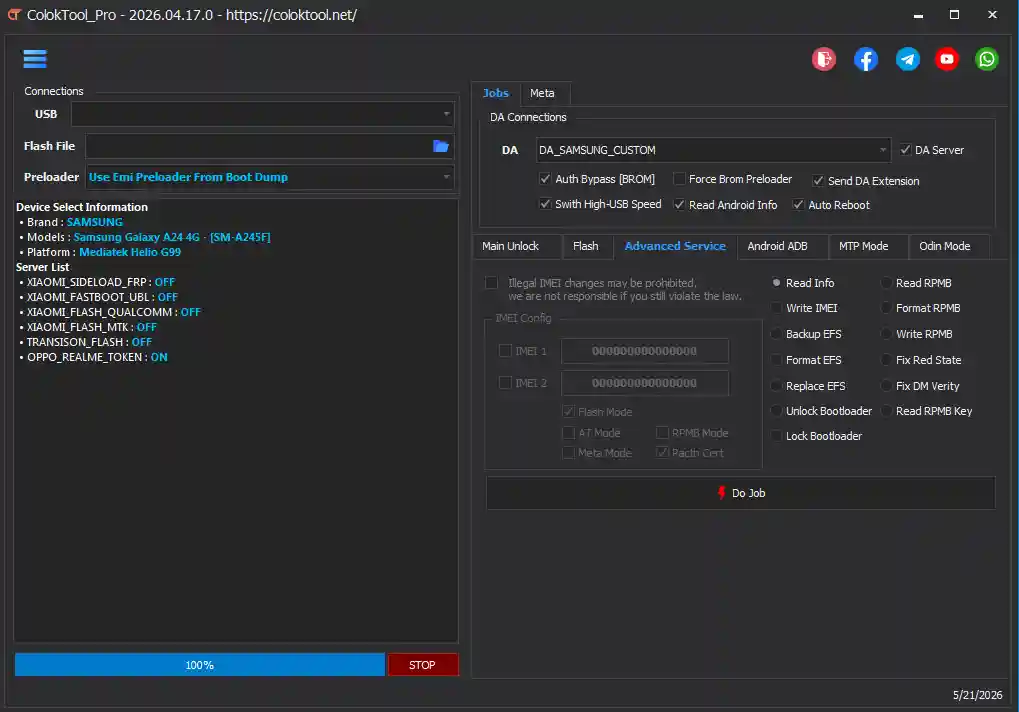
ColokTool Pro is a free all-in-one Android mobile repair software designed for phone technicians and repair shops. It supports a wide range of brands including Samsung, Xiaomi, Oppo, Vivo, Huawei, Realme, Nokia, Motorola, Infinix, Tecno, and many more. With this tool, you can remove FRP locks, flash firmware, repair IMEI, remove screen locks, unlock bootloaders, and perform advanced partition operations — all from a single Windows application.
ColokTool Pro Features
- ✅ FRP Unlock
- ✅ Firmware Flashing (MTK, Qualcomm, Unisoc)
- ✅ IMEI Repair
- ✅ Screen Lock Removal
- ✅ Bootloader Unlock / Relock
- ✅ MDM / KG Unlock
- ✅ ADB & Fastboot Tools
- ✅ EDL / BROM / Download Mode Support
- ✅ Partition Backup & Restore
- ✅ Supports Samsung, Xiaomi, Oppo, Vivo, Huawei, Nokia, Motorola & More
Supported Devices
- ✅ Samsung, Xiaomi, Redmi, POCO, Oppo, Realme, Vivo, Huawei, Honor, Nokia, Motorola, Infinix, Tecno, Itel, Lenovo, Asus, OnePlus, Sony, ZTE, Alcatel, LG, Meizu, Cubot, Hisense, and more.
Changelogs
ColokTool Pro – Update 27 Apr / 05 May 2026
[New] MDM Unlock / Bypass for Nokia Devices
[New] MDM Unlock / Bypass for Infinix, Tecno, and Itel Devices
[New] MDM / KG Unlock / Bypass for Samsung Devices
[Fixed] Flash Scatter MTK_V5 Download Only Issue
[Fixed] Qualcomm Read Chip Version / Firmware Version
[Fixed] Meta Read / Write / EFS Functions
[Improved] Qualcomm Loader Operation
[Improved] Universal Meta Mode Support
Screenshots
Download ColokTool Pro 2026.05.05
You can download the latest version of ColokTool Pro below:
File Password: softwarecrackguru
⚠️ Warning: Download and use at your own risk. Always back up your device data before performing any repair operations.
Requirements
- A Windows PC or Laptop
- Windows 10 or Windows 11 (64-bit recommended)
- Disable Antivirus or Windows Defender before running the tool
- Run the loader with administrator privileges
- Proper USB drivers installed for your device brand
How To Install and Use ColokTool Pro
- Download the ColokTool Pro zip file from the link above.
- Extract the zip package to a folder on your PC.
- Open the extracted folder and run setup.exe to complete the full installation.
- After installation, open ColokTool Pro from the desktop shortcut.
- Wait while the tool downloads all required data automatically.
- Open the second zip file inside the extracted folder: COLOKTOOL_NEW_RUN_FIRST.zip
- Extract that zip file and run the included file as Administrator.
- Click the Start button and follow the on-screen instructions.
- Connect your device via USB and select the repair function you need.
⚠️ Important: Always disable your antivirus before extracting or running the tool, or the background patching services may be blocked.
FAQ
What is ColokTool Pro?
ColokTool Pro is a free Windows-based Android mobile repair software. It supports FRP unlock, firmware flashing, IMEI repair, screen lock removal, bootloader unlock, and much more across brands like Samsung, Xiaomi, Oppo, Vivo, Huawei, Nokia, and Motorola.
Is ColokTool Pro free to use?
Yes, the tool is available as a free download. You can get started using the download links provided above.
Which operating systems does ColokTool Pro support?
The tool is compatible with Windows 10 and Windows 11 (64-bit). Make sure to disable your antivirus before running the tool to avoid false detection.
Is the tool safe to use?
When used correctly with the right firmware and settings, the tool is considered safe. However, always back up your device data and IMEI information before performing any repair or flashing operation.
Why won’t the tool open after installation?
Make sure you have completed the full setup installation first, then run the loader as administrator. Also ensure your antivirus or Windows Defender is disabled, as it may block the tool from running.
More Tools ⇒