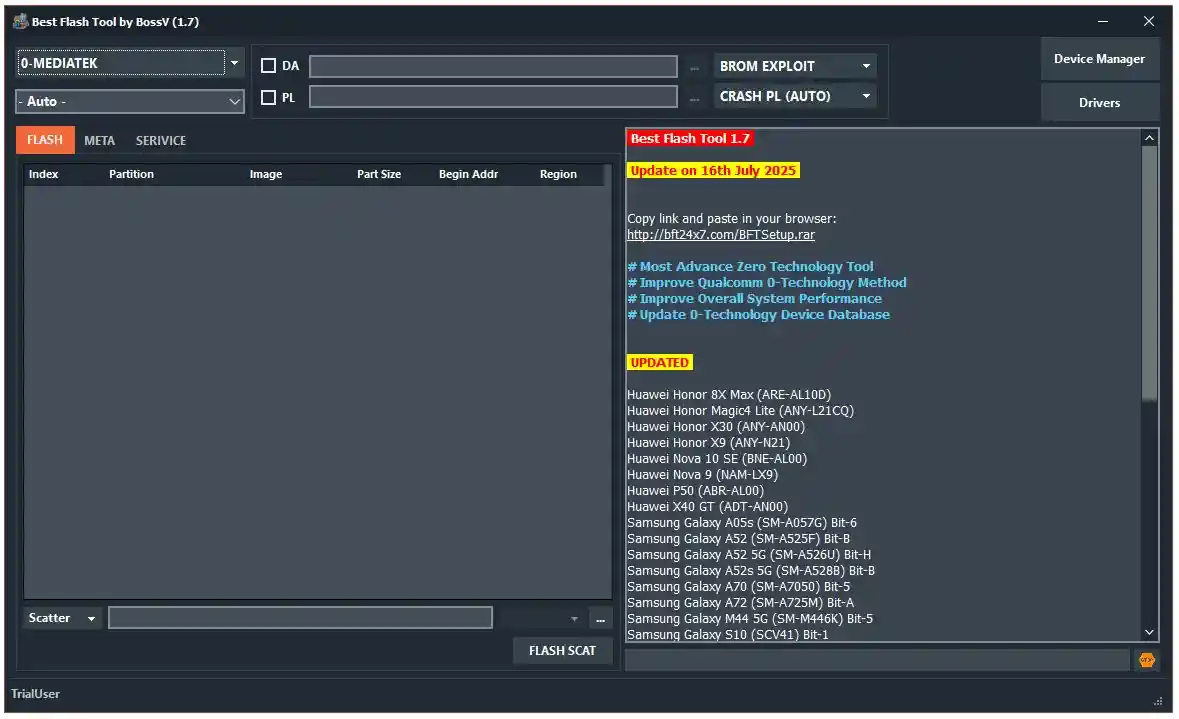
Best Flash Tool (BFT) by BossV is a free professional Android flashing and repair tool developed by the Miracle Team. It supports MediaTek, Qualcomm, Unisoc, and Samsung devices in one clean Windows application. With this tool, you can flash firmware via BROM exploit, reset FRP, repair IMEI, unlock/relock the bootloader, back up security partitions, bypass Samsung KG, and perform many advanced service operations. The v1.7 Revised update brings an enhanced Qualcomm Zero Technology boot method, improved system speed, an updated device database, and newly added support for Huawei, Samsung, and Xiaomi models.
Best Flash Tool Features
- ✅ Firmware Flashing (MediaTek BROM Exploit & Qualcomm Firehose)
- ✅ FRP Reset / Remove
- ✅ IMEI Repair (Diag Mode – Both IMEI)
- ✅ Bootloader Unlock / Relock / Permanent Unlock
- ✅ Security Backup & Restore (RPMB, QCN)
- ✅ Format Userdata / Safe Format / Factory Reset
- ✅ DM-Verity Fix / Fix Orange State / Fix Destroyed
- ✅ Huawei ID Reset / Mi Account Reset / Reset OPPO ID
- ✅ Realme MDM Remove / Infinix MDM Remove
- ✅ Samsung KG Bypass
- ✅ Samsung FRP Reset (3 Methods)
- ✅ Unisoc PAC / CFG Flash Support
- ✅ Qualcomm Zero Technology Boot (No Test Point)
- ✅ Health Check / Disable OTA
- ✅ ADB Functions for Infinix / iTel / Tecno
Supported Modules
- ✅ MediaTek Module – BROM Flash, Meta Functions, NVM Read/Write, EMMC/UFS Format, Security Repair, Service Functions
- ✅ Qualcomm Module – Firehose Flash (XML), FRP Reset, Format, IMEI Repair, Security Backup/Restore, Smart Reset
- ✅ Unisoc Module – PAC/CFG Flash, FRP Reset, Format, BL Unlock/Relock, RPMB Backup/Restore, Diag IMEI Repair
- ✅ Samsung Module (ODIN) – BL/AP/CP/CSC Flash, FRP Reset, KG Bypass, Enter Download Mode
- ✅ Write Security Repair – VIVO, Xiaomi, Generic, OPPO methods (Both IMEI)
Supported Unisoc CPUs
- ✅ SC7731E / SC9832E / SC9863A / SC9863A (64)
- ✅ Tiger T310 / T606 / T610 / T612 / T616 / T700 / Moto (64-bit)
Supported MTK Chipsets
- ✅ MT6761, MT6762, MT6765, MT6768, MT6771, MT6781, MT6785
- ✅ MT6833, MT6853, MT6875, MT6877, MT6885, MT6891, MT6893
Supported Models
BFT v1.7 supports 259+ models. Below is the full list organized by brand:
Infinix – Hot 12 Play (X6816 / X6816C / X6817), Smart 7 (X6517), Smart 7 HD (X6516)
iTel – A14 Plus, A17, A18, A23S, A24, A24 Pro, A26, A27, A49, A49 Play, A57, A58, A58 Lite, A58 Pro, AC13, P17, P17 Pro, P37, Pad 1, Prime Tab 1, Vision 1 / 1 Plus / 1 Pro, Vision 2 / 2 Plus / 2S, Vision 3 / 3 Plus, Vision 5 / 5 Plus
Motorola – E20 (XT2155 series), E32 (XT2227 series), E6i, E7i Power (XT2097 series)
Nokia – C01 Plus, C1, C1 2nd Edition, C1 Plus, C2, C2 2nd Edition, C20, C20 Plus, C21, C21 Plus, C3, C30, C31, G11, G11 Plus, G21, T10, T20, T21
Realme – C11 2021, C21Y, C25Y, C30, C30s, C31, C33, C35, Narzo 50A Prime, Narzo 50i, Narzo 50i Prime
Samsung – Galaxy A01, A02s, A03, A03 Core, A05s, A11, A23, A42 5G, A52s 5G, A60, A71, A9 (2018), M11, M55 5G, Note8, Note20 Ultra 5G, S8, S9, S10 5G, S10 Lite, S20 5G, S20 FE 5G, S21 FE, S22 5G, S22 Ultra, S22+, S23 5G, S23 Plus, S23 Ultra, S24, S24 Plus, S24 Ultra, S24+, Tab A 8.0 (2019), Z Flip4, Z Flip5, Z Flip6, Z Fold5, Z Fold6
Tecno – Pop 4 (BC2c), Pop 5, Pop 5 Go, Pop 5 LTE
Wiko – View 3 Lite (W-V800), Y80, Y82
ZTE – Blade A3 2020, A3 Lite, A31, A31 Lite, A31 Plus, A5 2020, A5 Pro, A51, A51 Lite, A52, A52 Lite, A531, A7 2019, A7s 2020, L110, L130, L210, L7, L7A, L8, L9, Q3, V10 Vita, V2020
Changelogs
v1.7 (Revised) — 16 July 2025
[Enhancement] Most Advanced Zero Technology Tool
[Enhancement] Enhanced Qualcomm Zero-Technology Method
[Enhancement] Optimized Overall System Performance
[Enhancement] Updated 0-Technology Device Database
[New] Huawei: Honor 8X Max (ARE-AL10D), Honor Magic4 Lite (ANY-L21CQ),
      Honor X30 (ANY-AN00), Honor X9 (ANY-N21), Nova 10 SE (BNE-AL00),
      Nova 9 (NAM-LX9), P50 (ABR-AL00), X40 GT (ADT-AN00)
[New] Samsung: A05s (SM-A057G) Bit-6, A52 (SM-A525F) Bit-B, A52 5G (SM-A526U) Bit-H,
      A52s 5G (SM-A528B) Bit-B, A70 (SM-A7050) Bit-5, A72 (SM-A725M) Bit-A,
      M44 5G (SM-M446K) Bit-5, S10 (SCV41) Bit-1, S21 FE 5G (SM-G990U) Bit-F,
      S21+ 5G (SM-G9960) Bit-B, S22 Ultra 5G (SM-S908U) Bit-8,
      S23 (SM-S9110) Bit-5/6, S23 Ultra (SM-S9180) Bit-6, S23+ (SM-S916U) Bit-6,
      S24+ (SM-S9260) Bit-4, Tab A9+, Tab A9+ 5G, Tab Active Pro, Tab S5e,
      Tab S9 Ultra, XCover6 Pro (SM-G736U) Bit-A, Z Flip3 5G (SM-F711U) Bit-B,
      Z Fold3 5G (SCG11 / SM-F9260) Bit-1/9, Z Fold5 (SM-F946U) Bit-6
[New] Xiaomi: POCO C75 (lake), POCO M5 (rock), POCO X6 Pro (duchamp),
      Redmi 14C (lake), Redmi A3 Pro (lake), Redmi K70E (duchamp)

v1.6
[Enhancement] Vivo New Security (V4) – Format Userdata, FRP Reset (Android 15), Safe Format
[Enhancement] Oppo New Security (V3) – Format Userdata, FRP Reset (Android 15), Safe Format
[Enhancement] USB Auto Connect (No Boot Key Required)
[Enhancement] Qualcomm 0-Technology Improved
[Enhancement] Faster Log Output & Stability Improvements

v1.5
[New] Updated Xiaomi Preloader Exploit
[New] Read Flash / Write Flash / FRP Reset / Format support
[New] Xiaomi: POCO C65 (gale), POCO X6 Neo 5G (gold), Redmi 13C, Redmi A3, Redmi Note 13 5G
[New] Oppo/Realme Loader: A5 2020, A9 2020, A11, A11N, A11X, K5, Reno 2
[New] Realme: Realme 5, 5i, 5s, Narzo 20A, X2
[Enhancement] Improved Qualcomm Zero Technology Boot
[Enhancement] Improved Samsung Format Userdata & FRP Reset
[Fix] Fixed Samsung Read Not Allowed Error
[New] Samsung: A23 5G, A52, S20 5G, S23, Tab A 10.5, Tab S9, Tab S9 Ultra, Z Flip, Z Flip 5G, Z Flip6, Z Fold5

v1.4 — 28 March 2025
[New] Updated MediaTek Zero Technology – Lists all available exploits
[New] Updated HUAWEI Preloader Exploit
[New] MT6765 / MT6768 Support: Read Flash, Write Flash, Erase FRP, Format
[Enhancement] Improved Firmware Write for Qualcomm CPUs
[Fix] Fixed SEC.DAT Flash Error
[New] Option to Open Download Page if Version Expires
[New] Log Save Function Added
[New] Huawei: Honor 8A Prime, 8A Pro, Play 8A, X5 Plus, X5b, X5b Plus, X6, X6a, X6b, X7a
[New] Samsung: A05s Bit-8, A23, A23 5G, A42 5G, A52, A71, Note 20 Ultra, Note10, Note20, Note9,
      S10 Lite, S20 5G, S20 FE 5G, S20 Ultra 5G, S21 FE, S22, S22+, S23, S24, S24 Ultra,
      Tab A9+, Tab Active4 Pro, Tab S5e, Tab S7 FE 5G, Tab S9 Ultra, Z Flip, Z Flip 5G,
      Z Flip3 5G, Z Flip5, Z Flip6, Z Fold3 5G, Z Fold6

v1.3 — 18 March 2025
[Enhancement] Improved Security Backup & Security Repair
[New] Huawei MTK Preloader Mode (No TestPoint needed)
[New] Huawei: Honor 200 Lite, 90 Smart, 90 Lite 5G, X40i, X50i, X50i Plus,
      Play 40 Plus, Play 50 Plus, Play 7T, Play 8T
[New] Samsung: A05s Bit-8, A23 5G, S9+, Note10, S20 FE (multiple), S21 FE,
      S22, S22 Ultra, S22+, S23, S23 Ultra, S24, S24 Ultra, Tab A9+,
      Z Flip3 5G, Z Flip5, Z Flip6, Z Fold6

v1.2 — 13 March 2025
[New] Samsung KG Bypass Added
[Enhancement] Improved Vivo Qualcomm Booting
[New] SPD Boot Version V2
[Enhancement] Expanded 0-Spreadtrum Models
[New] Qualcomm Auto Detect Read / Write / Check
[New] Qualcomm Intelligent Method Selection for FRP & Format
[New] Unisoc V2 Auth Bypass: Tiger T606 V2, T610 V2, T616 V2
[Enhancement] Updated GUI & update notification system
[New] 77 new Samsung and Vivo models added
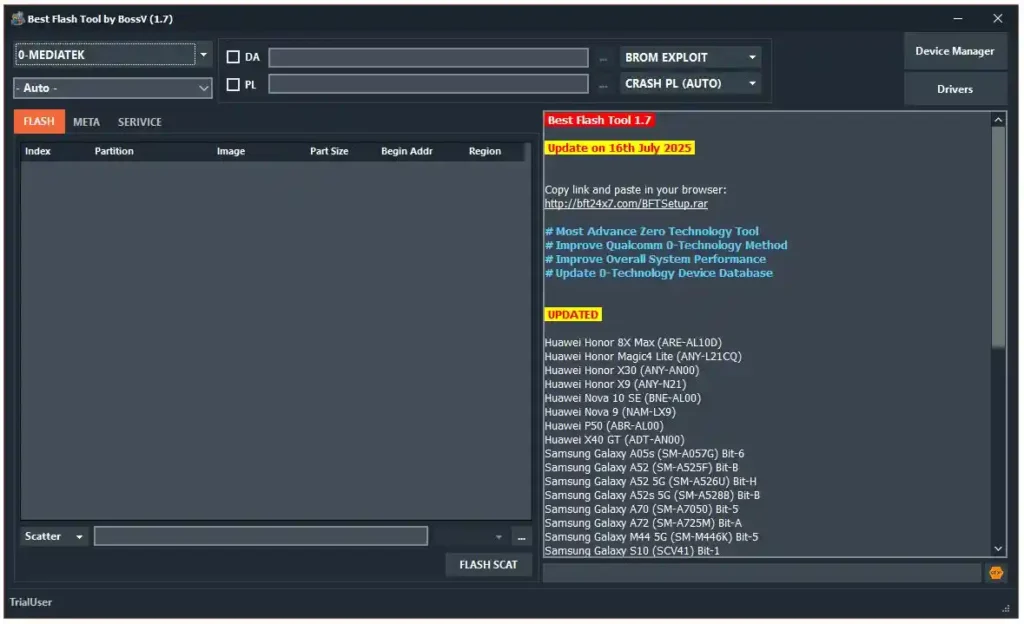
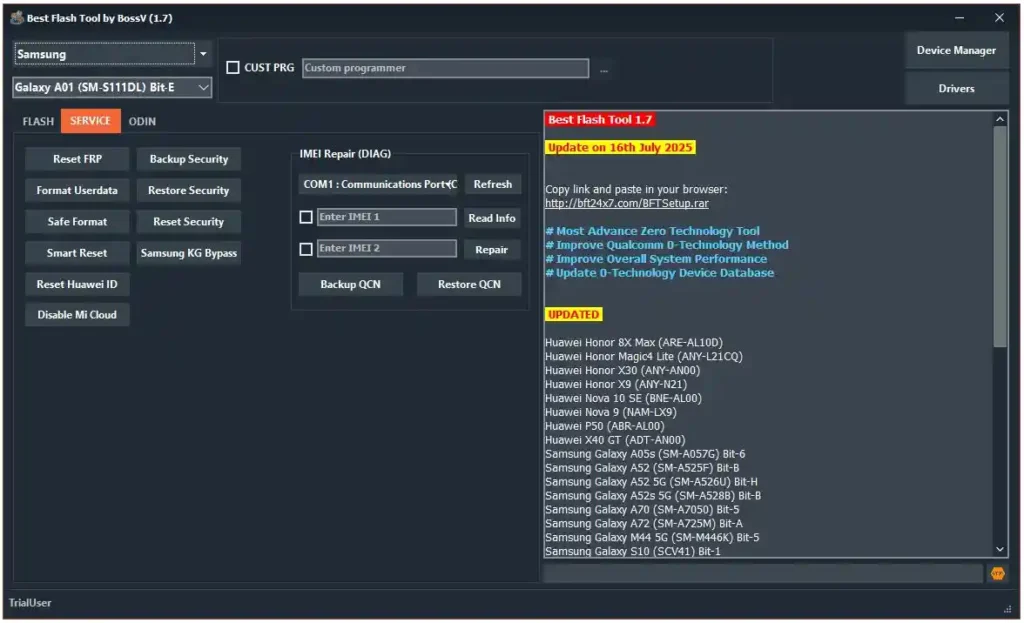
Screenshots
File Information
| Field | Details |
|---|---|
| File Name | BFTSetup_V1.7_Revised.rar |
| File Size | 31 MB |
| File Type | Free / Trial Period |
| Login Username | TrialUser |
| Login Password | fj6Y732M7j4c703N |
Download Best Flash Tool v1.7
You can download the latest version of Best Flash Tool by BossV below:
Download Best Flash Tool v1.7 Revised – Direct Link
⚠️ Warning: Download and use at your own risk. Always back up your device’s security and IMEI data before performing any flash or repair operation.
Requirements
- A Windows PC or Laptop
- Windows 10 or Windows 11 (64-bit recommended)
- WinRAR or 7-Zip to extract the file
- Proper USB drivers installed for your device brand
- Disable Antivirus or Windows Defender before running the tool
How To Install and Use Best Flash Tool by BossV
- Download the RAR file from the link above and extract it using WinRAR or 7-Zip.
- Open the extracted folder and double-click the EXE installer to run it.
- Follow the on-screen instructions — click Next, agree to the terms, and complete installation.
- Once installed, go to your Desktop and open “Best Flash Tool by BossV”.
- Login credentials are usually auto-filled. If not, use the details from the File Information table above.
- Connect your device via USB and select the chip platform — MediaTek, Qualcomm, Unisoc, or Samsung.
- Choose the function you need — Flash, FRP Reset, IMEI Repair, BL Unlock, etc. — and follow the on-screen instructions.
⚠️ Important: Always disable your antivirus before running the tool. Run as Administrator to avoid permission errors.
FAQ
What is Best Flash Tool by BossV?
Best Flash Tool (BFT) by BossV is a free Android flashing and repair tool by the Miracle Team. It supports MediaTek, Qualcomm, Unisoc, and Samsung devices with functions like BROM exploit flash, FRP reset, IMEI repair, bootloader unlock, and security backup/restore.
Is Best Flash Tool completely free?
Yes, BFT is free to use with the provided trial credentials. No dongle or paid activation is required.
Which chip platforms does BFT support?
The tool supports Qualcomm (Zero Technology / EDL), MediaTek (BROM exploit), Unisoc/Spreadtrum (PAC/CFG), and Samsung (ODIN mode).
Does BFT support Samsung KG Bypass?
Yes, Samsung Knox Guard (KG) Bypass was added from v1.2 onwards.
Why won’t the tool detect my device?
Make sure the correct USB drivers are installed, your antivirus is disabled, and the tool is running as Administrator. For Qualcomm devices, Zero Technology detects the device automatically without a boot key.
Does BFT support Huawei without a test point?
Yes, from v1.3 onwards, BFT added Huawei MTK Preloader Mode support that works without a test point.
More Tools ⇒