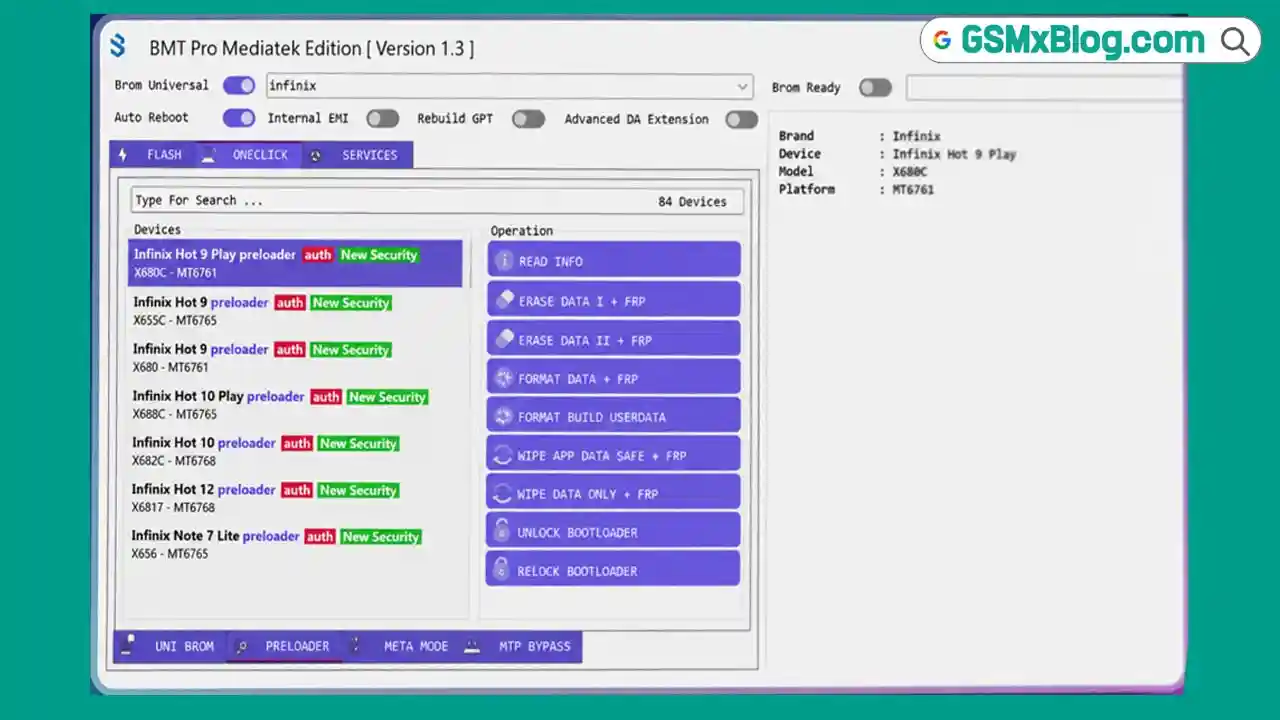
BMT MediaTek Tool v1.3 is a free lightweight Android servicing utility built specifically for MediaTek devices. Developed for phone repair work, it brings together essential MTK functions including BROM/Preloader operations, firmware flashing, FRP reset, META mode IMEI repair, Vivo RPMB services, and MTP bypass — all inside a simple tabbed interface. This version supports a wide range of MTK brands including Realme, Oppo, Vivo, Xiaomi, Samsung, Huawei, Infinix, Nokia, Asus, and Meizu. Most operations are available in one-click format, making it quick and easy to use for common servicing tasks.
BMT MediaTek Tool Features
UNI BROM / PRELOADER Operations
- ✅ Read Device Information
- ✅ Erase Data + FRP
- ✅ Format Data
- ✅ Wipe Userdata
- ✅ Safe App Data Wipe
- ✅ Unlock Bootloader
- ✅ Relock Bootloader
Flash Functions
- ✅ Flash Firmware (Scatter File)
- ✅ Backup Partitions
- ✅ Erase Partitions
- ✅ Reboot Device
- ✅ Custom Preloader Support
- ✅ Scatter File Selection
- ✅ DA File Selection (Custom DA Support)
META Mode Functions
- ✅ META Read Info
- ✅ META Erase FRP
- ✅ META Erase Data
- ✅ META Userdata Format
- ✅ META Safe Wipe
- ✅ META Write IMEI
- ✅ Dual IMEI Support
- ✅ Single IMEI Support
MTP Bypass – Samsung
- ✅ MTP Read Info Samsung
- ✅ MTP Erase FRP Samsung
- ✅ MTP Factory Reset Samsung
- ✅ MTP Disable Factory Samsung
- ✅ MTP Send Reset Download
MTP Bypass – Universal
- ✅ Open Browser
- ✅ Open YouTube
- ✅ Open Settings
- ✅ Open File Manager
- ✅ Open Dialpad
- ✅ Open Custom URL
Vivo RPMB & IMEI Services
- ✅ Read IMEI / Write IMEI
- ✅ Read RPMB / Write RPMB
- ✅ Custom RPMB Write
Additional Tool Features
- ✅ Auto Reboot
- ✅ Internal EMI
- ✅ Rebuild GPT
- ✅ Advanced DA Extension
- ✅ Auto Switch USB
Supported Brands & Chipsets
Supported Brands – Realme, Oppo, Vivo, Xiaomi, Redmi, POCO, Samsung, Huawei, Nokia, Asus, Infinix, Meizu
Supported Chipsets – MT6765, MT6768, MT6785, MT6853, MT6873 and many other MTK-based platforms
Full model list is available directly inside the tool interface.
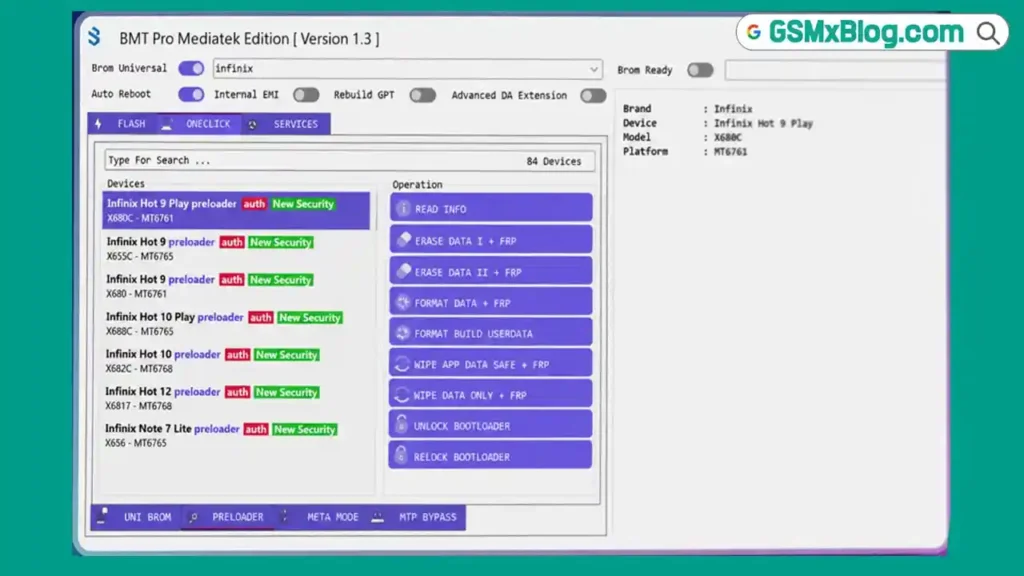
Screenshots
File Information
| Field | Details |
|---|---|
| File Name | BMT_MediaTek_Tool_v1.3.rar |
| Version | v1.3 |
| Developer | BMT Team |
| Activation | Free (HWID-based token) |
| File Password | softwarecrackguru |
Download BMT MediaTek Tool v1.3
⚠️ Warning: Download and use at your own risk. Always back up your device data before performing any flash or repair operation.
Requirements
- A Windows PC or Laptop
- Windows 10 or Windows 11 (64-bit recommended)
- WinRAR or 7-Zip to extract the file (password: softwarecrackguru)
- MTK USB Drivers installed on your PC
- Disable Antivirus or Windows Defender before running the tool
- Active internet connection for first-time activation
How To Install and Activate BMT MediaTek Tool v1.3
- Download the RAR file from the link above and extract it using WinRAR or 7-Zip (password: softwarecrackguru).
- Open the extracted folder and run BMT_MediaTek_Load.exe as Administrator (right-click → Run as Admin).
- Copy your Hardware ID (HWID) shown inside the tool.
- Click “GET FREE ACTIVATION KEY” — the website will open automatically in your browser.
- Paste your HWID on the website and generate your activation token.
- Copy the generated token and return to the tool.
- Paste the token into the activation box and click “REGISTER FRESH LICENSE” — the tool will activate successfully.
⚠️ Important: Always disable your antivirus before running the tool. Run as Administrator to avoid permission or activation errors.
FAQ
What is BMT MediaTek Tool?
BMT MediaTek Tool is a free lightweight servicing utility for MTK Android devices. It supports BROM/Preloader operations, firmware flashing, META mode IMEI repair, FRP reset, Vivo RPMB services, and MTP bypass — all in a single tabbed interface.
Is BMT MediaTek Tool free to use?
Yes, it is free. Activation uses a Hardware ID (HWID) system — copy your HWID from the tool, generate a free token from the activation website, and register. No payment is required.
Which chipsets are supported?
The tool supports MT6765, MT6768, MT6785, MT6853, MT6873, and many other MediaTek-based chipsets. The full supported model list is visible directly inside the tool interface.
What is the difference between BROM and META mode?
BROM (Boot ROM) mode is used for deep-level operations like flashing, format, and FRP erase when the device cannot boot normally. META mode is used for lighter operations like IMEI repair and FRP reset while the device is partially booted.
Does the tool support Samsung devices?
Yes, through the MTP Bypass section. BMT MediaTek Tool includes Samsung MTP functions for FRP erase, factory reset, read info, and download mode — useful for Samsung MTK models during FRP work.
What is the Vivo RPMB section used for?
The Vivo RPMB section is specifically for Vivo MTK devices and allows you to read, write, or perform custom RPMB operations, as well as read and write IMEI directly.
More Tools ⇒